


Hetai Tech
Hetai Tech ESM-9110 Wireless Gamepad Joystick Controller
Wireless gamepad for PC, PS3 and Android 5.0+ with adjustable dual vibration, LED brightness and four programmable buttons
- TypeJoystick
- Broad Windows, PS3 and Android 5.0+ support for versatile gaming
- Adjustable dual vibration with five intensity levels for tactile feedback
- Customisable LED brightness across five settings on ABXY and right stick
- Four programmable M1–M4 buttons simplify complex in-game actions
- Plug-and-play USB receiver or wired connection for instant setup
Wireless PC Gamepad with Vibration
The Hetai Tech ESM-9110 is a wireless joystick controller designed for PC gaming on Windows XP, 7, 8, 8.1 and 10. It also works with PlayStation 3 and Android 5.0 or later devices that support OTG, including phones, tablets, TVs and TV boxes.
Suits players wanting adjustable feedback
Gamers who want configurable rumble and lighting will appreciate the five-level vibration intensity and five-level LED brightness on the ABXY keys and right stick. Four rear programmable buttons let you map complex actions to a single press. Buyers needing Bluetooth connectivity or official Xbox console support should look elsewhere.
Xinput mode via USB receiver
Pairing starts by pressing the HOME button; insert the receiver or USB cable into the computer and LED1 plus LED4 stay solid when connected. If they do not, hold the MODE button for five seconds until they do.
Highlights
- Broad Windows, PS3 and Android 5.0+ support for versatile gaming
- Adjustable dual vibration with five intensity levels for tactile feedback
- Customisable LED brightness across five settings on ABXY and right stick
- Four programmable M1–M4 buttons simplify complex in-game actions
- Plug-and-play USB receiver or wired connection for instant setup
Specifications
| Type | Joystick |
|---|
Questions about this item
What USB port does the ESM-9110 receiver need on my PC?
The wireless receiver plugs into any standard USB port on the computer for pairing.
How do I pair the gamepad with a Windows PC using the receiver?
Press the HOME button to turn on the controller, insert the receiver into a USB port, then hold the MODE button for 5 seconds until LED1 and LED4 stay lit.
Which parts of the ESM-9110 are most likely to wear out first?
The asymmetrical vibration motors, analogue joysticks and programmable M1–M4 buttons see the most mechanical stress over time.
Also in this aisle
People compared these
Same shelf, same checkout — eight coins and a 30-minute rate lock.


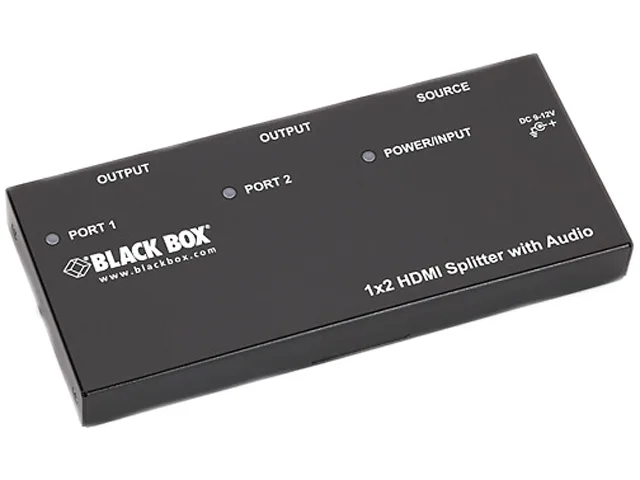
Black Box Corporation
Black Box AVSP-HDMI1X2 HDMI splitter 1×2 with audio
- HDMI
- Approvals: CE, RoHS…
$104.99
0.00121208BTC
In stock