
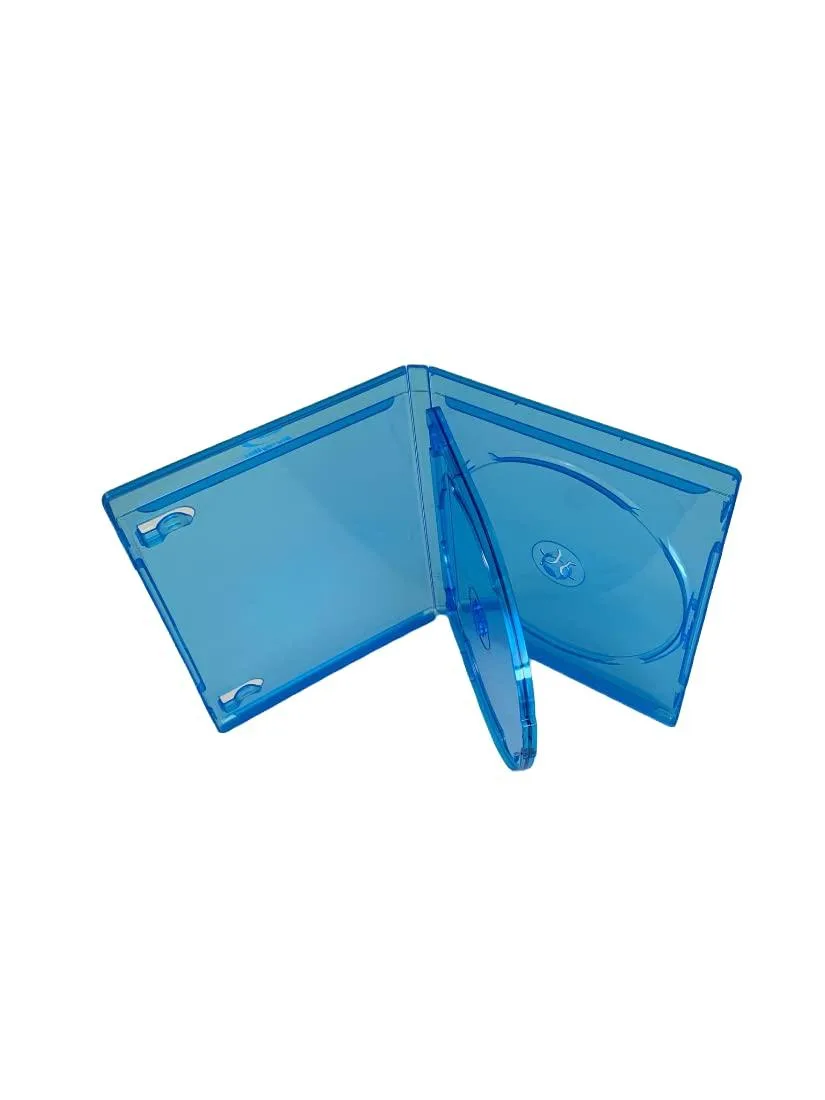
MediaPack4All 12.5mm Blu-Ray Case Multi-Three Storing Capacity
- 2.4892 L x 18.2118…
- 1 Year Warranty
$13.99
0.00016809BTC
In stockWe take cryptocurrency — so the coins you hold can buy real hardware.Pay in crypto, spend it on real hardware. Free insured shipping worldwide over $399. Plain, unbranded boxes, sent from Germany.Free insured shipping over $399. Your rate is locked for 30 minutes once checkout opens.Rate locked 30 minutes. Every item sealed, serial-checked and covered by a 24-month warranty.Sealed, 24-month warranty.


Hetai Tech
A 2.5 inch SATA enclosure with USB 3.1 Gen 1 Type-C 5Gbps for 7-9.5mm drives up to 4TB
The Hetai Tech 2521C3 houses a 2.5-inch SATA HDD or SSD between 7 mm and 9.5 mm thick. It connects to a host through a USB 3.1 Gen 1 Type-C port running at 5 Gbps. The enclosure supports drives up to 4 TB and works with Windows, macOS and Linux without extra drivers.
The ABS shell measures 128 mm by 80 mm by 15 mm and relies on passive cooling. No moving parts means silent operation during sustained transfers. Power is drawn directly from the USB bus, so no external adapter is required for typical 2.5-inch drives.
A built-in smart-sleep function spins the drive down after inactivity to reduce wear and power draw. The package includes a 0.5 m USB-C-to-C or USB-C-to-A cable for immediate connection. The JMS576 controller manages the SATA-to-USB translation.
| Type | Enclosure |
|---|
Slide the drive into the SATA connector, secure the cover, then plug the 0.5 m USB C cable into the Type-C port; the step often missed is enabling the smart sleep feature in the OS so the drive spins down after inactivity.
The ABS shell and JMS576 controller are solid-state; only the 0.5 m USB C cable may wear from repeated insertion, so keep a spare USB 3.1 Gen 1 Type-C cable for replacement.
The 5 Gbps USB 3.1 Gen 1 interface caps real-world throughput, so sustained reads and writes plateau at the bus limit before the SATA drive reaches its own ceiling.
New to this? Paying with USDT: TRC-20 or ERC-20 — what to check, what it costs to pay, and what is never asked for.
Also in this aisle
Same shelf, same checkout — eight coins and a 30-minute rate lock.
What you pay in, and what you read prices in.
Sent from your wallet at checkout
Display only — the catalogue is priced in USD
No currency matches that.
Pick the language the site speaks to you in.
No language matches that.
New here?
Already have one?
There is no automatic reset: this shop sends no mail, so there is no one-time link to ask for. Leave the address on the account and it gets picked up by hand.
Request noted
Nothing is on its way to your inbox — this shop sends no mail at all. Someone picks these up by hand.
Remembered it?


