

Knox Gear, Inc.
Knox Gear KN-GC02 39" Hard Shell Guitar Case Gold Hardware
- Guitar Bag
$62.99
0.0007544BTC
In stockWe take cryptocurrency — so the coins you hold can buy real hardware.Pay in crypto, spend it on real hardware. Free insured shipping worldwide over $399. Plain, unbranded boxes, sent from Germany.Free insured shipping over $399. Your rate is locked for 30 minutes once checkout opens.Rate locked 30 minutes. Every item sealed, serial-checked and covered by a 24-month warranty.Sealed, 24-month warranty.


Graviton
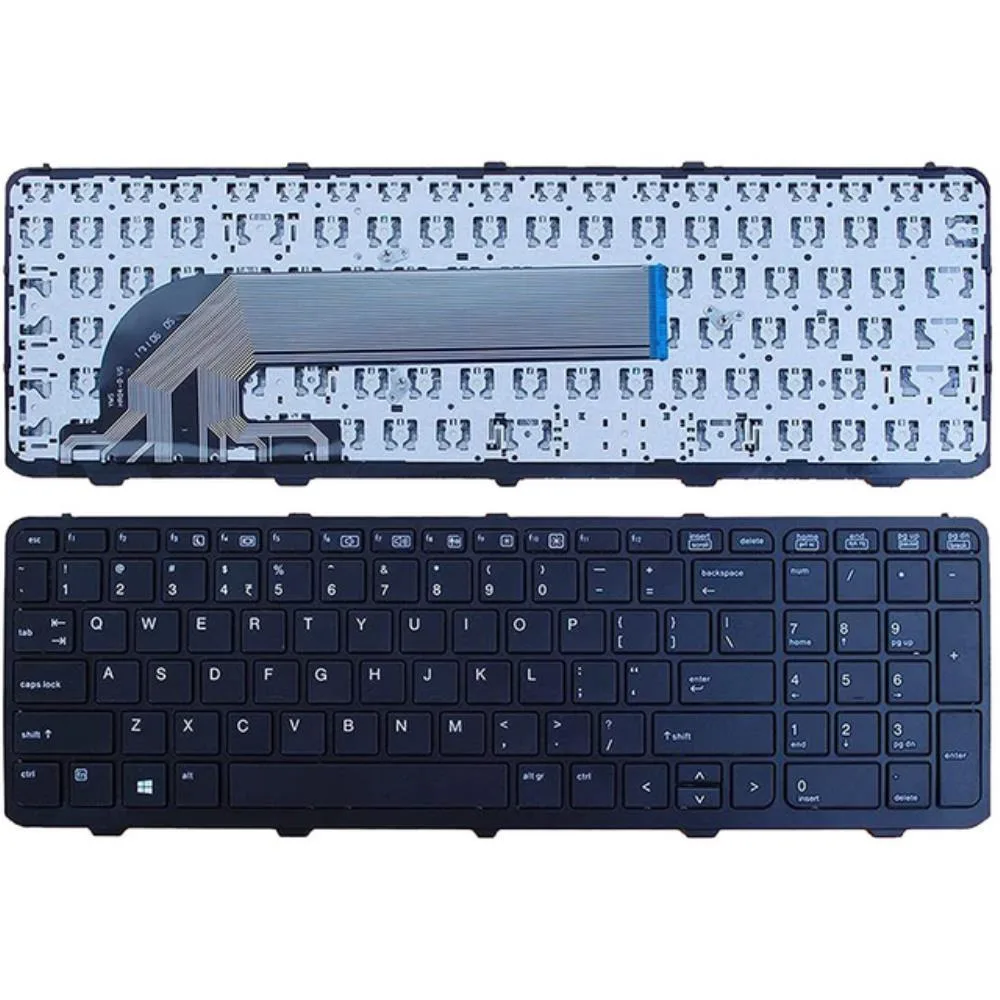
Black US-layout replacement keyboard for HP ProBook 450, 455, 470, 650 and 655 G0 G1 G2 models without backlight
This replacement keyboard fits HP ProBook 450 G0 G1 G2, 455 G1 G2, 470 G0 G1 G2, 650 G1 and 655 G1 series laptops. It matches part numbers SN9123BL, 780170-001, SG-63120-XUA, 6037B0104301, 787801-001, 768130-001 and SN7139BL. Buyers with later G3 through G6 models cannot use this unit.
As a passive input device the keyboard draws no measurable power and generates no heat or fan noise during normal typing. Operation is silent and places no additional load on the laptop battery or cooling system.
The black US-layout keyboard ships with its mounting frame for direct installation. It lacks backlighting, so users who need illuminated keys must look elsewhere. CE certification is declared and the unit is supplied new in a single keyboard package.
No published specifications for this item yet.
Remove the battery first, then unscrew the keyboard retaining screws from the bottom case; the step often missed is disconnecting the ribbon cable before lifting the old keyboard.
The frame is integrated and the ribbon cable is fixed; only the complete keyboard unit would need replacement if keys fail or the cable fatigues.
Yes, without backlighting the keys are not illuminated, so sustained use in dim environments relies on external lighting.
Also in this aisle
Same shelf, same checkout — eight coins and a 30-minute rate lock.
What you pay in, and what you read prices in.
Sent from your wallet at checkout
Display only — the catalogue is priced in USD
No currency matches that.
Pick the language the site speaks to you in.
No language matches that.
New here?
Already have one?
There is no automatic reset: this shop sends no mail, so there is no one-time link to ask for. Leave the address on the account and it gets picked up by hand.
Request noted
Nothing is on its way to your inbox — this shop sends no mail at all. Someone picks these up by hand.
Remembered it?


