

Brady Worldwide Inc
Brady Worldwide Inc M21 All Weather Vinyl Label Tape with Ribbon
$31.99
0.00038586BTC
In stockWe take cryptocurrency — so the coins you hold can buy real hardware.Pay in crypto, spend it on real hardware. Free insured shipping worldwide over $399. Plain, unbranded boxes, sent from Germany.Free insured shipping over $399. Your rate is locked for 30 minutes once checkout opens.Rate locked 30 minutes. Every item sealed, serial-checked and covered by a 24-month warranty.Sealed, 24-month warranty.


Graviton
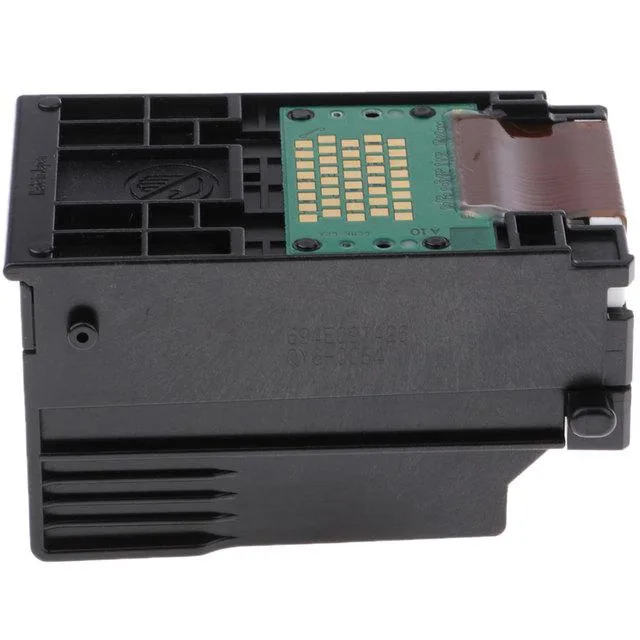
Replacement printhead for compatible Canon PIXMA, iP and MultiPASS printers operating at 110V
The Graviton QY6-0047 printhead operates at 110V and fits a wide range of Canon inkjet and multifunction models including PIXMA MP110, MP130, iP1500 and iP2000. It is a new replacement part for office printers that use this specific printhead assembly.
The unit runs on standard 110V office power and is designed for the thermal profile of the listed Canon desktop printers. Normal printing loads stay within the original equipment specifications for heat dissipation and acoustic output.
The printhead ships in neutral packaging labelled with the QY6-0047, QY6-0047-000 and QY60047 part numbers for easy verification. No additional software, cables or installation tools are included in the box.
| Type | Printers |
|---|
Power off the printer, open the cover, wait for the carriage to centre, lift the locking lever, slide the printhead in until it seats, lower the lever firmly, close the cover, then run the alignment routine from the maintenance menu.
Run the automatic cleaning cycle only when print quality drops; avoid excessive deep-clean cycles to preserve nozzle life, and keep the printer powered on to allow periodic capped parking that prevents drying.
Extended high-volume runs can overheat the nozzle plate, causing irreversible clogging; the first sign is missing lines that persist after multiple cleaning cycles, indicating the head has reached its thermal limit.
Also in this aisle
Same shelf, same checkout — eight coins and a 30-minute rate lock.
What you pay in, and what you read prices in.
Sent from your wallet at checkout
Display only — the catalogue is priced in USD
No currency matches that.
Pick the language the site speaks to you in.
No language matches that.
New here?
Already have one?
There is no automatic reset: this shop sends no mail, so there is no one-time link to ask for. Leave the address on the account and it gets picked up by hand.
Request noted
Nothing is on its way to your inbox — this shop sends no mail at all. Someone picks these up by hand.
Remembered it?


