


GCROWN
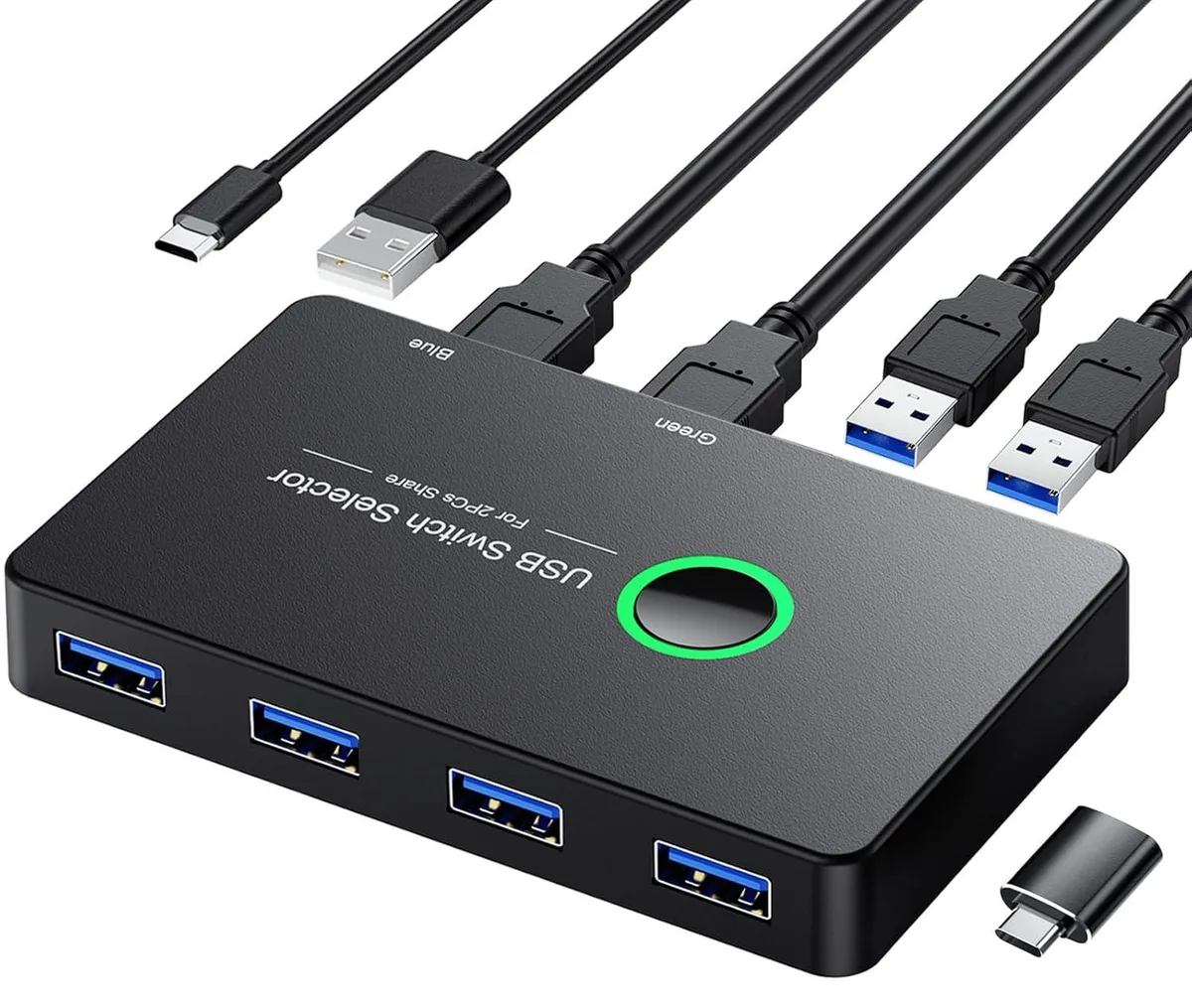
GCROWN USB 3.0 KVM Switch 2 Computers 4 Ports Share PC Mouse Printer Selector Windows Mac Linux
A USB 3.0 KVM switch lets two computers share four peripherals at up to 5 Gbps with one-button switching and driver-free Windows, Mac and Linux support
- TypeKVM Switch
- Share four USB peripherals between two computers without cable swapping
- 5Gbps USB 3.0 transfer speed with backward compatibility to USB 2.0 and 1.1
- Driver-free operation on Windows 10, 8.1, 7, Vista, XP, Mac, Linux and Chrome OS
- One-button switching with LED indicator shows active computer
- Compact design saves desk space and eliminates network-sharing software
USB 3.0 KVM Switch for Two Computers
This GCROWN KVM switch lets two computers share four USB 3.0 peripheral devices such as keyboards, mice, flash drives, printers and scanners. It eliminates the need to swap cables or configure network sharing software, freeing desk space and improving workflow efficiency.
Ideal for Dual-System Desks, Not for Video Switching
The switch suits users who operate a Windows, Mac, Linux or Chrome OS machine alongside a second computer and want driver-free, one-button peripheral sharing. It does not support video signal switching, so builders who need to share a monitor between systems should look at a dedicated video KVM solution.
Four USB 3.0 Ports at 5 Gbps, Backward Compatible
Four USB 3.0 ports deliver up to 5 Gbps data transfer and remain compatible with USB 2.0 and USB 1.1 devices. A single button with LED indication toggles control between the two connected computers, and the unit draws power from the host via a Micro USB cable, requiring no external adapter.
Highlights
- Share four USB peripherals between two computers without cable swapping
- 5Gbps USB 3.0 transfer speed with backward compatibility to USB 2.0 and 1.1
- Driver-free operation on Windows 10, 8.1, 7, Vista, XP, Mac, Linux and Chrome OS
- One-button switching with LED indicator shows active computer
- Compact design saves desk space and eliminates network-sharing software
Specifications
| Type | KVM Switch |
|---|
Questions about this item
Which cables must I already have to connect two computers to the four USB 3.0 ports?
You need two USB 3.0 cables to link each computer to the switch, plus the standard USB cables for your keyboard, mouse, printer or scanner.
Will my USB 2.0 keyboard and mouse work through the switch alongside newer USB 3.0 drives?
Yes, the switch is backward compatible with USB 2.0 and USB 1.1 devices, so older peripherals operate normally beside USB 3.0 storage.
How do I know which computer is active after I press the front button?
The LED lights green or blue to indicate the selected computer, giving immediate visual confirmation of the active port.
Also in this aisle
People compared these
Same shelf, same checkout — eight coins and a 30-minute rate lock.


Black Box Corporation
Black Box Corporation 4K60 HDMI Dual-Head KVM Switch 4 Port
$774.99
0.00896606BTC
In stock