


GCROWN
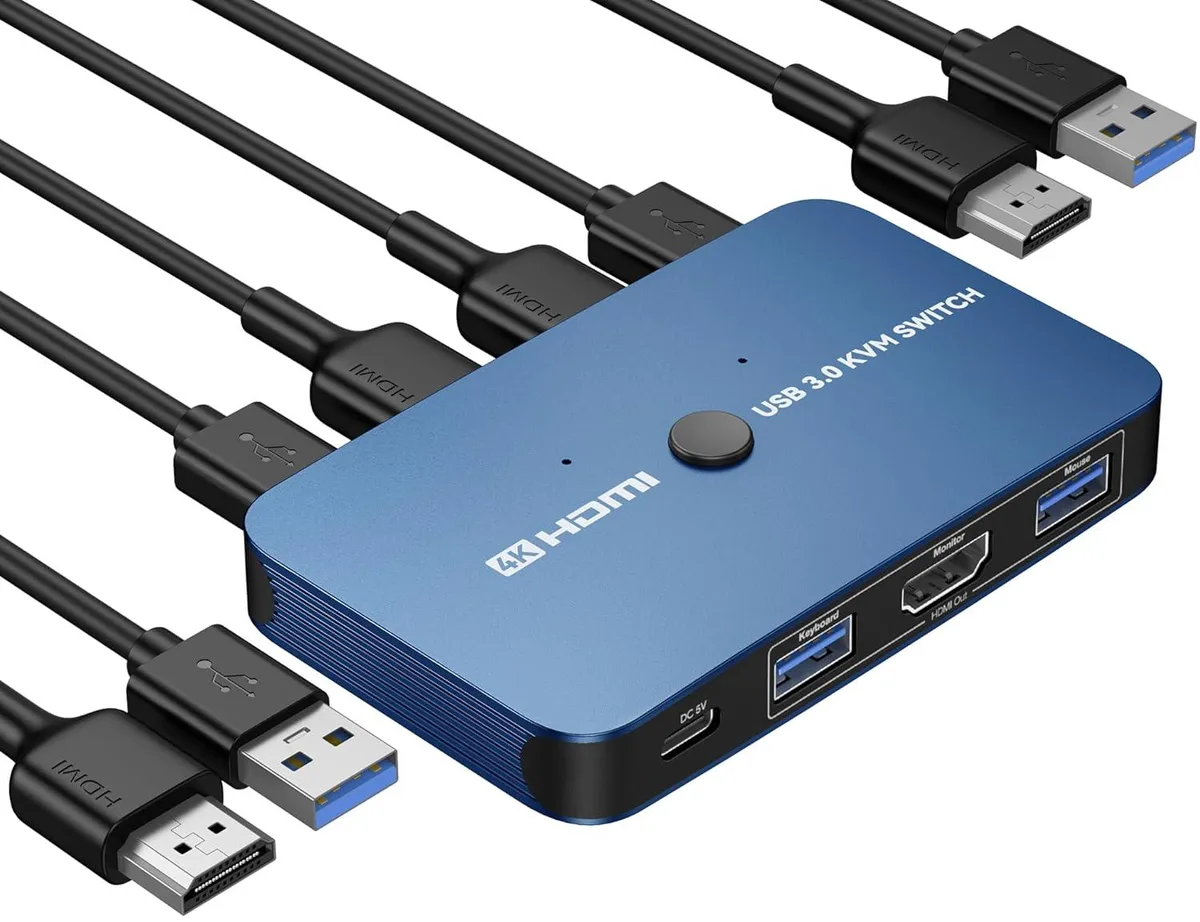
GCROWN KVM Switch 2-Port 4K 30Hz USB 3.0 Blue
A two-port KVM switch shares one 4K 30 Hz monitor, keyboard, mouse and printer between two computers with USB 3.0 ports and push-button or wired remote switching
- TypeKVM Switch
- Control two computers with one keyboard, mouse and monitor set
- Switch instantly via front button or wired remote controller
- 4K at 30 Hz resolution with 1080p fallback support
- USB 3.0 ports for stable peripheral data transfer
- Driver-free operation on Windows, Mac, Linux and Chrome OS
Two-computer KVM switch
This GCROWN KVM switch lets you operate two computers with a single monitor, keyboard, mouse and printer. Switching between the two sources is done with a button press or the included wired remote. No drivers are needed for Windows, Mac OS, Linux or Chrome OS, and the unit draws power from the connected USB ports.
Passive cooling and USB 3.0 ports
The aluminium enclosure dissipates heat without a fan, so the switch runs silently in normal use. Updated USB 3.0 ports provide stable data transfer for peripherals while the HDMI link supports 4K at 30Hz as well as 1080P and lower resolutions. No external power adapter is required.
Desk-space saver for dual-PC setups
The switch includes two HDMI cables and two USB cables so you can connect both computers immediately. It removes the need to swap cables manually, freeing desk space and reducing wear on ports. Buyers who need to share more than two computers or require 4K at 60Hz will need a different solution.
Highlights
- Control two computers with one keyboard, mouse and monitor set
- Switch instantly via front button or wired remote controller
- 4K at 30 Hz resolution with 1080p fallback support
- USB 3.0 ports for stable peripheral data transfer
- Driver-free operation on Windows, Mac, Linux and Chrome OS
Specifications
| Type | KVM Switch |
|---|
Questions about this item
How do I install the GCROWN 2-port KVM switch and which step is often missed?
Connect both computers using the two included HDMI cables and two USB 3.0 cables to the switch, then attach one monitor, keyboard, mouse and printer to the console ports. The step users miss is plugging every USB cable into the correct upstream port so both PCs recognise the peripherals.
What maintenance or replacement will the GCROWN KVM switch need later?
The unit is driver-free and draws power from the connected computers, so there are no firmware updates or batteries to replace. Only the two supplied HDMI and two USB 3.0 cables may wear out and need swapping after extended use.
What limit appears first during sustained use of the GCROWN KVM switch?
The HDMI output caps at 4K 30 Hz, so prolonged sessions at that resolution cannot exceed 30 frames per second regardless of the source computers' capabilities.
Also in this aisle
People compared these
Same shelf, same checkout — eight coins and a 30-minute rate lock.


Black Box Corporation
Black Box Corporation 4K60 HDMI Dual-Head KVM Switch 4 Port
$774.99
0.00914734BTC
In stock