


GCROWN
GCROWN 4-Port USB 3.0 KVM Switch with Wireless Remote
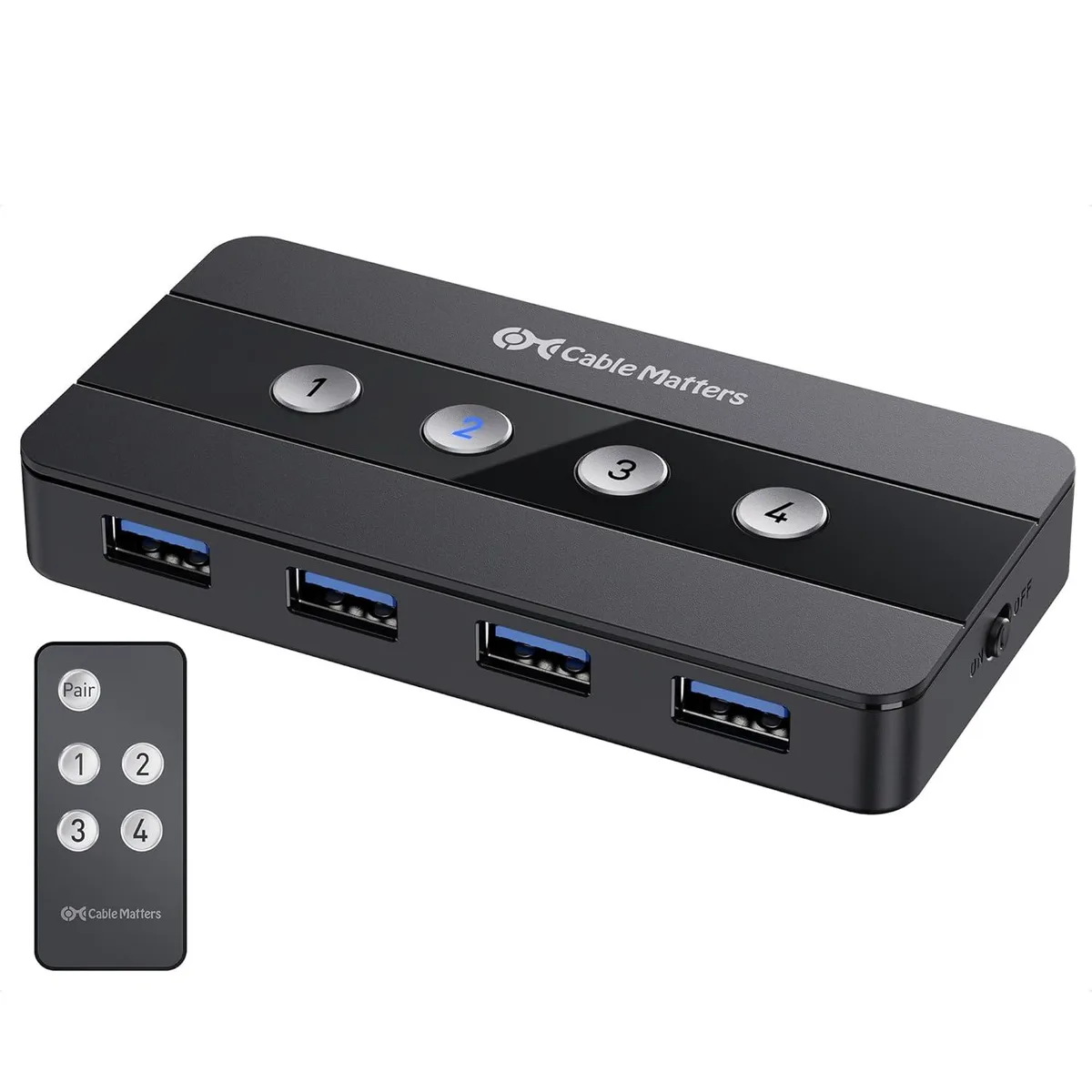
Share four USB 3.0 peripherals across four computers with push-button or wireless remote switching, plus a USB-C adapter for Thunderbolt hosts
- TypeKVM Switch
- Share four USB peripherals across four computers with one button press
- Switch hosts instantly using the included wireless RF remote control
- Disable the remote for RF-sensitive environments while keeping button switching
- Save desk space by eliminating duplicate keyboards, mice and cables
- USB 3.0 speed keeps shared storage and peripherals responsive
Four-Computer USB 3.0 Switch
The GCROWN 4-Port USB 3.0 KVM Switch lets you share up to four USB peripherals across four separate computers. It eliminates the need to physically swap cables when moving between desktops, laptops, or other host equipment. A USB-C adapter is included for compatibility with USB-C, USB4, and Thunderbolt 4 host ports. Switching is handled by front-panel buttons or the supplied wireless remote.
Desktop Users Needing Peripheral Sharing
This switch suits anyone operating multiple computers who wants a single keyboard, mouse, printer, or storage drive accessible from every machine. It is not for users who require video switching, as this unit handles USB data only. Buyers needing to share peripherals among more than four hosts should look at a different solution. The remote control can be disabled for RF-sensitive environments.
Four Host Ports with USB 3.0 Speed
The decisive specification is the four upstream ports operating at USB 3.0, which determines how many computers can be connected simultaneously and the maximum data throughput for attached storage. The included USB-C adapter extends host compatibility to newer port standards. Confirm your peripheral power requirements match bus-powered operation before purchase.
Highlights
- Share four USB peripherals across four computers with one button press
- Switch hosts instantly using the included wireless RF remote control
- Disable the remote for RF-sensitive environments while keeping button switching
- Save desk space by eliminating duplicate keyboards, mice and cables
- USB 3.0 speed keeps shared storage and peripherals responsive
Specifications
| Type | KVM Switch |
|---|
Questions about this item
What type of USB ports must my four computers have to connect to this switch?
Each computer needs a USB 3.0 port for the host connection; a USB-C adapter is included for Thunderbolt or USB-C ports.
Will my existing USB 2.0 keyboard and mouse work through this switch?
Yes, USB 2.0 peripherals are backward compatible and will function normally when plugged into the switch's USB 3.0 ports.
How can I confirm the active computer after pressing the wireless remote button?
The front-panel host button for the selected computer lights up, showing which system currently controls the shared peripherals.
Also in this aisle
People compared these
Same shelf, same checkout — eight coins and a 30-minute rate lock.


Black Box Corporation
Black Box Corporation 4K60 HDMI Dual-Head KVM Switch 4 Port
$774.99
0.00898393BTC
In stock