


GCROWN
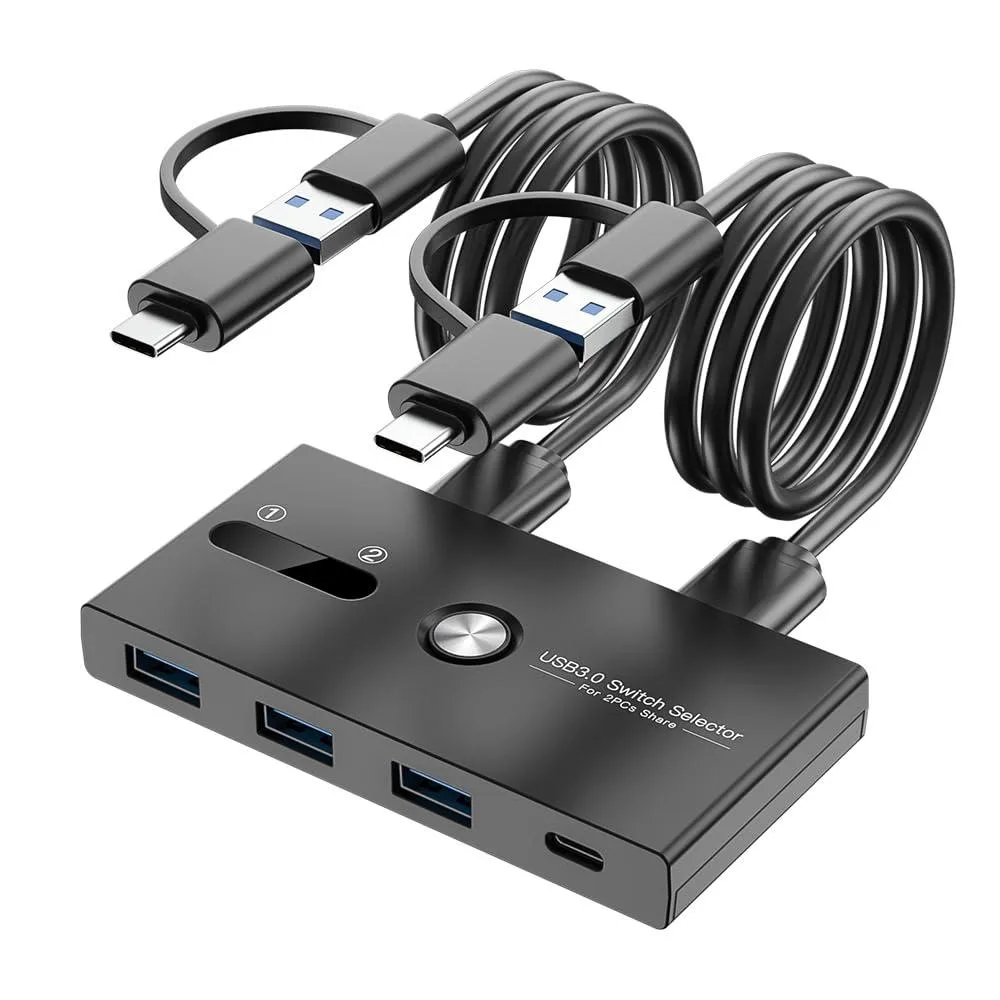
GCROWN 4-port USB 3.0 KVM switch 2 PCs 1 Type-C 3 USB-A
Share four USB 3.0 devices between two computers with a single button press, including one Type-C and three USB-A ports
- TypeKVM Switch
- Share keyboard and mouse between two PCs with one button
- Connect up to four USB peripherals via three USB-A and one Type-C ports
- Switch active computer in one to two seconds with LED channel indicator
- Two independent USB 3.0 circuits keep data paths separate for each host
- Includes two 5 ft dual-port USB cables for immediate setup
4-Port USB 3.0 KVM Switch
This GCROWN KVM switch lets you share up to four USB peripherals between two computers using a single button. It provides three USB-A ports and one USB-C port on the front for connecting devices. Two 5-foot USB 3.0 cables are included to link the switch to each host system. An LED indicator shows the active channel.
Suits dual-PC setups sharing keyboards, mice.
Users who need to switch a connected display between computers should look elsewhere, as this unit handles USB devices only. It does not supply charging power to attached gadgets, so devices requiring bus power for charging will not charge through the switch. Buyers needing more than two host connections require a different solution.
One-button switching with USB 3.0 speed
The switch uses two independent USB 3.0 transmission circuits to move all four peripheral connections simultaneously. Pressing the front button swaps the active host in one to two seconds. The default output starts on channel two before any user input.
Highlights
- Share keyboard and mouse between two PCs with one button
- Connect up to four USB peripherals via three USB-A and one Type-C ports
- Switch active computer in one to two seconds with LED channel indicator
- Two independent USB 3.0 circuits keep data paths separate for each host
- Includes two 5 ft dual-port USB cables for immediate setup
Specifications
| Type | KVM Switch |
|---|
Questions about this item
How can I confirm the GCROWN KVM switch has finished switching between my two computers?
An indicator light on the unit shows the currently active channel after the button press completes the changeover in 1 to 2 seconds.
Which cables and ports are included with the GCROWN 4-port USB 3.0 KVM switch, and what must I provide?
The box supplies two 5 ft dual-port USB 3.0 cables for the computer connections; you provide the keyboard, mouse, printer, drives or other peripherals that plug into the three front USB-A ports and the single front USB-C port.
Should I choose the USB-C or USB 3.0 connection on the computer side for the GCROWN switch?
Use the supplied dual-port USB 3.0 cables that plug into the two USB ports on the back of the switch; the front USB-C port is for a peripheral, not for a host computer link.
Also in this aisle
People compared these
Same shelf, same checkout — eight coins and a 30-minute rate lock.


Black Box Corporation
Black Box Corporation 4K60 HDMI Dual-Head KVM Switch 4 Port
$774.99
0.00921642BTC
In stock