
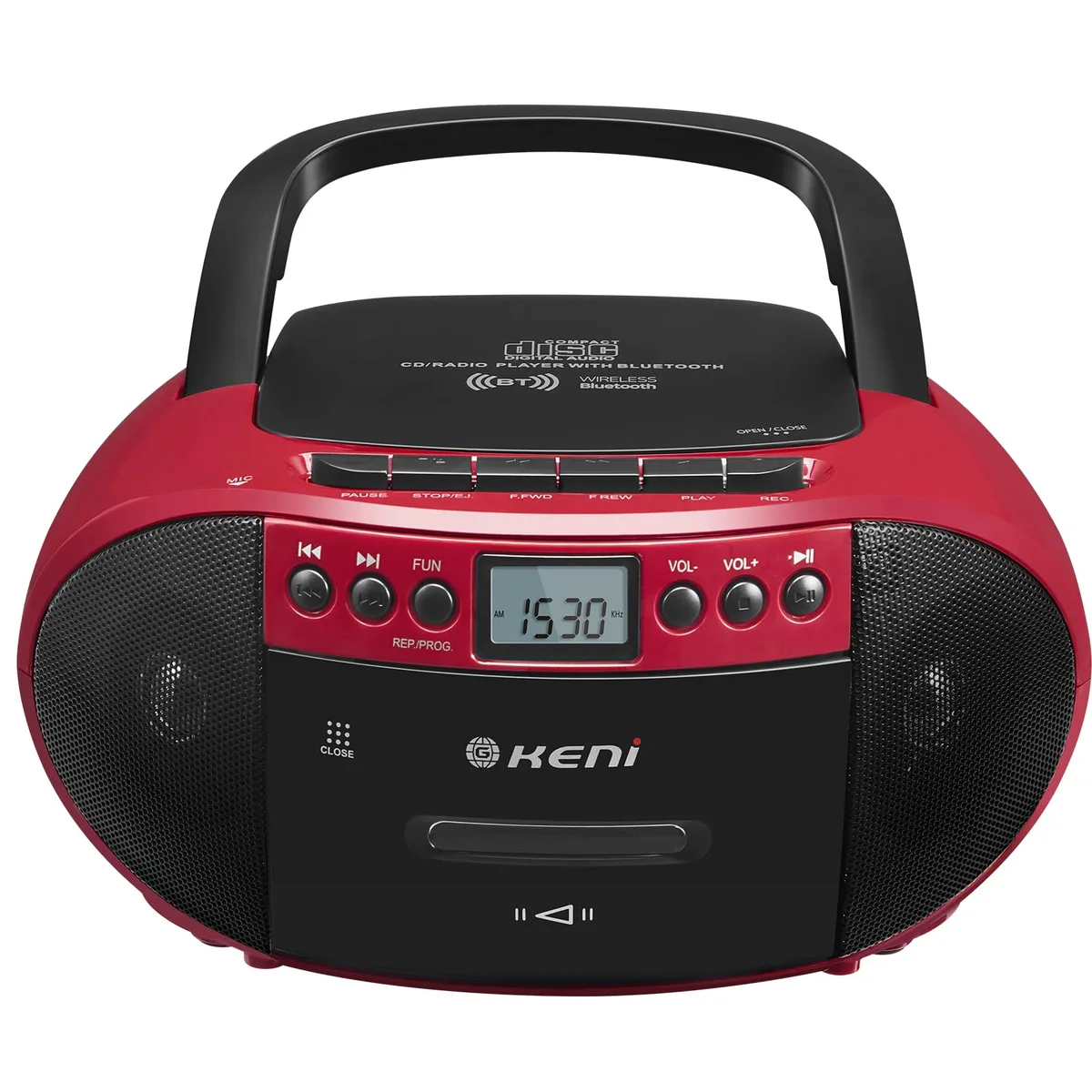


G Keni BT-9224MU Boombox Red
A portable boombox plays CDs, cassettes and AM/FM radio while streaming via Bluetooth and USB
- ColorBlack/Red
- AUX InputBluetooth
- Dimensions10 x 8.8 x 5
- Weight2.65 lb
- Play CDs and cassettes on one portable unit
- Record audio directly onto cassette tapes
- Stream music wirelessly via Bluetooth from a phone
- Power by AC outlet or batteries for flexibility
- Carry easily with compact 10 x 8.8 x 5 design
All-in-One Retro Boombox
The G Keni BT-9224MU combines a CD player, cassette deck with recording, AM/FM radio, Bluetooth streaming and USB playback in a single red unit. Stereo speakers and a carry-friendly design make it suitable for home rooms or portable use. A remote control and earphone jack add private or hands-free listening options.
Replaces Separate Legacy Players
This unit consolidates a standalone CD player, cassette recorder and radio into one device, removing the need for multiple boxes and cables. The jump is worth it when you still own tapes or discs and want wireless streaming without keeping vintage equipment running.
Steady Mains or Battery Operation
AC power gives uninterrupted playback for long sessions while compatible batteries let the boombox run away from an outlet. The stereo speakers maintain consistent output at moderate volume and the simple front-panel controls stay responsive during extended use.
Highlights
- Play CDs and cassettes on one portable unit
- Record audio directly onto cassette tapes
- Stream music wirelessly via Bluetooth from a phone
- Power by AC outlet or batteries for flexibility
- Carry easily with compact 10 x 8.8 x 5 design
Specifications
| Brand | G Keni |
|---|---|
| Model | BT-9224MU |
| Part Number | BT-9224MU |
| Color | Black/Red |
| AUX Input | Bluetooth |
| Dimensions | 10 x 8.8 x 5 |
| Weight | 2.65 lb |
Questions about this item
What are the 10 x 8.8 x 5 dimensions for shelf space?
The unit measures 10 by 8.8 by 5 inches, so allow that footprint plus a little clearance for the top-loading CD door and side cassette slot.
How do I power the BT-9224MU for the first time, and what step is often missed?
Plug the AC cord firmly into both the boombox and the wall outlet, or insert batteries with correct polarity; the most common mistake is not pushing the AC plug fully into the recessed socket on the back.
Which parts of the BT-9224MU will need replacement over time?
Cassette belts and the pinch roller wear out with heavy use, the CD laser pickup can degrade after many hours, and the AM/FM telescopic antenna may bend if not retracted before moving the unit.
Also in this aisle
People compared these
Same shelf, same checkout — eight coins and a 30-minute rate lock.


Sony
Sony ZX Series MDR-ZX110AP Wired On-Ear Headphones White 30mm 3.5mm
- Headphone
$16.99
0.0001986BTC
In stock
usbroway
usbroway 10-pack VHF Antenna 136-174MHz for Motorola HT1000 MTS2000 XTS2500 XTS3000 XTS3500
- Two-way Radio
$38.99
0.00045576BTC
In stock