


Fujitsu
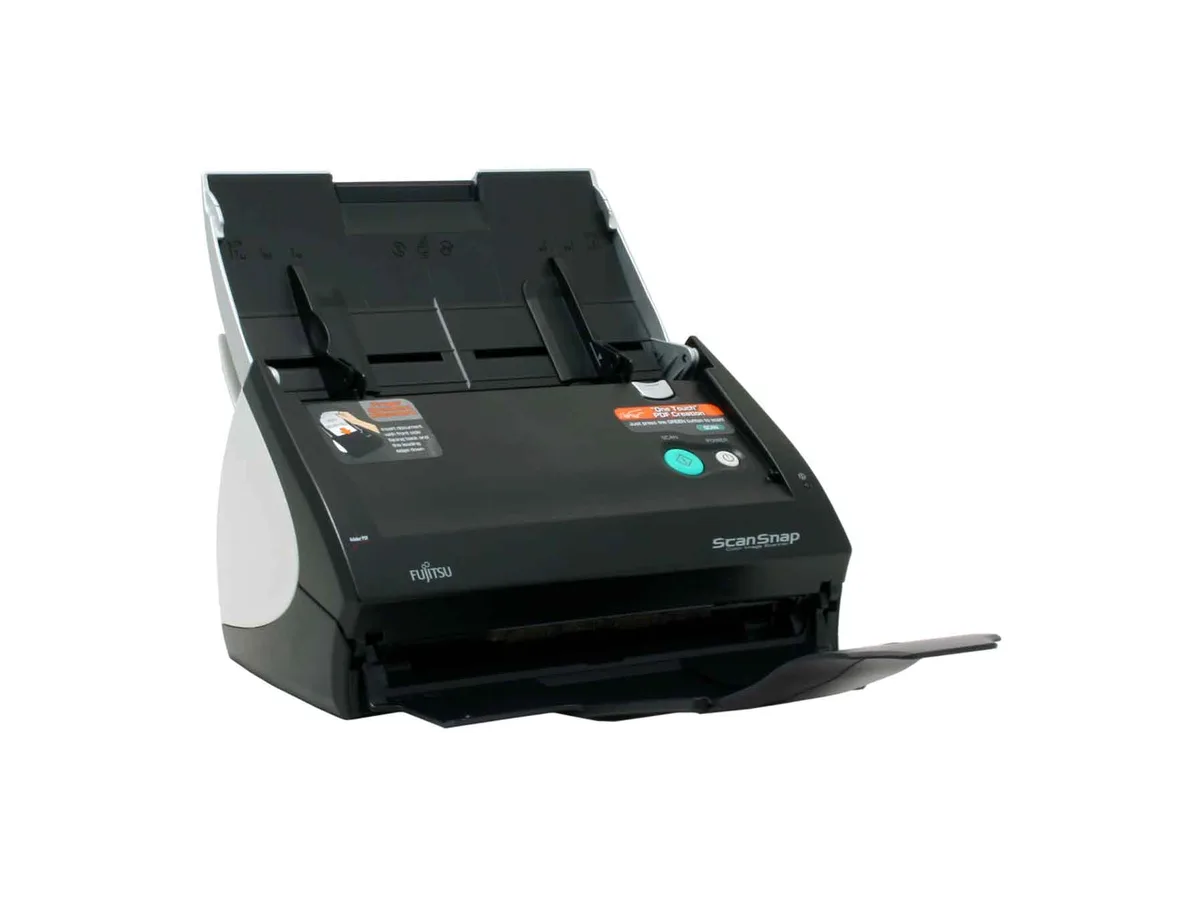
Fujitsu ScanSnap S500 PA03360-B505 document scanner
Sheet-fed colour CCD scanner captures A3 pages at 600 dpi optical resolution and includes ABBYY FineReader OCR software
- TypeSheet Fed
- Element TypeColor CCD x2
- Optical Resolution600 dpi
- Max. Document SizeA3
- Media TypeA4, A5, A6, B5, B6, Business card, Letter, Legal and Custom
- Automatic Document Feeder (ADF)Yes
- Color CCD sensor captures accurate color detail
- 600 dpi optical resolution produces sharp document images
- Sheet-fed ADF handles A3 and smaller media automatically
- Bundled ABBYY FineReader converts scans to editable Word, Excel, PowerPoint files
- Compact 11.2" x 6.2" footprint fits tight desk spaces
Compact sheet-fed scanner for individuals
The Fujitsu ScanSnap S500 is a sheet-fed colour document scanner built for individuals and small businesses that need quick, everyday digitisation. It uses twin colour CCD sensors and a top-loading automatic document feeder to capture pages up to A3 size. One-touch operation sends scans directly to PDF or to applications such as Word, Excel and PowerPoint via bundled ABBYY FineReader software. The compact 11.2 x 6.2 x 6.2 inch footprint fits on a desk without dominating it.
Twenty percent speed gain over earlier ScanSnap
This unit replaces slower single-feed scanners and older ScanSnap hardware by delivering a 20 percent throughput improvement. The jump is worth it when daily volumes make manual feeding a bottleneck and when automatic paper-size detection across A4, A5, A6, B5, B6, Letter, Legal and custom lengths removes sorting time. It does not suit users who need flatbed scanning for bound books, fragile originals or media larger than A3.
Sixty page ADF capacity
The 50-sheet automatic document feeder comfortably handles multi-page contracts, receipt batches and business-card stacks in a single load. Colour optical resolution tops out at 600 dpi, while black-and-white mode reaches 1,200 dpi for sharper text archives. Power draw stays at 28 W or less in scan mode and under 6 W in sleep, running on universal 100-240 V supply. Very high-volume centralised capture or networked workgroup deployments will exceed the feeder capacity and single USB interface.
Highlights
- Color CCD sensor captures accurate color detail
- 600 dpi optical resolution produces sharp document images
- Sheet-fed ADF handles A3 and smaller media automatically
- Bundled ABBYY FineReader converts scans to editable Word, Excel, PowerPoint files
- Compact 11.2" x 6.2" footprint fits tight desk spaces
Specifications
| Brand | Fujitsu |
|---|---|
| Series | ScanSnap S500 |
| Model | PA03360-B505 |
| Type | Sheet Fed |
| Element Type | Color CCD x2 |
| Optical Resolution | 600 dpi |
| Max. Document Size | A3 |
| Media Type | A4, A5, A6, B5, B6, Business card, Letter, Legal and Custom sizes (can set for up to 5 different paper types) / Automatically recognizes paper type by paper length |
| Automatic Document Feeder (ADF) | Yes |
| USB Ports | Yes |
| Power Requirements | AC 100 - 240V, 50 / 60 Hz |
| Power Consumption | Scan mode: 28W or less, Sleep mode: less than 6W |
| Operating Systems Supported | WIN 98SE/2000/XP |
| Dimensions | 11.2" x 6.2" x 6.2" |
| Weight | 5.9 lbs. |
| Package Contents | S500 Scanner Power Cable User Manual Support Disk Power Adapter USB Cable |
| Shipping weight | 5.90 kg |
| Package size | 406 × 254 × 254 mm |
Questions about this item
What desk space do the 11.2 x 6.2 x 6.2 inch dimensions and 5.9 lb weight need?
The scanner occupies roughly 11.2 by 6.2 inches on the desk and weighs 5.9 lbs, so a flat surface at least that large and sturdy enough for the weight is required.
How do I connect the S500 to a PC running Windows XP, and what step is often missed?
Plug the supplied USB cable into the scanner and the PC, connect the power adapter to AC 100-240V, install the driver from the support disk before first use, then press the green scan button.
When will the two CCD elements or the ADF rollers need replacement?
The colour CCD x2 sensors are solid-state and rarely need replacement; ADF roller life depends on volume, so clean them regularly and order a roller kit when feed errors increase.
Also in this aisle
People compared these
Same shelf, same checkout — eight coins and a 30-minute rate lock.



CHIEF MANUFACTURING
CHIEF MANUFACTURING CMS018 18" 457 mm Fixed Extension Column projector accessory
- Extension Column
- Projector
$22.99$22.99
0.00026799BTC
In stock