


Fujitsu General
Fujitsu General FI-6130Z document scanner, duplex, 600 DPI, USB 2.0, 4000 pages/day
Duplex document scanner capturing 600 DPI colour images at up to 4000 pages per day via USB 2.0, includes new rollers, trays and AC adapter
- TypeDuplex
- Duplex scanning captures both sides in one pass
- 600 DPI optical resolution delivers sharp document images
- USB 2.0 interface connects directly to standard ports
- 4000 pages per day duty cycle supports heavy workloads
- ID card feeding handles 1.4 mm thick cards in portrait or landscape
Duplex document scanner for daily office volume
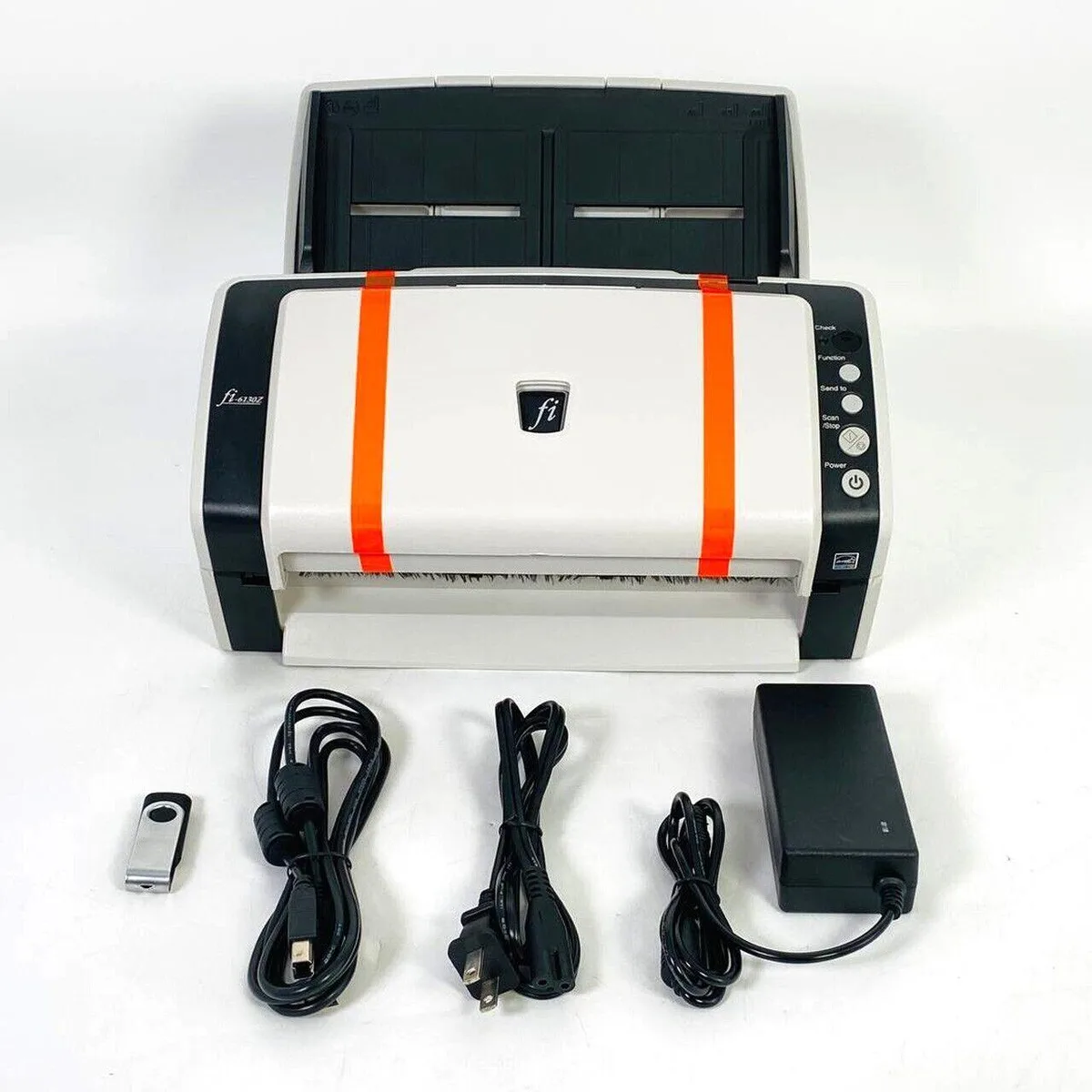
The Fujitsu General FI-6130Z is a duplex document scanner built for regular office use. It captures both sides of a page in a single pass at 600 DPI resolution. The USB 2.0 interface provides direct connectivity to a workstation. It ships with new rollers, trays, a USB cable, an AC adapter and setup drivers on a USB flash drive.
Up to 4000 pages per day duty cycle
Rated for up to 4000 pages per day, the scanner handles consistent batch workloads such as invoices, contracts or patient records. The automatic document feeder accepts ID cards up to 1.4 mm thick in portrait or landscape orientation. There are no official drivers for Windows 11 and none for macOS, so integration into those environments is not supported.
Compact desktop form with USB power
The unit draws power from the included AC adapter while communicating over USB 2.0, keeping cable routing simple on a desk. Its footprint suits space-constrained offices that need reliable throughput without a large production scanner. Buyers who require Windows 11 or macOS compatibility should verify driver availability before purchase.
Highlights
- Duplex scanning captures both sides in one pass
- 600 DPI optical resolution delivers sharp document images
- USB 2.0 interface connects directly to standard ports
- 4000 pages per day duty cycle supports heavy workloads
- ID card feeding handles 1.4 mm thick cards in portrait or landscape
Specifications
| Type | Duplex |
|---|
Questions about this item
Will the FI-6130Z work with my Windows 11 laptop via USB 2.0?
The scanner connects over USB 2.0, but the supplier notes there are no official drivers for Windows 11. It may function with generic drivers, though full feature support is not guaranteed.
How can I verify the FI-6130Z is scanning at 600 DPI duplex after setup?
Open the scanning application, select 600x600 DPI and duplex mode, then run a test page. The output file should show front and back images at the chosen resolution.
What comes with the FI-6130Z and what must I buy separately?
The box includes the scanner, new rollers, new trays, a new USB cord, a new AC adapter and setup drivers on a USB flash drive. No extra cables or power units are required.
Also in this aisle
People compared these
Same shelf, same checkout — eight coins and a 30-minute rate lock.



CHIEF MANUFACTURING
CHIEF MANUFACTURING CMS018 18" 457 mm Fixed Extension Column projector accessory
- Extension Column
- Projector
$22.99$22.99
0.00026678BTC
In stock