


FOCUSTEC
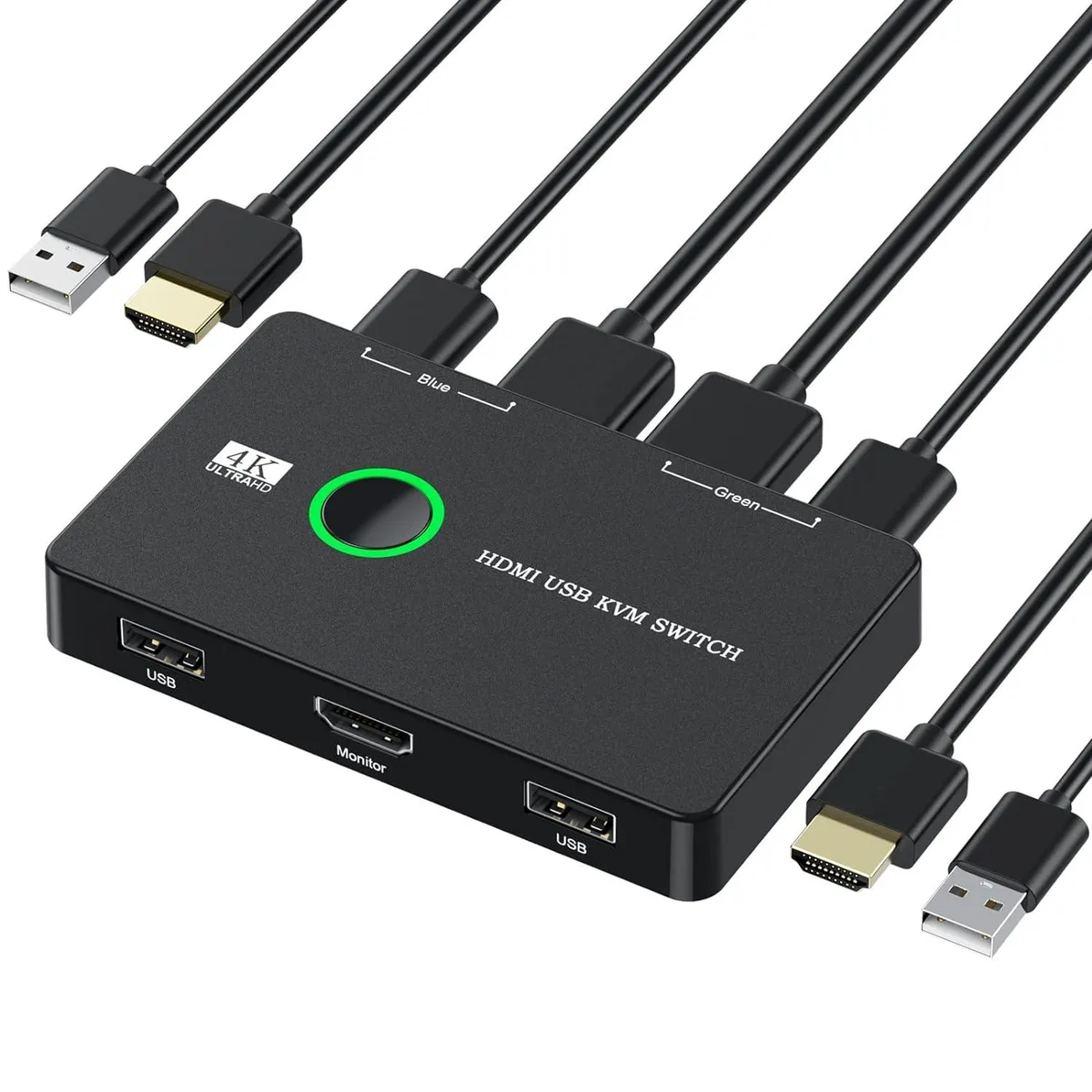
FOCUSTEC KVM Switch 2 Port 4K@60Hz USB HDMI
A two-port KVM switch shares one HDMI monitor, keyboard, mouse and printer between two computers at up to 4K@60 Hz with single-button switching and LED status indication
- TypeKVM Switchbox
- Control two computers with one keyboard and mouse set
- 4K output at 60 Hz for sharp, detailed visuals
- Single-button switching with LED port indicator
- Driver-free operation on Windows, Mac, Linux and Chrome OS
- Includes two HDMI cables and two USB cables
Two-Port KVM with 4K@60Hz
The FOCUSTEC KVM Switch lets you control two computers from a single HDMI monitor and one USB keyboard and mouse set. It supports video output up to 4K at 60 Hz and also works at 4K 30 Hz or 1080p depending on the source. Switching is done with a single button press and LED indicators show the active port. The unit is driver-free on Windows, Mac OS, Linux and Chrome OS.
Home office and multi-PC desk users
This switch suits anyone who needs to share one display and USB peripherals between two computers without unplugging cables. It is not for setups that require more than two connected hosts or that need switching via hotkeys or remote control. Buyers who want audio extraction or USB hub ports beyond keyboard and mouse should look at other models.
Maximum 4K@60Hz video output
The decisive specification is the 4K at 60 Hz video bandwidth, which determines whether the switch can deliver full-resolution high-refresh content from both computers. If either source only outputs 4K at 30 Hz or 1080p, the switch will still operate but at that lower capability.
Highlights
- Control two computers with one keyboard and mouse set
- 4K output at 60 Hz for sharp, detailed visuals
- Single-button switching with LED port indicator
- Driver-free operation on Windows, Mac, Linux and Chrome OS
- Includes two HDMI cables and two USB cables
Specifications
| Type | KVM Switchbox |
|---|
Questions about this item
What cables are included and what else must I provide?
The box includes two HDMI cables and two USB cables. You must supply one HDMI monitor and USB keyboard, mouse or printer.
Which resolution mode should I select for 4K at 60 Hz?
Choose the 4K@60Hz mode; the switch also supports 4K@30Hz and 1080P or lower if your computer cannot output 60 Hz.
Will 4K@60Hz work if my computer only supports 1080P?
The output resolution depends on the maximum resolution allowed by your computer, so a 1080P-only source will limit the display to 1080P.
Also in this aisle
People compared these
Same shelf, same checkout — eight coins and a 30-minute rate lock.


Black Box Corporation
Black Box Corporation 4K60 HDMI Dual-Head KVM Switch 4 Port
$774.99
0.00898737BTC
In stock