


FOCUSTEC
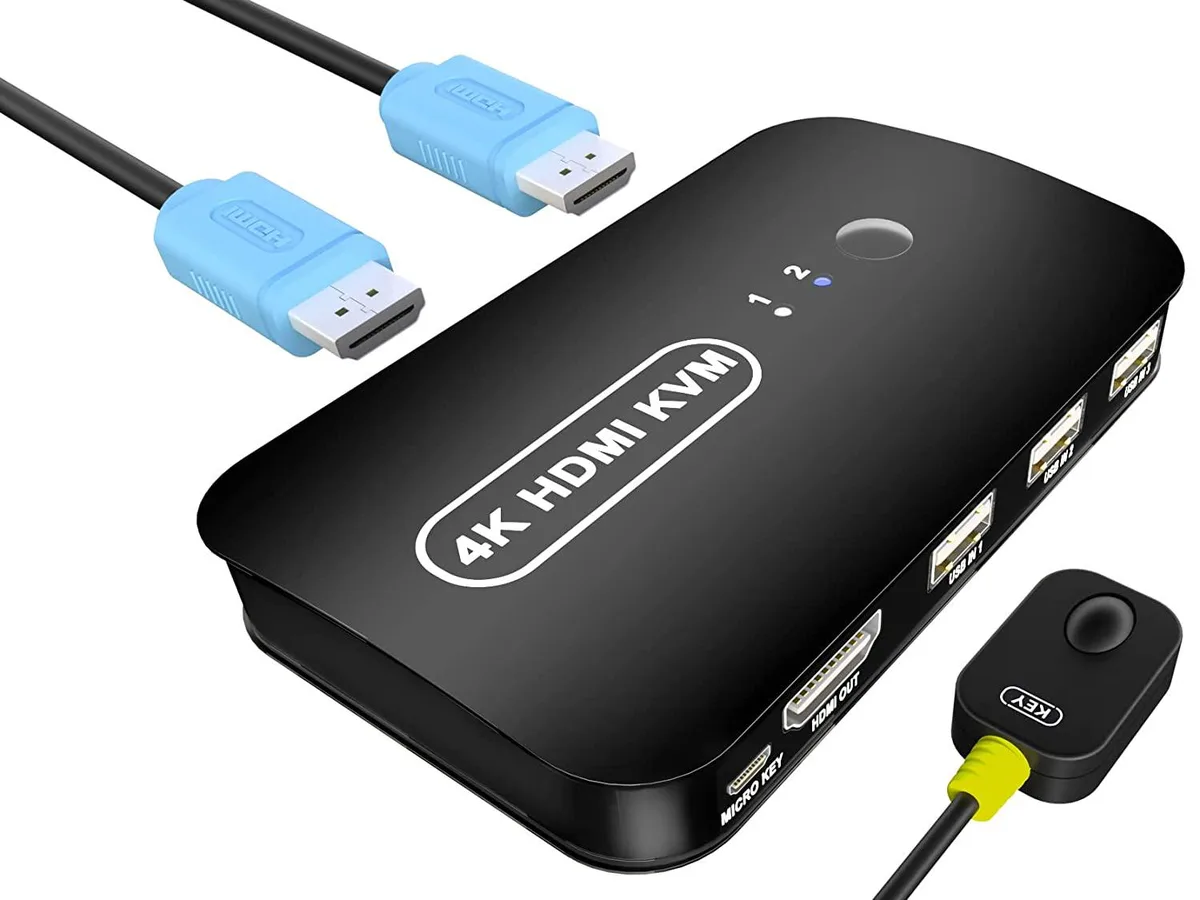
FOCUSTEC HDMI KVM Switch 2 Port 4K@30Hz 4 Cables Desktop Controller
A 2-port HDMI KVM switch with four cables and a desktop controller lets two computers share one monitor, keyboard, mouse and four USB 2.0 devices at up to 3840×2160/30Hz
- TypeUSB
- Share one keyboard, mouse and monitor across two computers with four included cables
- Switch four USB 2.0 devices including flash drives and printers without extra drivers
- View 3840×2160 at 30 Hz or 1080p on any HDMI 1.4 display with 3D audio sync
- Toggle between PCs using the desktop controller or the front panel button with LED status
- USB powered so no separate power adapter is required
Two-Port HDMI KVM with 4K@30Hz
The FOCUSTEC HDMI KVM Switch lets two computers share one monitor, keyboard, mouse and up to four USB 2.0 peripherals. It supports video up to 3840x2160 at 30 Hz and 1080p resolution. Four HDMI 1.4 cables and a wired desktop controller are included. The unit draws power from the USB connection so no external adapter is needed.
Ideal for dual-system desks.
Office workers, administrators and educators who switch between a laptop and a desktop will appreciate the plug-and-play operation across Windows, macOS, Linux and Android. The front-panel button and LED indicators make source changes immediate. Buyers who need 4K at 60 Hz or higher refresh rates for competitive gaming should look at a different switch.
Maximum video specification is 4K@30Hz over HDMI 1.4
The single figure that determines compatibility is the 3840x2160 at 30 Hz limit carried over HDMI 1.4 links. If your monitors or sources require greater bandwidth — such as 4K 60 Hz, HDR or variable refresh — this switch will not pass those signals. Verify that both computers and the display operate within this ceiling before purchasing.
Highlights
- Share one keyboard, mouse and monitor across two computers with four included cables
- Switch four USB 2.0 devices including flash drives and printers without extra drivers
- View 3840×2160 at 30 Hz or 1080p on any HDMI 1.4 display with 3D audio sync
- Toggle between PCs using the desktop controller or the front panel button with LED status
- USB powered so no separate power adapter is required
Specifications
| Type | USB |
|---|
Questions about this item
What physical space does the desktop controller require on my desk?
The wired desktop controller sits beside your monitor and needs only a small flat area for its push-button housing and indicator LEDs.
How do I install the switch and which step is commonly missed?
Connect the four included HDMI 1.4b KVM cables to both computers and the switch, plug the USB 2.0 cables into each PC, then press the controller button to confirm the active port LED lights up.
When will the four supplied HDMI 1.4b cables need replacement?
Replace them if the 3840×2160@30Hz picture drops to 1080P, flickers, or the connector housing becomes loose after repeated switching.
Also in this aisle
People compared these
Same shelf, same checkout — eight coins and a 30-minute rate lock.


Black Box Corporation
Black Box Corporation 4K60 HDMI Dual-Head KVM Switch 4 Port
$774.99
0.008983BTC
In stock