


FOCUSTEC
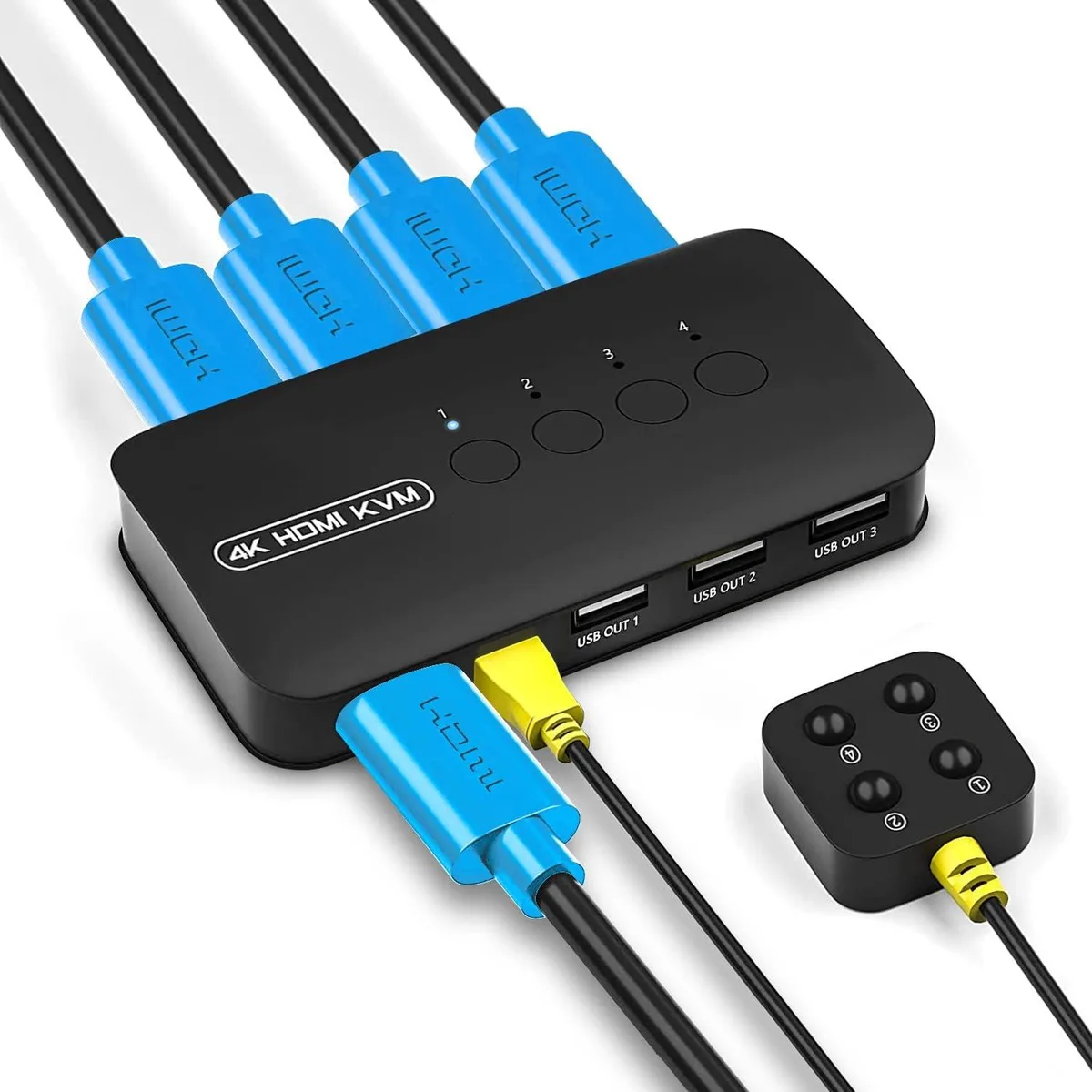
FOCUSTEC 4-Port HDMI KVM Switch 4K@30Hz with Wired Remote
A 4-port HDMI KVM switch sharing one monitor and three USB peripherals across four computers at up to 4K@30Hz, switched by front buttons or wired remote
- TypeUSB
- Control four computers from one monitor and three USB peripherals
- Crisp 4K visuals at 30 Hz with backward compatibility to 1080p and 720p
- Switch instantly via front-panel buttons or the wired remote without leaving your seat
- Works driver-free with Windows 10, 8.1, 7, Mac OS, Unix and DOS
- Includes four 2-in-1 KVM cables for a tidy, plug-and-play setup
Four-Port HDMI KVM Switch
The FOCUSTEC four-port HDMI KVM switch lets one monitor, keyboard, mouse and a third USB device control four computers. It ships with four 2-in-1 KVM cables and a wired remote for desk-side switching, and it draws power from the connected systems so no external adapter is needed.
Home offices and small studios
Users who want to share a single 4K display and USB peripherals across four PCs, laptops, media players or game consoles will find this a compact, driver-free solution. Buyers who need to switch more than four sources or require USB 3.0 peripheral speeds should look at a different class of switch.
4K@30Hz video limit
The maximum supported video resolution is 4K at 30 Hz, with backward compatibility for 1080p and 720p signals. If the workflow demands 4K at higher refresh rates or HDR pass-through, this unit will not meet that requirement.
Highlights
- Control four computers from one monitor and three USB peripherals
- Crisp 4K visuals at 30 Hz with backward compatibility to 1080p and 720p
- Switch instantly via front-panel buttons or the wired remote without leaving your seat
- Works driver-free with Windows 10, 8.1, 7, Mac OS, Unix and DOS
- Includes four 2-in-1 KVM cables for a tidy, plug-and-play setup
Specifications
| Type | USB |
|---|
Questions about this item
What resolution and refresh rate does the HDMI 4K@30Hz interface cap at in practice?
The switch passes 4K at 30 Hz and is backward compatible with 1080p and 720p signals.
What physical ports and cables are needed to mount and connect the 4-port KVM?
Four 2-in-1 KVM cables are included; each carries one HDMI video and one USB link, so you need four HDMI ports and four USB ports on the computers plus one HDMI and three USB ports on the shared side.
How is the switch installed and which step do people often get wrong?
Connect the four supplied cables to each computer and the shared monitor and USB devices — no driver install or external power is required; the common mistake is forgetting to plug the USB leg of every 2-in-1 cable into the PC so keyboard and mouse switching works.
Also in this aisle
People compared these
Same shelf, same checkout — eight coins and a 30-minute rate lock.


Black Box Corporation
Black Box Corporation 4K60 HDMI Dual-Head KVM Switch 4 Port
$774.99
0.00892928BTC
In stock