


FOCUSTEC
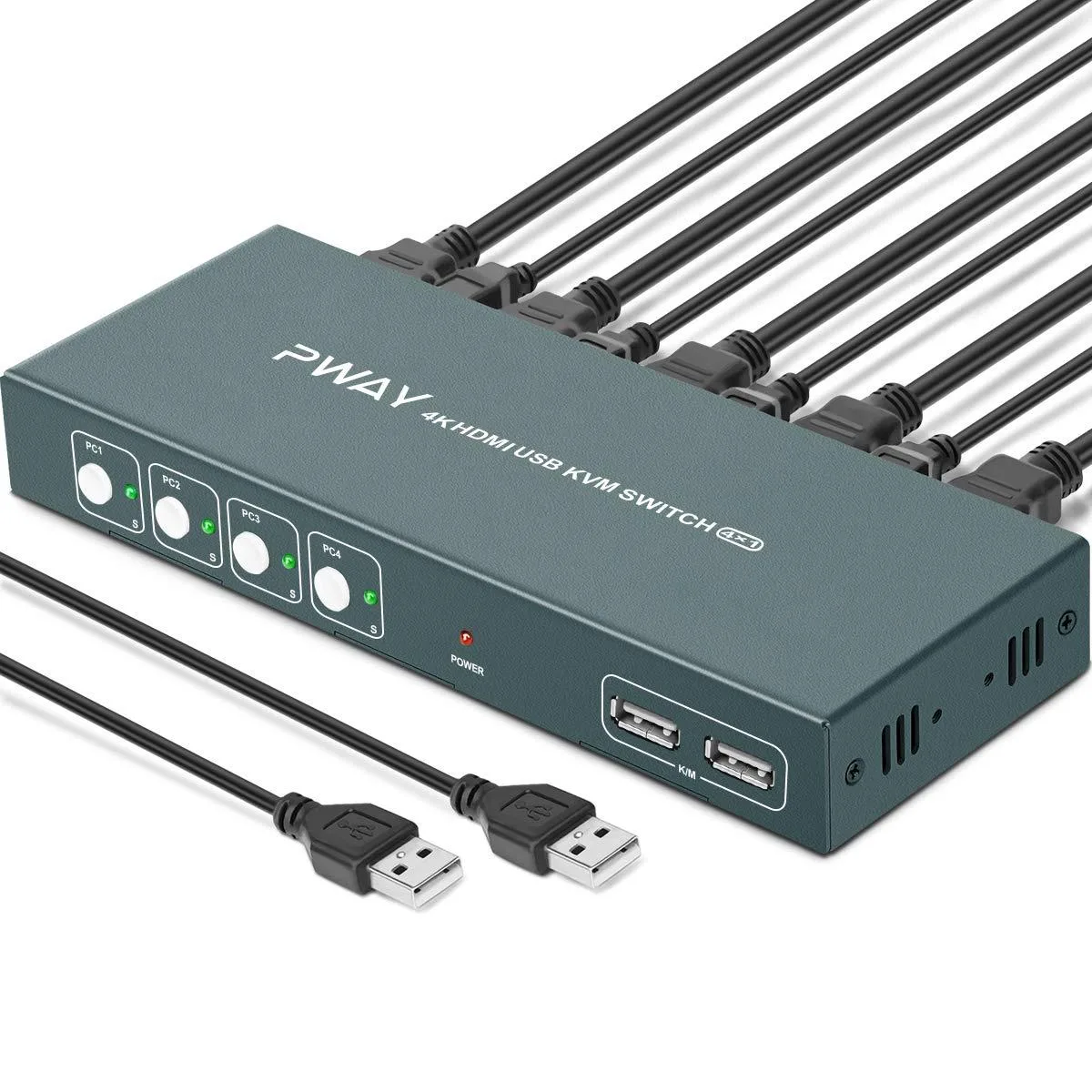
FOCUSTEC 4-Port HDMI KVM Switch 4K@30Hz 1080p USB Hotkey with Cables
Share one display across four sources with 4K at 30 Hz and 1080p support, USB-powered with hotkey switching and cables included
- TypeUSB
- Control four computers with one keyboard and mouse
- View 4K at 30 Hz and 1080p without extra hardware
- Powered by USB so no adapter is needed
- Switch sources instantly with Scroll Lock or Ctrl hotkeys
- Works with PCs, laptops, PS4, PS3 and other devices
4-Port HDMI KVM Switch
This USB-powered KVM switch lets you control four HDMI sources with a single keyboard, mouse and monitor. It supports resolutions up to 4K at 30 Hz and is backward compatible with 1080p and lower formats. The package includes four HDMI cables and four USB-B cables for immediate setup.
Suited for multi-system desks
Ideal for users who need to manage a PC, laptop, PS4, PS3 or similar devices from one console in education, training, surveillance or home-office environments. Hot-key switching (Scroll Lock + Scroll Lock + 1-4 or Ctrl + Ctrl + 1-4) and a front-panel button provide flexible control. Not suited for setups that require 4K at refresh rates above 30 Hz or advanced colour formats beyond the stated compatibility.
4K@30Hz maximum resolution
The single specification that determines fit is the 4K X 2K @30Hz video bandwidth; any source or display needing higher bandwidth will not work at its native setting. USB bus power eliminates the need for an external adapter, but the host ports must supply sufficient current for the switch and connected peripherals.
Highlights
- Control four computers with one keyboard and mouse
- View 4K at 30 Hz and 1080p without extra hardware
- Powered by USB so no adapter is needed
- Switch sources instantly with Scroll Lock or Ctrl hotkeys
- Works with PCs, laptops, PS4, PS3 and other devices
Specifications
| Type | USB |
|---|
Questions about this item
What cables do I need to connect four computers to the FOCUSTEC 4-Port HDMI KVM Switch?
The switch includes four HDMI cables and four USB-B cables, so each computer connects with one HDMI and one USB-B lead.
Will my older 1080p monitor work with the FOCUSTEC 4-Port HDMI KVM Switch?
Yes, the switch is downward compatible and supports 1080p resolution alongside 4K at 30 Hz.
How can I verify the FOCUSTEC 4-Port HDMI KVM Switch is switching correctly after setup?
Press Scroll Lock twice then 1 to 4, or press Ctrl twice then 1 to 4; the active port LED changes and the connected computer takes control of the keyboard, mouse and display.
Also in this aisle
People compared these
Same shelf, same checkout — eight coins and a 30-minute rate lock.


Black Box Corporation
Black Box Corporation 4K60 HDMI Dual-Head KVM Switch 4 Port
$774.99
0.00925969BTC
In stock