


FOCUSTEC
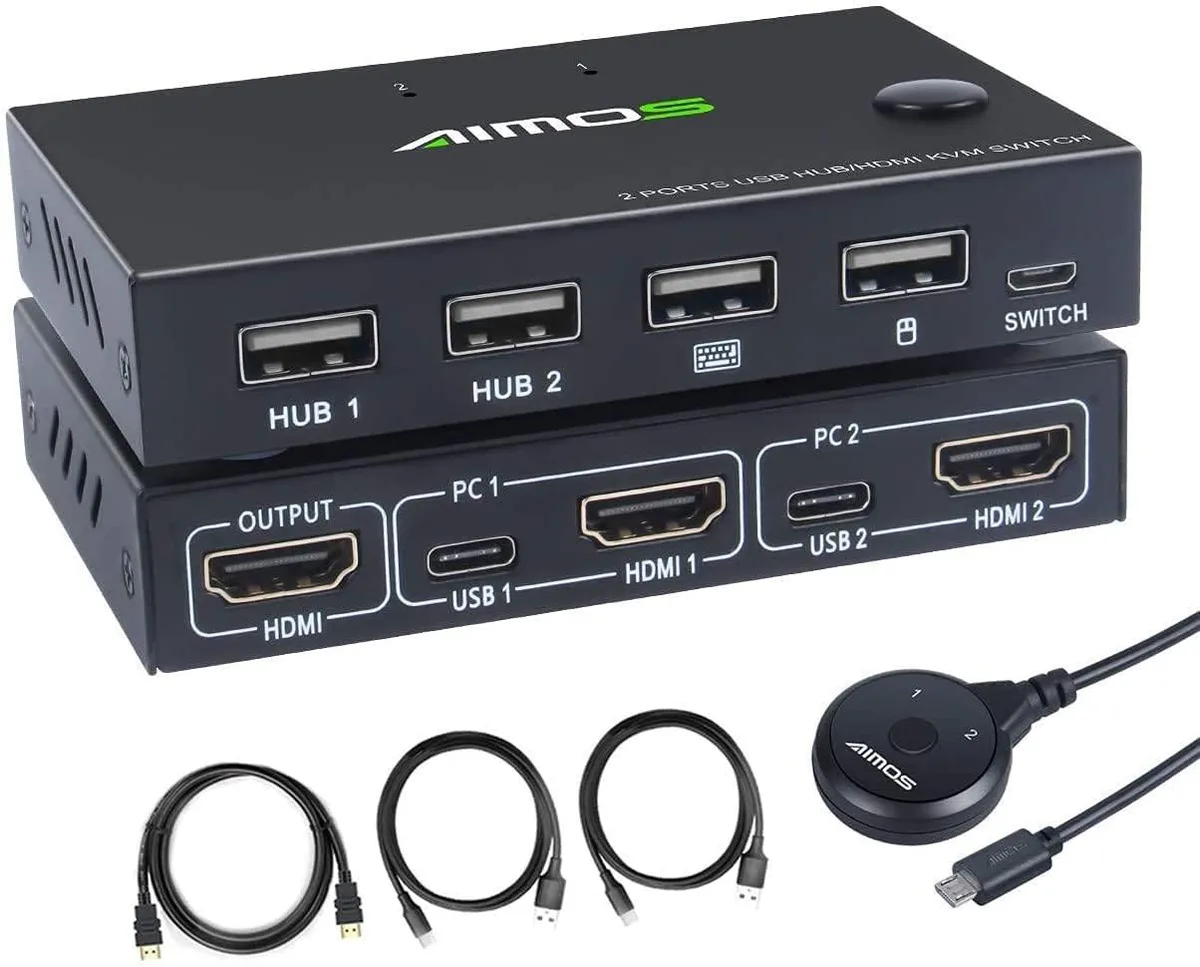
FOCUSTEC 2 Port HDMI KVM Switch 4K@30Hz USB 2.0 Hub
A 2-port HDMI KVM switch sharing one keyboard, mouse and monitor between two computers at up to 4K@30Hz with an extra USB 2.0 hub port
- TypeUSB
- Control two computers with one keyboard and mouse
- View 4K at 30 Hz on a single monitor
- Connect USB 2.0 peripherals through the built-in hub
- Works with Windows, macOS, Linux and Unix
- Switch sources instantly with the front-panel button
Two-PC desktop control
This FOCUSTEC KVM switch lets you operate two computers or game consoles from a single keyboard, mouse and HDMI monitor. It is aimed at users who want to eliminate duplicate peripherals in a home office, classroom or surveillance station.
Steady 4K@30Hz video path
The HDMI 2.0a link delivers up to 10.2 Gbps bandwidth, sustaining 4K resolution at 30 Hz without frame drops during long sessions. Lower resolutions such as 1080p and 3D formats are also maintained continuously.
Passive cooling and bus power
The unit draws power from the connected hosts and runs silently without fans. The integrated USB 2.0 hub port supports peripherals such as barcode scanners, printers and external drives while adding negligible extra load.
Highlights
- Control two computers with one keyboard and mouse
- View 4K at 30 Hz on a single monitor
- Connect USB 2.0 peripherals through the built-in hub
- Works with Windows, macOS, Linux and Unix
- Switch sources instantly with the front-panel button
Specifications
| Type | USB |
|---|
Questions about this item
Does the FOCUSTEC KVM switch generate noticeable heat or fan noise when left running all day?
The unit has no fan and draws minimal power through its USB 2.0 connection, so it stays cool and silent during continuous operation.
What cables and peripherals must I already own to use this 2-port HDMI KVM switch?
You need two HDMI cables for the video sources, two USB-A cables to link each computer to the switch, one HDMI cable for the monitor, plus a USB keyboard and mouse.
Will my older 1080p monitor work correctly with the FOCUSTEC switch that supports 4K@30Hz?
Yes, the switch handles 1080p and lower resolutions automatically, so an older monitor will display properly without any extra setup.
Also in this aisle
People compared these
Same shelf, same checkout — eight coins and a 30-minute rate lock.


Black Box Corporation
Black Box Corporation 4K60 HDMI Dual-Head KVM Switch 4 Port
$774.99
0.00922124BTC
In stock