


FOCUSTEC
FOCUSTEC 2 Port DisplayPort KVM Switch 4K 60Hz
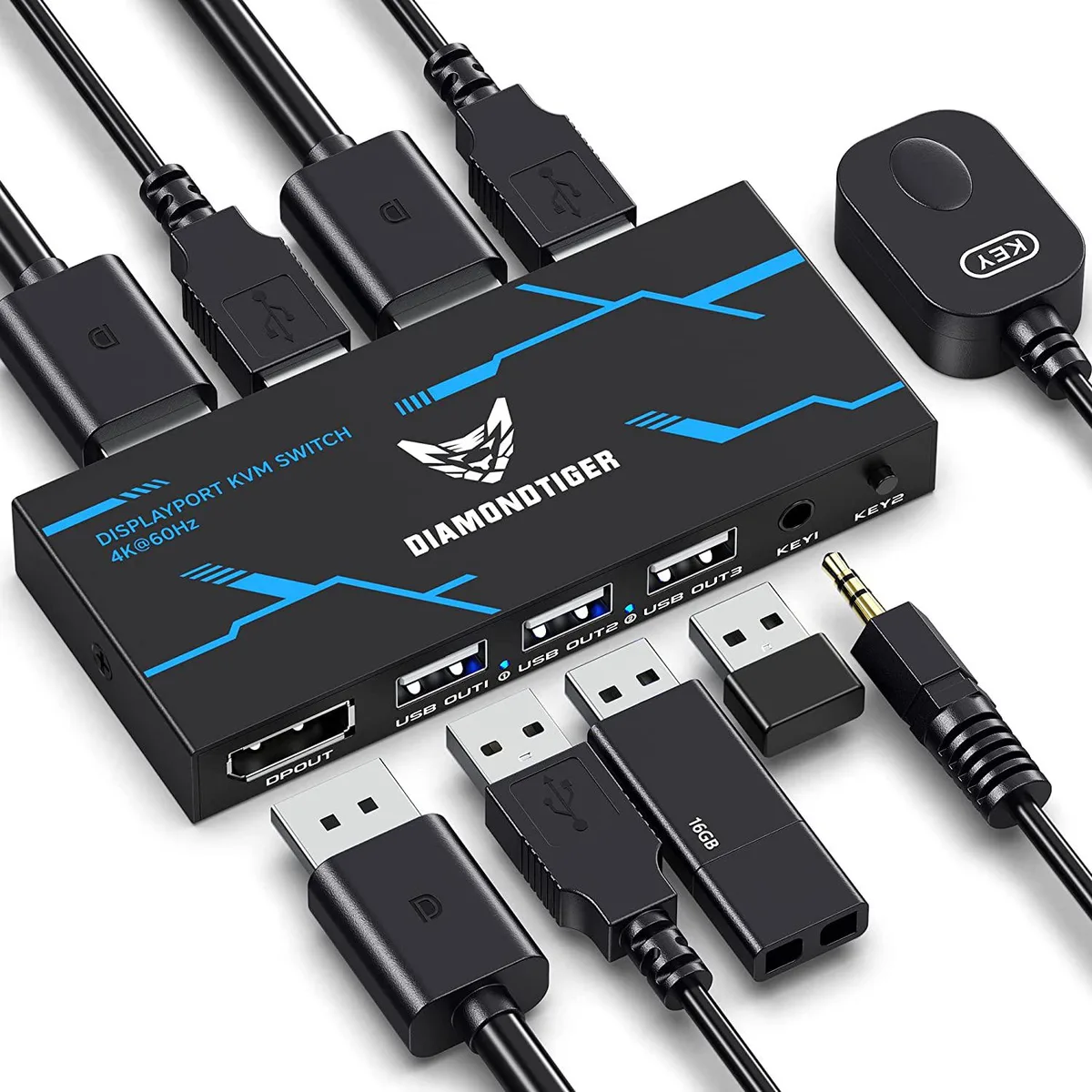
A 2-port DisplayPort KVM switch lets two computers share one 4K 60 Hz monitor, keyboard, mouse and up to three USB 2.0 devices with button or remote switching
- TypeUSB
- Control two PCs with one keyboard, mouse and monitor
- Share up to three USB 2.0 peripherals between both systems
- Switch instantly via front button or remote handset
- Enjoy 4K 60 Hz 3840×2160 video without quality loss
- Ready to use with two DP and two USB cables included
Two-Port DisplayPort KVM Switch
This DisplayPort KVM switch lets you control two computers with one keyboard, mouse and monitor. It also shares up to three USB 2.0 peripherals such as a scanner or printer between the connected PCs. The unit is new and includes two DisplayPort cables and two USB cables for immediate setup.
4K 60 Hz Video Support
The switch passes video up to 3840 × 2160 at 60 Hz and is backward compatible with lower resolutions. This single specification decides whether the device matches your monitor and graphics output requirements. No keyboard hotkey switching is supported.
Dual Switching Methods
You can change the active computer using the front-panel button or the supplied remote control. The arrangement comfortably handles dual-PC workflows with shared input devices and a single 4K 60 Hz display, but it does not support more than two computers or higher refresh rates.
Highlights
- Control two PCs with one keyboard, mouse and monitor
- Share up to three USB 2.0 peripherals between both systems
- Switch instantly via front button or remote handset
- Enjoy 4K 60 Hz 3840×2160 video without quality loss
- Ready to use with two DP and two USB cables included
Specifications
| Type | USB |
|---|
Questions about this item
What does 4K 60 Hz mean for my monitor when using this KVM?
It passes 3840×2160 at 60 Hz to the display, so you get full 4K resolution and smooth motion without downscaling.
What DisplayPort standard does the switch use and what bandwidth limit applies?
The unit carries a DisplayPort signal rated for 4K 60 Hz, capping video bandwidth at the level required for 3840×2160 at 60 Hz.
What cables and desk space are needed to install the switch?
Two DisplayPort cables and two USB 2.0 cables are included; connect each computer to the rear ports and place the compact box within reach of the front-panel button or the wired remote.
Also in this aisle
People compared these
Same shelf, same checkout — eight coins and a 30-minute rate lock.


Black Box Corporation
Black Box Corporation 4K60 HDMI Dual-Head KVM Switch 4 Port
$774.99
0.00898883BTC
In stock