


FOCUSTEC
FOCUSTEC 2-Port 4-Device USB 3.0 KVM Switch
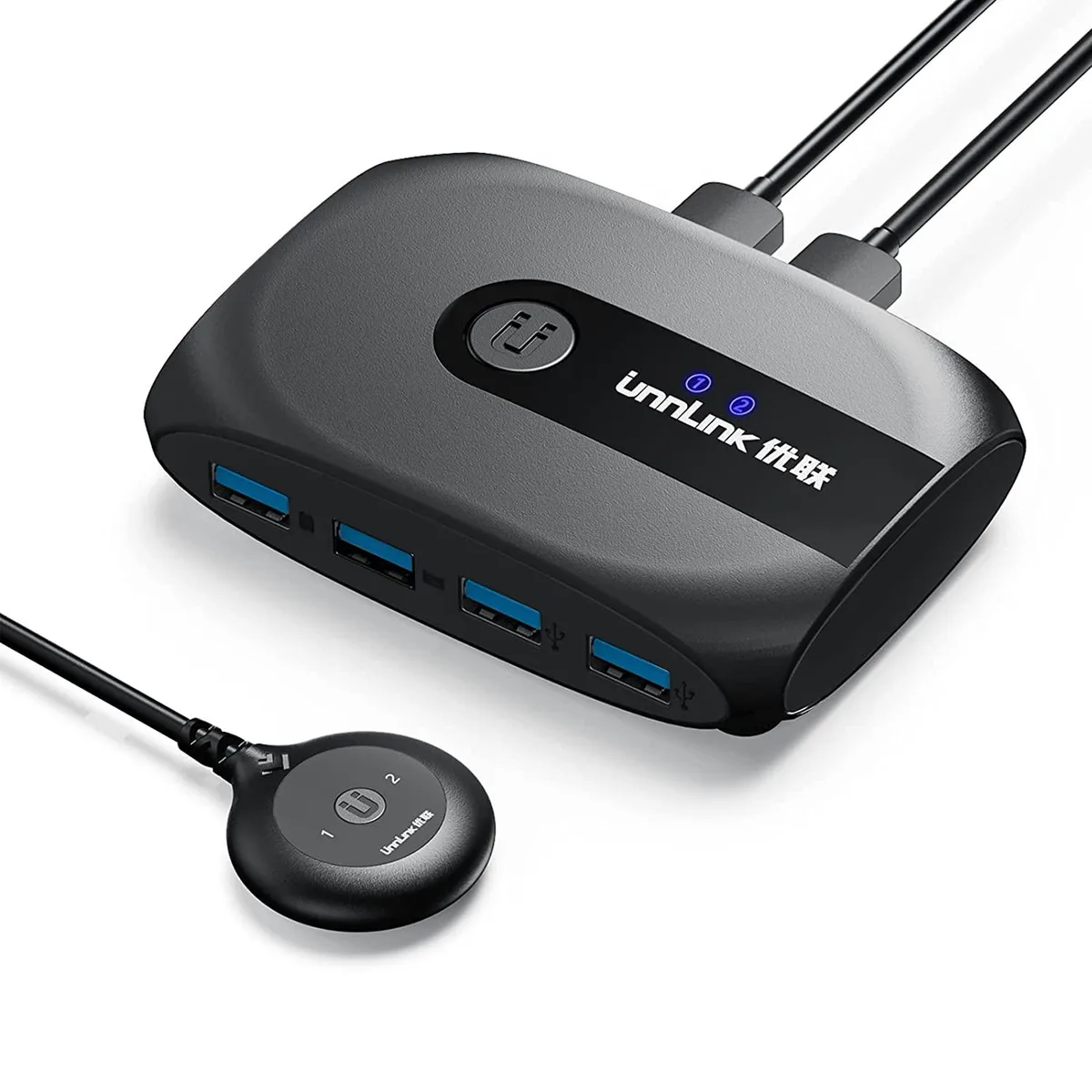
Shares four USB 3.0 peripherals between two computers with driver-free operation and a choice of panel or remote switching
- TypeUSB
- Share four USB 3.0 peripherals between two computers without cable swapping
- Eliminate repeated plugging and unplugging of printers, scanners, mice and keyboards
- Works driver-free on Windows 10, 8.1, 7, Vista, XP, Mac OS X, Linux and Chrome OS
- Switch instantly via front-panel button or the included remote controller
- Compact, portable design includes charging cable, remote switch and user manuals
Two-Computer USB 3.0 Sharing Hub
The FOCUSTEC KVM switch lets two computers share four USB 3.0 peripherals without unplugging cables or configuring network software. It suits home offices, small studios or lab benches where a printer, scanner, keyboard, mouse and flash drive must stay connected to both systems. Driver-free operation works with Windows, macOS, Linux and Chrome OS out of the box. No additional host adapters are required for basic switching.
Panel Button and Remote Switching
A push-button on the unit and a wired remote extender give two ways to change the active computer from a convenient spot. Four downstream USB 3.0 ports accept standard Type-A plugs for mice, keyboards, card readers and other common accessories. The compact enclosure sits on a desk without blocking adjacent ports and needs no mounting hardware. A separate charging cable is included to keep the switch powered during heavy peripheral loads.
Passive Thermal Design and Bus Power
The switch draws power from the host USB connection or the supplied charging cable, so no external power brick is needed in typical use. With no fan or moving parts, it runs silently and adds negligible heat to a workstation. Power consumption stays within the USB 3.0 specification, avoiding extra strain on laptop ports. The aluminium housing helps dissipate any warmth generated during sustained data transfers.
Highlights
- Share four USB 3.0 peripherals between two computers without cable swapping
- Eliminate repeated plugging and unplugging of printers, scanners, mice and keyboards
- Works driver-free on Windows 10, 8.1, 7, Vista, XP, Mac OS X, Linux and Chrome OS
- Switch instantly via front-panel button or the included remote controller
- Compact, portable design includes charging cable, remote switch and user manuals
Specifications
| Type | USB |
|---|
Questions about this item
What USB standard does this KVM switch use, and what transfer speed does it cap at?
It uses USB 3.0, capping practical transfer speeds at 5 Gbps for the four shared peripherals.
What cables and ports are required to connect two computers and four devices to this switch?
Each computer needs a USB 3.0 cable to the switch’s two upstream ports; the four downstream ports accept standard USB 3.0 device plugs.
How is the switch installed, and which step do users often miss?
Connect the two host cables and four peripherals, attach the supplied charging cable for power, then use the panel button or external controller to swap — forgetting the power cable is the common mistake.
Also in this aisle
People compared these
Same shelf, same checkout — eight coins and a 30-minute rate lock.


Black Box Corporation
Black Box Corporation 4K60 HDMI Dual-Head KVM Switch 4 Port
$774.99
0.00893504BTC
In stock