


FLEANE
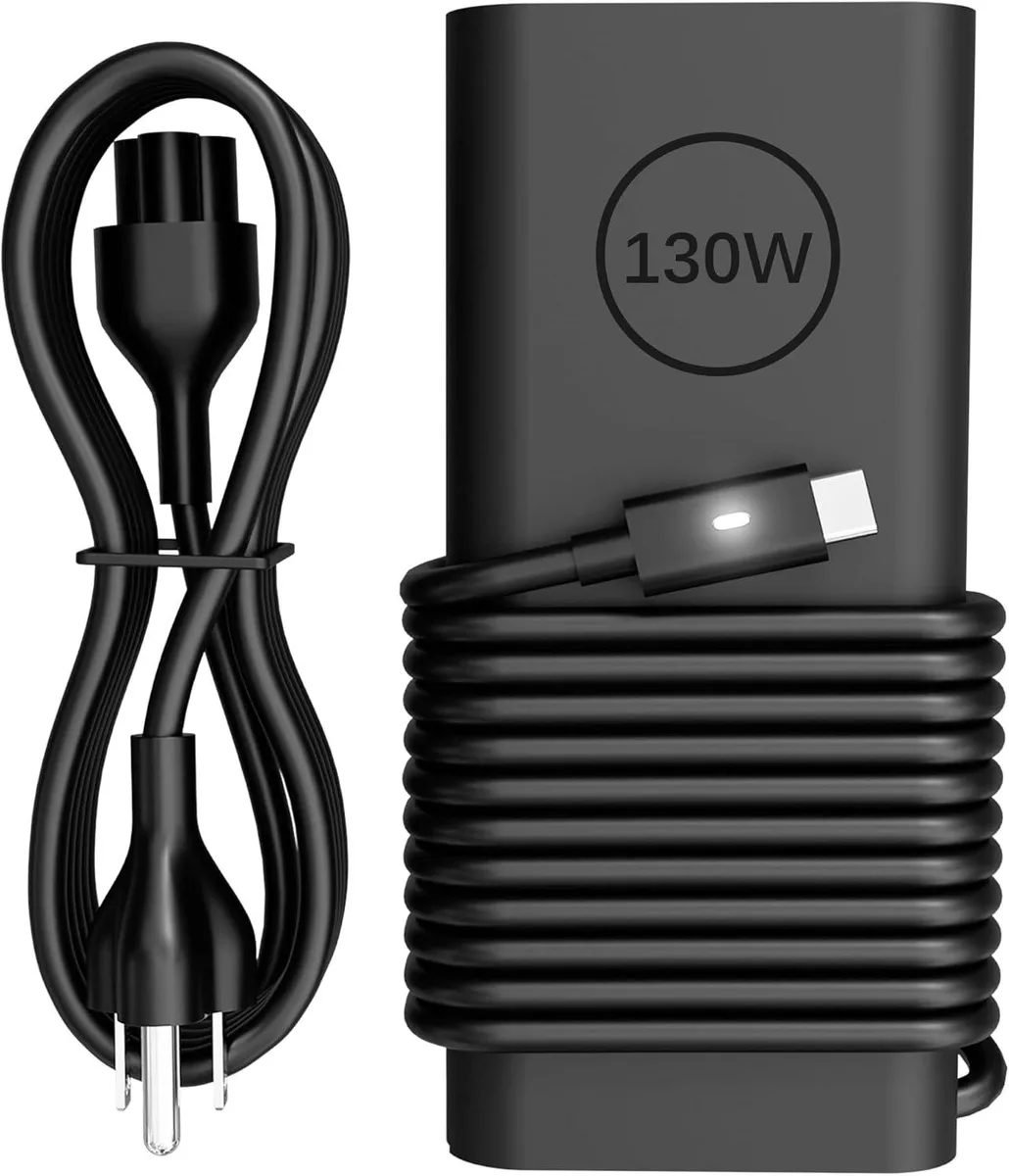
FLEANE XPS9575-7354BLK-PUSCompatible 130W USB-C laptop charger
130 W USB-C power adapter delivering 5 V, 9 V, 15 V and 20 V up to 6.5 A for compatible Dell XPS, Latitude and Precision laptops
- TypeCharger
- Delivers up to 130W fast charging via USB-C
- Wide 100-240V input suits global mains voltages
- Multiple 5V 9V 15V 20V outputs match device needs
- Built-in protection against short circuit overvoltage overcurrent overheating
- Compatible with Dell XPS Precision Latitude models listed
Compatible Charger for XPS 15 9575
This 130W USB-C power adapter replaces the original charger for Dell XPS 15 9575 2-in-1 and XPS 15 9500 models. It also supports XPS 17 9700, Latitude 7410, 7310, 7210, 9410, 5420, 5520, 5320, 5411, 5510, 5511, 5310, 5410 and Precision 5550, 5750, 3560, 3550, 3551, 5530 2-in-1 workstations. Buyers needing a barrel-connector tip or a higher-wattage unit for other laptops should look elsewhere.
Thermals Noise and Power Draw
The adapter accepts 100-240V input at 50-60Hz and delivers up to 130W through a USB Type-C connector. Output profiles include 5V, 9V, 15V and 20V with a maximum current of 6.5A. Built-in protection guards against short circuit, overvoltage, overcurrent and internal overheating during normal operation. No active cooling fan is present, so the unit runs silently.
Sustained Load Behaviour
Under continuous full-load conditions the charger maintains its rated 130W output thanks to the integrated safety mechanisms. The protection circuits prevent thermal throttling by monitoring internal temperature and cutting power if limits are exceeded. This design keeps output stable during extended charging sessions for compatible XPS and Precision systems.
Highlights
- Delivers up to 130W fast charging via USB-C
- Wide 100-240V input suits global mains voltages
- Multiple 5V 9V 15V 20V outputs match device needs
- Built-in protection against short circuit overvoltage overcurrent overheating
- Compatible with Dell XPS Precision Latitude models listed
Specifications
| Type | Charger |
|---|
Questions about this item
How do I install the FLEANE XPS9575-7354BLK-PUSCompatible 130W USB-C charger, and what step do people often miss?
Plug the USB-C connector firmly into the laptop's power port and connect the AC plug to a 100-240V 50-60Hz outlet; the step often missed is confirming your original adapter's specifications match the 5V/9V/15V/20V - 1A/6.5A 130W output before ordering.
What maintenance or replacement will this charger need later?
The charger has no user-serviceable parts; if the USB-C cable frays or the unit shows signs of overheating, short-circuiting, overvoltage, or overcurrent protection triggering, replace the entire adapter.
What limit appears first when this charger runs at full 130W output for long periods?
Internal overheating protection activates first under sustained 130W load, causing the adapter to throttle or shut down until it cools to a safe temperature.
Also in this aisle
People compared these
Same shelf, same checkout — eight coins and a 30-minute rate lock.


Kensington
Kensington Desk Mount Cable Anchor K64613WW accessory
- Black
- Provides a secure a…
$19.99
0.00023773BTC
In stock
Panasonic
Panasonic CF-VDR291U laptop cooling pad
- Optical Drive
- Buffer Size: 2 MB B…
$213.99
0.00254483BTC
In stock
eReplacements
eReplacements PB992A-ER laptop battery 14.4V
- Battery
- Lithium-Ion
$65.99
0.00078477BTC
In stock