
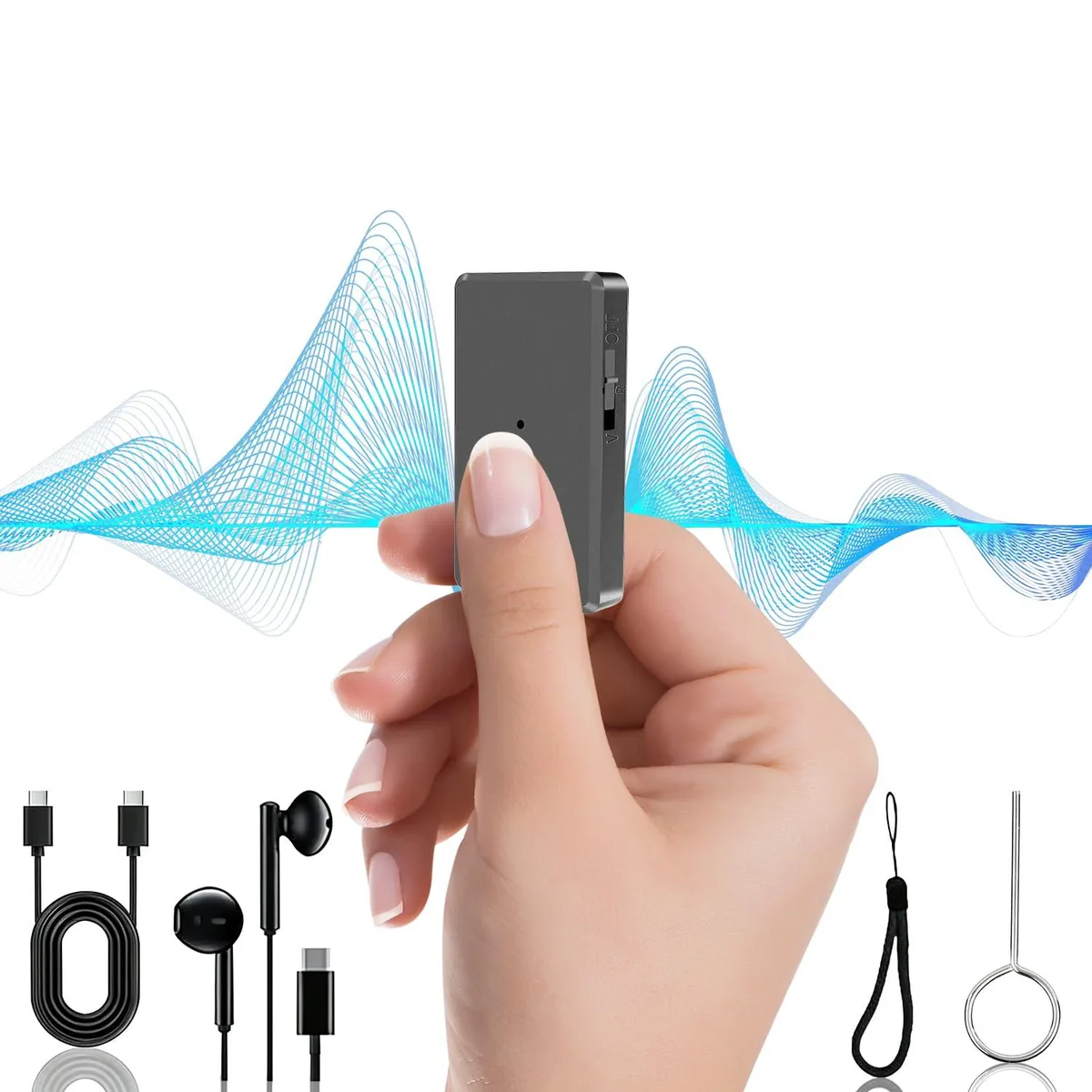


FJJVFF L2 64GB Voice Recorder with AI Noise Reduction
A 64 GB voice recorder with AI noise reduction, one-button operation, voice activation and 40 hours of battery life
- Recording Formatwav
- Recording Media64 GB
- PC InterfaceUSB_C
- ConnectorHeadphones: USB Type C
- Battery5 grams, 40 hours, lithium_polymer, 500 milliampere_hour, 1
- Battery Life40 hours
- Slide switch starts recording instantly with one-button operation
- Voice activation pauses during silence saving 64GB storage space
- AI noise reduction filters background sound for clear 680+ hour capture
- 40-hour battery charges in two hours while recording continues
- Weighs 18 grams with 360° pickup fits pocket or lanyard
Pocket-Sized 64 GB Voice Recorder
Weighing 18 grams and measuring 2.24 by 1.26 by .4 inches, this recorder slips into a pocket or hangs from the included lanyard. Built-in 64 GB memory holds up to 680 hours of WAV files, and the lithium-polymer cell delivers 40 hours of recording per charge. A USB-C port handles both data transfer and charging, with recording possible while plugged in.
Ideal for Lectures and Meetings.
Voice-activated recording starts automatically when sound is detected and pauses during silence, saving space for spoken-word sessions such as lectures, interviews and office meetings. AI noise reduction filters background hum for clearer voice playback through the supplied USB-C earphones. Buyers who need high-fidelity stereo music recording or multi-track editing should look at dedicated field recorders instead.
Simple Slide Switch and USB-C Charging
Slide the switch to R to begin recording and back to OFF to save the file instantly; no menus or button combinations are required. The device charges fully in about two hours and auto-saves when the battery runs low, preventing lost recordings. The only common issue is forgetting to slide the switch fully to OFF, which leaves the last file unsaved.
Highlights
- Slide switch starts recording instantly with one-button operation
- Voice activation pauses during silence saving 64GB storage space
- AI noise reduction filters background sound for clear 680+ hour capture
- 40-hour battery charges in two hours while recording continues
- Weighs 18 grams with 360° pickup fits pocket or lanyard
Specifications
| Brand | FJJVFF |
|---|---|
| Model | L2 |
| Recording Format | wav |
| Recording Media | 64 GB |
| PC Interface | USB_C |
| Connector | Headphones: USB Type C |
| Battery | 5 grams, 40 hours, lithium_polymer, 500 milliampere_hour, 1 |
| Battery Life | 40 hours |
| Specifications | Brand: FJJVFF, Format: wav, Battery_weight: 5 grams, Battery_average_life: 40 hours, Battery_cell_composition: lithium_polymer, Skip_offer: false, Unit_count_type: Count, Unit_count_value: 1, Item_weight: 0.04 pounds, Part_number: L2, Unspsc_code: 52161535, Manufacturer: FJJVFF, Model_number: L2, Num_batteries_type: a, Num_batteries_quantity: 1, Control_method: push_button, Headphones_jack: USB Type C, Item_dimensions: 2.24 L x 1.26 W x 0.4 H inches, Lithium_battery_packaging: batteries_contained_in_equipment, Lithium_battery_energy_content: 500 milliampere_hour, Number_of_items: 1, |
| Dimensions | 2.24 L x 1.26 W x 0.4 H inches |
| Weight | 0.04 pounds |
| Package Contents | Voice Activated Recorder, User Manual, Earphones, Charging/Data Cable, Black Lanyard, Reset Pin |
Questions about this item
What do I need to connect the included earphones to the recorder?
The recorder uses a USB Type-C connector for the included earphones, so you simply plug them into the USB-C port on the device.
Will my existing USB-A computer port work with the supplied charging and data cable?
The device features a USB-C PC interface; the included cable has a USB-C connector on the recorder end, so you need a USB-C port or a USB-C to USB-A adapter on your computer.
How can I verify the voice-activated recording is functioning after I set it up?
Speak near the recorder and watch for the recording indicator; the device should start capturing audio automatically and pause when the room goes quiet, saving each segment as a separate WAV file you can review.
Also in this aisle
People compared these
Same shelf, same checkout — eight coins and a 30-minute rate lock.


Sony
Sony ZX Series MDR-ZX110AP Wired On-Ear Headphones White 30mm 3.5mm
- Headphone
$16.99
0.00020137BTC
In stock
usbroway
usbroway 10-pack VHF Antenna 136-174MHz for Motorola HT1000 MTS2000 XTS2500 XTS3000 XTS3500
- Two-way Radio
$38.99
0.00046213BTC
In stock