


Fervit
Fervit OCuLink SFF-8611 4i Active Cable 90° 50cm 64Gbps PCIe 4.0
Connects OCuLink SFF-8611 devices at 64 Gbps with a 50 cm angled cable for tight spaces
- 90° angled connector fits tight spaces around OCuLink ports
- Active cable carries PCIe 4.0 signals at 64 Gbps over 50 cm
- Secure active latch locks to mating SFF-8611 receptacle
- Male-to-male SFF-8611 link connects backplane to controller directly
- Requires only a free OCuLink interface to operate
Fervit OCuLink Active Cable 50cm 64Gbps
This Fervit active cable carries PCIe 4.0 signals over an OCuLink SFF-8611 connection at up to 64Gbps. It links a backplane or controller fitted with matching SFF-8611 ports. The 90-degree angled connector fits tight spaces around the female port. A free OCuLink interface is required on the host device.
Suits internal PCIe 4.0 links at 64Gbps
Builders connecting a backplane to a controller with SFF-8611 ports will find the angled plug and active latch useful in cramped chassis. Users needing a straight connector, a longer reach than 50cm, or a different protocol should look at other cable types.
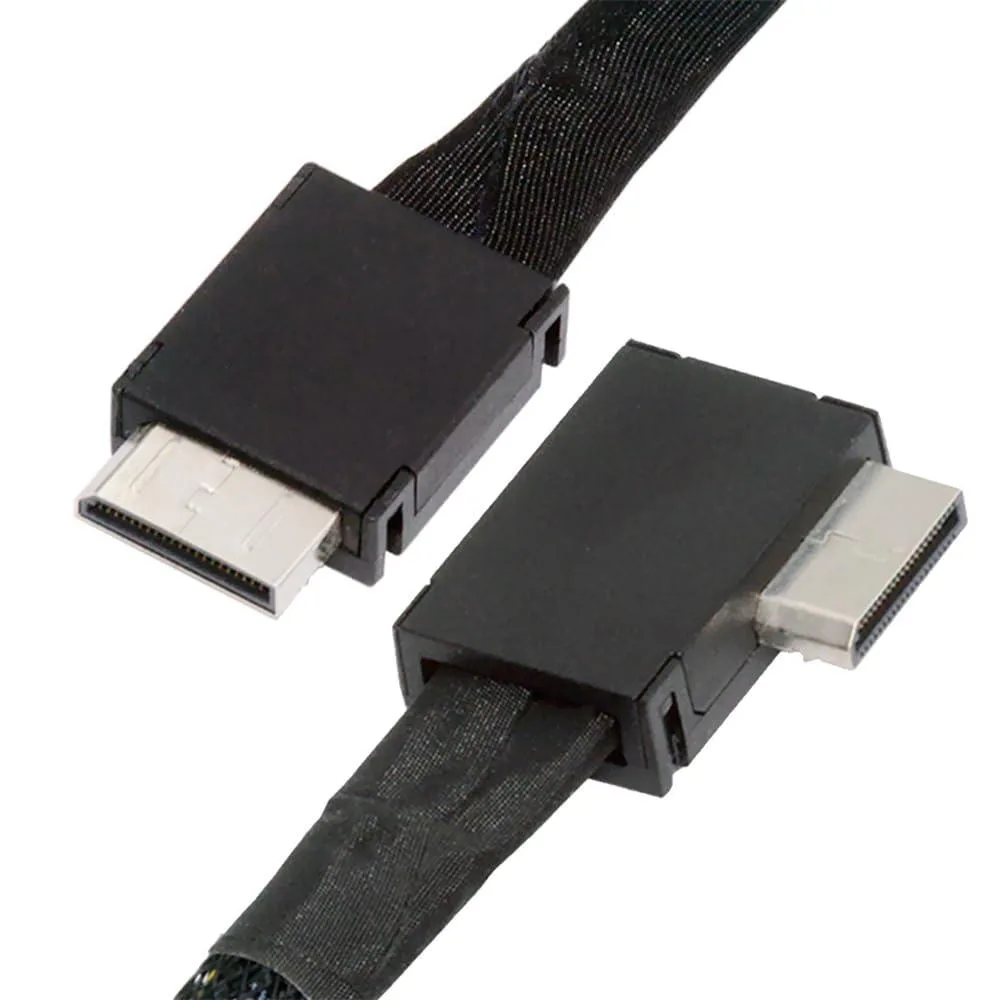
90-degree angled SFF-8611 plug
The right-angle hood lets the cable seat fully even when adjacent components leave little clearance. If the installation demands a straight exit or a different bend orientation, this cable will not suit the build.
Highlights
- 90° angled connector fits tight spaces around OCuLink ports
- Active cable carries PCIe 4.0 signals at 64 Gbps over 50 cm
- Secure active latch locks to mating SFF-8611 receptacle
- Male-to-male SFF-8611 link connects backplane to controller directly
- Requires only a free OCuLink interface to operate
Specifications
| Brand | Fervit |
|---|
Questions about this item
Will the 90° angled SFF-8611 connector fit next to my existing PCIe 4.0 card without blocking the slot?
The 90° left-angled design lets the cable route tight against the board, so it clears adjacent cards even when the OCuLink port sits close to a full-length PCIe 4.0 device.
How can I verify the link is running at the full 64Gbps PCIe 4.0 speed after I connect the cable?
Check the link width and speed in your OS device manager or GPU-Z; a healthy x4 PCIe 4.0 connection will report 64Gbps aggregate bandwidth with no link errors.
Does the 50cm active cable ship with any mounting brackets or external power adapters, or is it just the cable?
Only the SFF-8611 male-to-male active cable with locking latches is included; no brackets, screws or power adapters are supplied.
Also in this aisle
People compared these
Same shelf, same checkout — eight coins and a 30-minute rate lock.


Kensington
Kensington Desk Mount Cable Anchor K64613WW accessory
- Black
- Provides a secure a…
$19.99
0.00023785BTC
In stock
Panasonic
Panasonic CF-VDR291U laptop cooling pad
- Optical Drive
- Buffer Size: 2 MB B…
$213.99
0.0025462BTC
In stock
eReplacements
eReplacements PB992A-ER laptop battery 14.4V
- Battery
- Lithium-Ion
$65.99
0.00078519BTC
In stock