


Fanstel
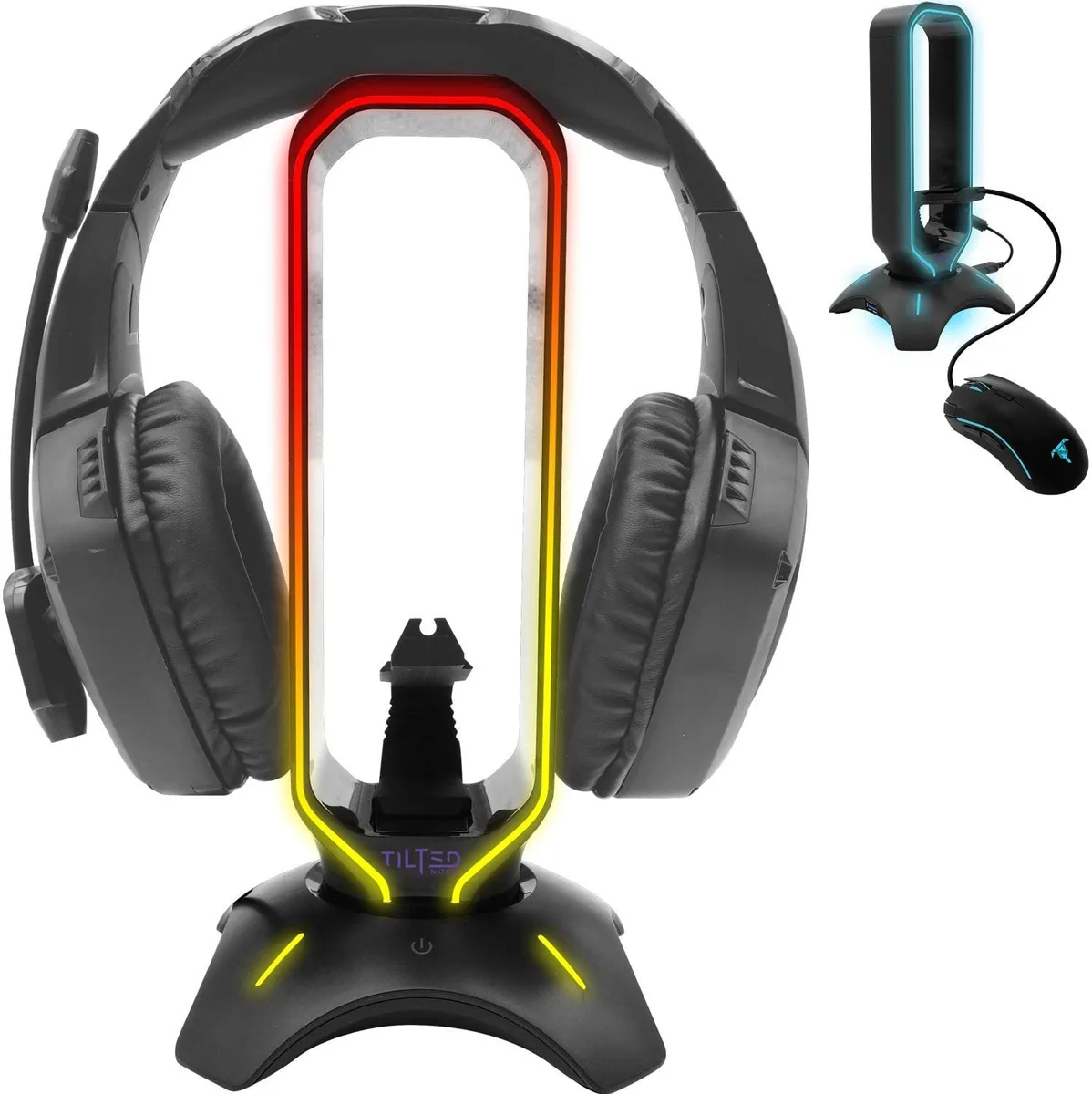
Fanstel RGB Headset Stand with Mouse Bungee and USB 3.0 Hub
A headset stand with integrated mouse bungee and two-port USB 3.0 hub adds RGB lighting and cable management to a desk setup
- All-in-one headset stand, mouse bungee and 2-port USB 3.0 hub
- Weighted non-slip base keeps headset stable during intense sessions
- Flexible bungee arm removes cable drag for a wireless feel
- Two USB 3.0 ports deliver up to 5 Gbps for peripherals and drives
- Dynamic and static RGB lighting modes add visual flair to the desk
All-in-One Headset Stand
The Fanstel RGB headset stand combines a headphone holder, a flexible mouse bungee, and a two-port USB 3.0 hub in a single weighted base. Non-slip grips keep the unit steady during rapid mouse movements. Plug-and-play assembly requires no software installation.
Powered USB Hub Performance
The integrated USB 3.0 hub draws power from the host system and delivers up to 5 GB data transfer speeds for connected peripherals. Two downstream ports accommodate keyboards, mice, flash drives, or external storage without adding separate power adapters. Cable routing through the bungee arm reduces drag on wired mice.
Desk Integration Requirements
A free USB-A port on the PC or console is needed to activate the hub and RGB lighting. The weighted footprint occupies a fixed area on the desk surface, so available space must accommodate the base dimensions. Builders who need additional USB ports beyond two or a standalone bungee without lighting should consider separate devices.
Highlights
- All-in-one headset stand, mouse bungee and 2-port USB 3.0 hub
- Weighted non-slip base keeps headset stable during intense sessions
- Flexible bungee arm removes cable drag for a wireless feel
- Two USB 3.0 ports deliver up to 5 Gbps for peripherals and drives
- Dynamic and static RGB lighting modes add visual flair to the desk
Specifications
No published specifications for this item yet.
Questions about this item
How do I set up the USB 3.0 hub on this headset stand, and which step do people often miss?
Plug the stand's USB cable into a PC USB 3.0 port for power and data. The step often missed is using a USB 3.0 host port; a USB 2.0 port will limit the hub to slower speeds.
What part of this stand will need replacement first with daily use?
The flexible mouse bungee arm is the main wear item. Repeated bending and cable friction can fatigue the spring or silicone grip over time, while the weighted base and RGB LEDs typically last longer.
What limits the USB 3.0 hub's speed during long file transfers?
The hub is rated for up to 5 Gbps data transfer. Under sustained use the first limit is usually the host controller's total bandwidth or thermal throttling on the hub's internal bridge chip, not the stand itself.
Also in this aisle
People compared these
Same shelf, same checkout — eight coins and a 30-minute rate lock.


Lenovo
Lenovo 42T3273 Black Replacement Keyboard for ThinkPad T60 T61
- Thinkpad T60 T61 Ke…
- Black
$29.99
0.00036048BTC
In stock