

Fans
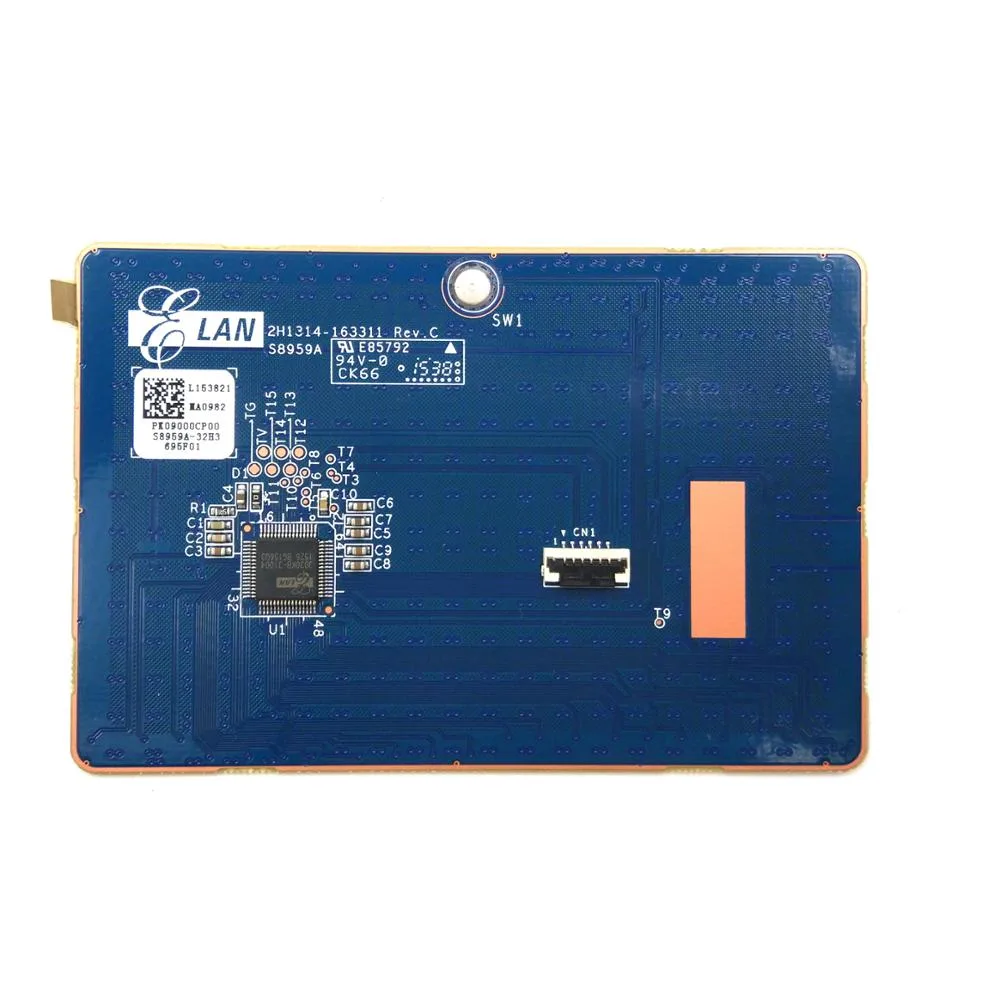
Fans PK09000CP00 Touchpad Mouse for Lenovo Ideapad Y400 Y410 Y410P
Replacement touchpad board for Lenovo Ideapad Y400, Y410 and Y410P series laptops
- Features6 Months
- Replaces worn trackpad on supported Ideapad models
- Matches PK09000CP00 part code for exact fit
- Covers Y400, Y410 and Y410P series laptops
- New condition ensures reliable pointer control
- Six-month period included with purchase
Compatible replacement trackpad
This new trackpad board carries part number PK09000CP00 and fits Lenovo Ideapad Y400, Y410 and Y410P series laptops including the Y410P-IFI and Y410P-ISE models. It restores cursor control when the original touchpad fails or is damaged.
Direct-fit board with ribbon connector
The unit matches the factory mounting points and ribbon-cable interface so it installs without adapters or case modifications. Buyers should verify the part code on their existing board before purchase because the photo shows the exact item supplied.
Replaces a worn or broken OEM touchpad
The swap is worthwhile when the original pad no longer registers clicks, drifts or shows physical cracks. It is not for users who want a larger tracking surface, gesture features the original hardware lacks, or an external mouse alternative.
Highlights
- Replaces worn trackpad on supported Ideapad models
- Matches PK09000CP00 part code for exact fit
- Covers Y400, Y410 and Y410P series laptops
- New condition ensures reliable pointer control
- Six-month period included with purchase
Specifications
| Features | 6 Months |
|---|
Questions about this item
What interface does the PK09000CP00 touchpad use to connect to the motherboard?
The PK09000CP00 connects via a flat flexible cable that plugs directly into the laptop motherboard header.
What physical space and mounting points does the PK09000CP00 require inside the chassis?
The board matches the original palm-rest cutout and uses the same screw holes as the factory trackpad on Y400 Y410 and Y410P models.
How is the PK09000CP00 installed and which step do people often miss?
Remove the battery, disconnect the old ribbon cable, fit the new board into the palm rest, reconnect the cable securely and lock the connector latch before reassembly.
Also in this aisle
People compared these
Same shelf, same checkout — eight coins and a 30-minute rate lock.


Lenovo
Lenovo 42T3273 Black Replacement Keyboard for ThinkPad T60 T61
- Thinkpad T60 T61 Ke…
- Black
$29.99
0.00034848BTC
In stock