
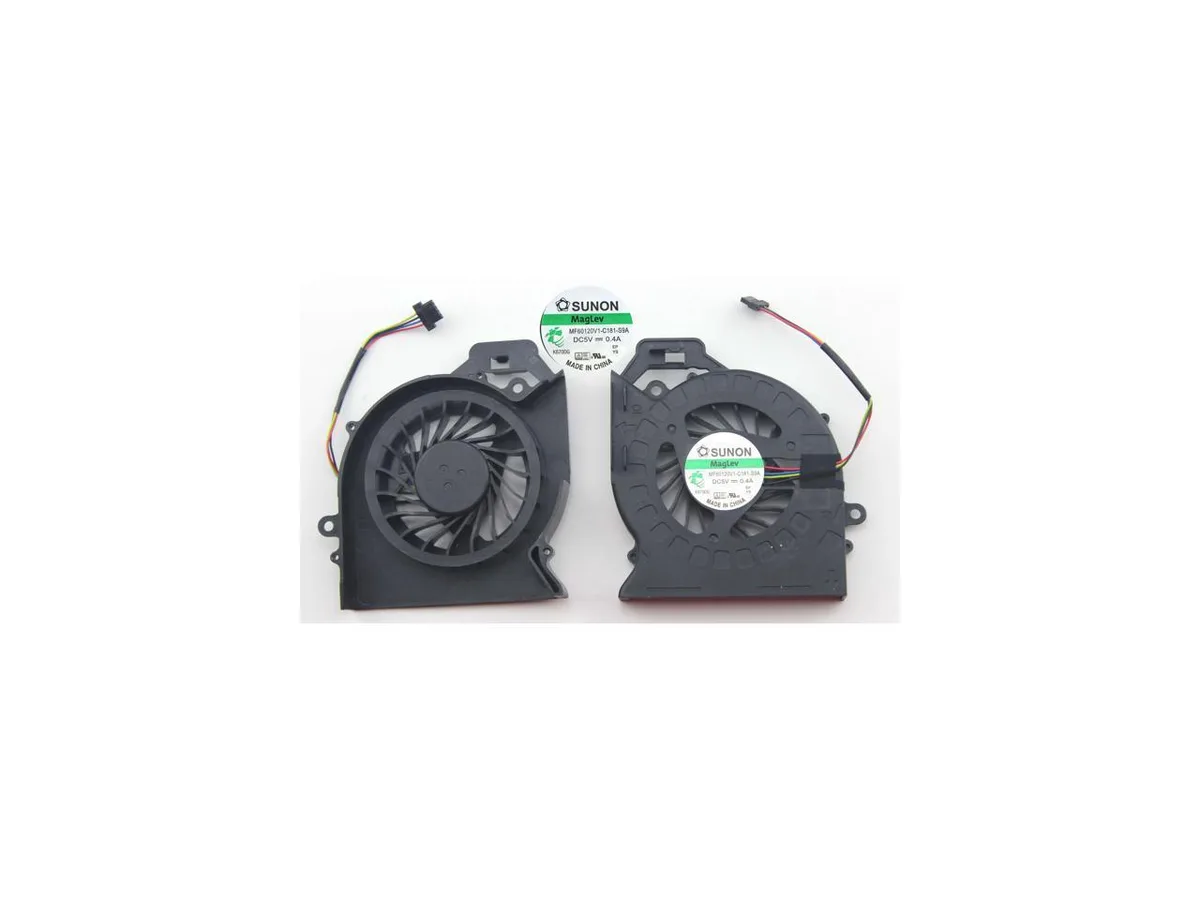
Fans
Fans 4-Pin Laptop CPU Cooling Fan HP Pavilion dv7-6b01xx/32/55/56/57/63
Replacement 4-pin CPU cooling fan compatible with HP Pavilion dv7-6b01xx, dv7-6b32us, dv7-6b55dx, dv7-6b56nr, dv7-6b57nr and dv7-6b63us laptops
- 4-pin connector enables precise speed control for HP Pavilion dv7-6b01xx
- Compatible with multiple HP Pavilion dv7 models including 32, 55, 56, 57, 63
- Brand-new condition ensures reliable cooling performance from day one
- Single fan replacement kit includes everything needed for installation
- Tested for three months to verify compatibility and quality
Compatible HP Pavilion dv7 Models
This four-pin laptop CPU cooling fan is built for HP Pavilion dv7-6b01xx, dv7-6b32us, dv7-6b55dx, dv7-6b56nr, dv7-6b57nr and dv7-6b63us notebooks. It serves owners who need a direct replacement for a worn or noisy original cooler. Buyers with other dv7 series or different manufacturers cannot use this part.
Thermals Noise and Power Draw
The fan connects through a standard four-pin header so the system can regulate speed based on processor temperature. No acoustic or power-consumption figures are supplied by the source data. Normal operation will follow the laptop’s built-in thermal curve.
Included Package Contents
The box contains one CPU cooling fan only; no mounting screws, thermal compound or control software are bundled. Installation relies on the fasteners already present in the chassis. The supplier notes that several brands may fulfil the same part number while remaining fully compatible.
Highlights
- 4-pin connector enables precise speed control for HP Pavilion dv7-6b01xx
- Compatible with multiple HP Pavilion dv7 models including 32, 55, 56, 57, 63
- Brand-new condition ensures reliable cooling performance from day one
- Single fan replacement kit includes everything needed for installation
- Tested for three months to verify compatibility and quality
Specifications
No published specifications for this item yet.
Questions about this item
How do I install the 4-pin CPU cooling fan in my HP Pavilion dv7-6b55dx and what step is often missed?
Remove the old fan, connect the 4-pin header firmly, then secure the screws; the step often missed is reapplying thermal paste on the CPU before reassembly.
What maintenance will this laptop CPU fan need over time?
Dust buildup on the blades and heatsink fins is the main issue; clean with compressed air every few months to maintain airflow and prevent overheating.
What limit appears first when this fan runs continuously under heavy load?
The 4-pin PWM control caps the maximum speed, so sustained heavy loads hit the fan's fixed top RPM before thermal throttling becomes a factor.
New to this? Which coin should you pay with — what to check, what it costs to pay, and what is never asked for.
Also in this aisle
People compared these
Same shelf, same checkout — eight coins and a 30-minute rate lock.



Black Box Corporation
Black Box Corporation CAT6 EZ-RJ45 Modular Plugs 100-Pack
$95.99
0.0011557BTC
In stock
