


Explus-C
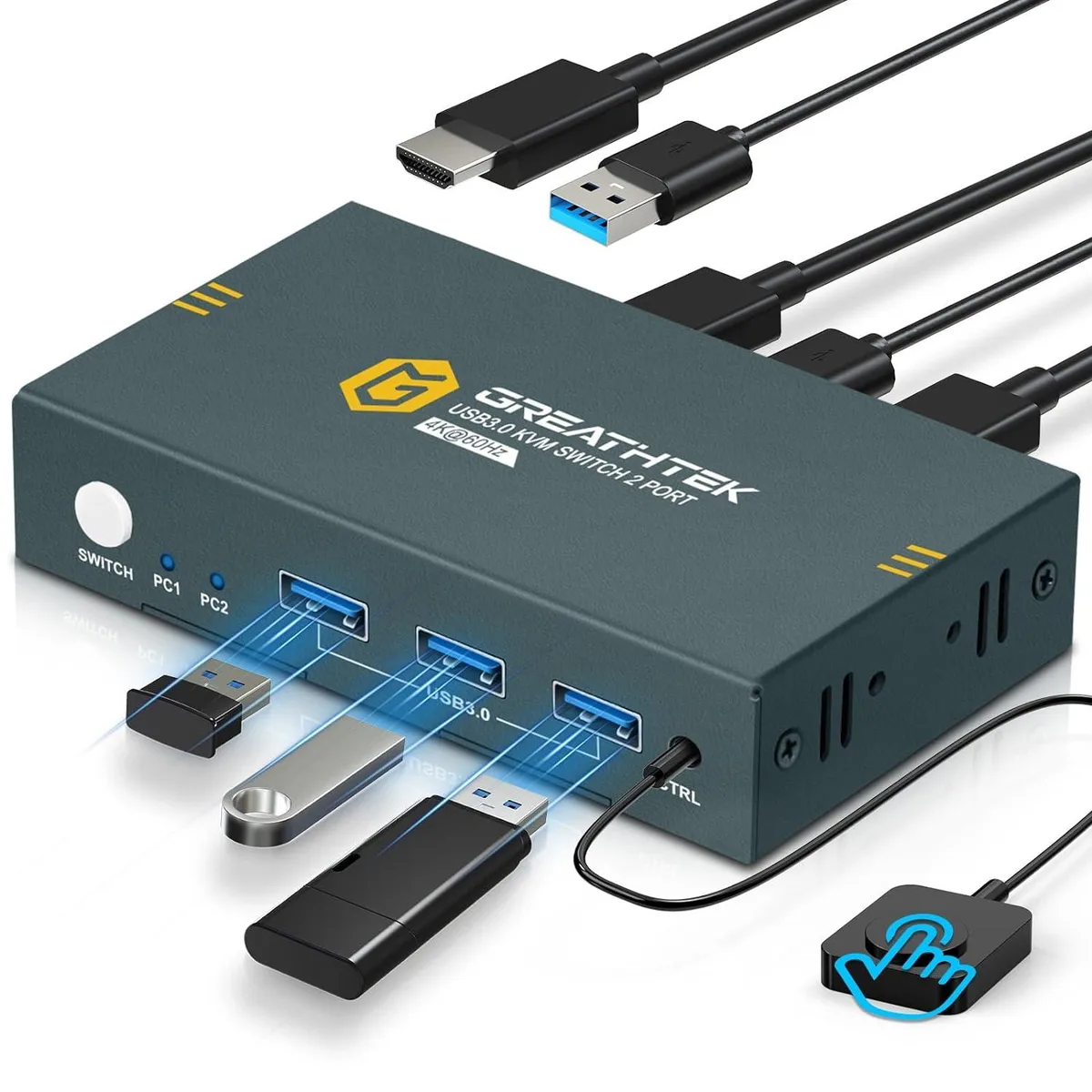
Explus-C USB 3.0 2-Port HDMI KVM Switch 4K@60Hz 3 USB 3.0 Ports
A KVM switch lets two computers share one 4K 60 Hz monitor, keyboard, mouse and three USB 3.0 peripherals with push-button or wired-remote switching
- TypeKVM Switch
- Control two PCs with one monitor and peripherals using wired remote or front button
- Share keyboard, mouse, printer or drives through three USB 3.0 ports
- View ultra-sharp 4K video at 3840×2160 resolution and 60 Hz refresh rate
- Works with Windows, Linux, Mac and consoles like PS4 without driver installation
- EDID emulation keeps display settings stable during every switch
Two-Port HDMI KVM Switch
The Explus-C USB 3.0 KVM switch lets two computers share one HDMI monitor and a single keyboard and mouse set. It provides three USB 3.0 ports for connecting peripherals such as printers, scanners or flash drives. The unit supports wired remote and front-panel button switching for instant source changes.
Users sharing one display between two systems
This switch suits anyone who needs to control a desktop and a laptop, or two PCs, from one workstation without unplugging cables. It works with Windows, Linux and Mac operating systems and accepts consoles such as a PS4. Buyers who require hotkey switching or need to drive more than one monitor should consider a different solution.
4K 60 Hz video support
The HDMI output delivers up to 3840 x 2160 at 60 Hz and is backward compatible with 3840 x 2160 at 30 Hz and 1920 x 1080 at 60 Hz. Adaptive EDID ensures the connected display is recognised automatically for plug-and-play operation.
Highlights
- Control two PCs with one monitor and peripherals using wired remote or front button
- Share keyboard, mouse, printer or drives through three USB 3.0 ports
- View ultra-sharp 4K video at 3840×2160 resolution and 60 Hz refresh rate
- Works with Windows, Linux, Mac and consoles like PS4 without driver installation
- EDID emulation keeps display settings stable during every switch
Specifications
| Type | KVM Switch |
|---|
Questions about this item
How can I confirm the Explus-C KVM switch is passing 4K@60Hz to my monitor after setup?
Check your monitor's on-screen display or OS settings to verify 3840×2160 at 60 Hz is active; the switch supports up to that resolution and refresh rate.
What cables come in the box and what must I supply to connect two PCs and one monitor?
The unit includes a wired remote and the KVM itself; you must provide two HDMI cables for video and two USB 3.0 cables for the PC links.
Which switching method should I choose between the push button and the wired remote?
Use the front push button for desk-side control or the wired remote when the switch is tucked away; hotkey switching is not supported.
Also in this aisle
People compared these
Same shelf, same checkout — eight coins and a 30-minute rate lock.


Black Box Corporation
Black Box Corporation 4K60 HDMI Dual-Head KVM Switch 4 Port
$774.99
0.00929802BTC
In stock