


Explus-C
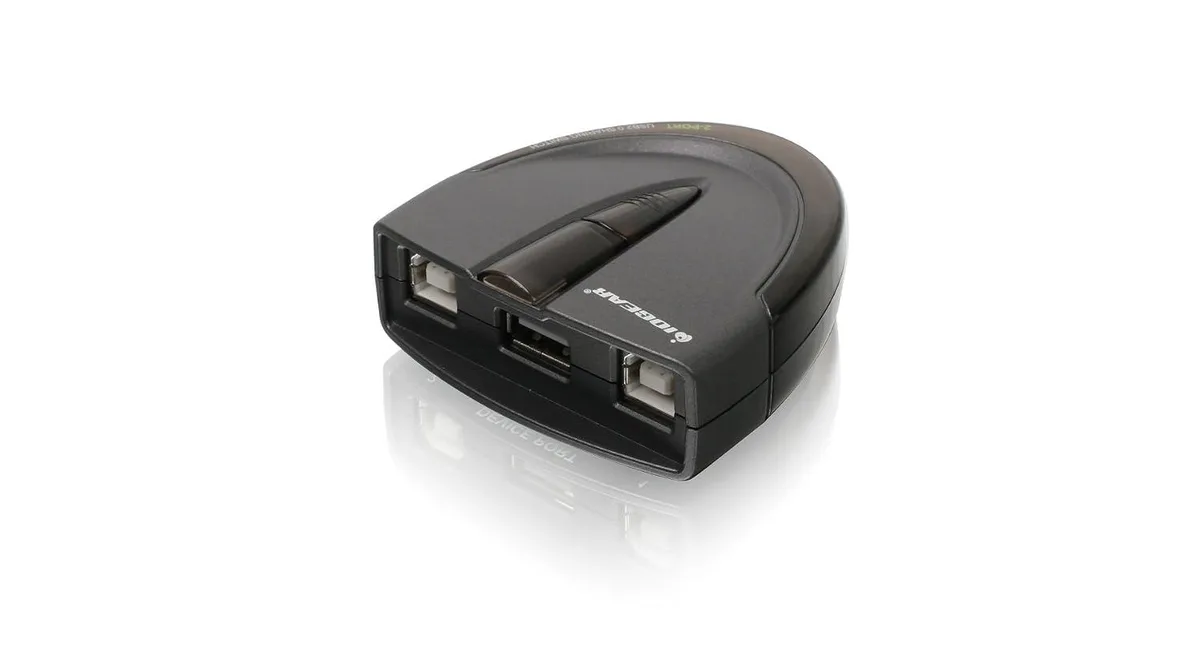
Explus-C GUB231 2 Port USB 2.0 KVM Switch
Two-port USB 2.0 switch shares one printer or peripheral between two computers with automatic or manual switching, no external power required
- TypeKVM Switch
- Share one printer between two computers via USB 2.0 ports
- Automatic or manual switching with software or push-button control
- Switch USB peripherals like scanners and external drives manually
- No external power supply required for operation
- Switch-lock function prevents unauthorised switching and ensures data consistency
Two-port USB 2.0 KVM switch for shared peripherals
This Explus-C GUB231 lets two computers share a single USB printer or multifunction device without unplugging cables. It suits home offices or small teams that need occasional access to one output device from separate workstations. The switch draws power from the USB connections so no external adapter is required. A lock function prevents accidental switching during active print jobs.
USB 2.0 bandwidth handles standard printing
Data moves at up to 480 Mbps, which is sufficient for typical document and photo workflows. Large bulk-scan batches or high-resolution image files may approach the practical limit of the interface. The device is backward compatible with USB 1.1 peripherals, though throughput will drop to the older standard. It is not designed for high-speed storage arrays or video-class bandwidth demands.
Push-button and software control with lockout option
A physical button on the unit gives immediate manual switching for scanners, external drives or other USB gear. Optional Windows software enables automatic switching when a print job is detected, though it requires administrator rights to install. LEDs show the active port at a glance. The switch-lock feature holds the current connection so another user cannot interrupt a running task.
Highlights
- Share one printer between two computers via USB 2.0 ports
- Automatic or manual switching with software or push-button control
- Switch USB peripherals like scanners and external drives manually
- No external power supply required for operation
- Switch-lock function prevents unauthorised switching and ensures data consistency
Specifications
| Type | KVM Switch |
|---|
Questions about this item
Will the Explus-C GUB231 work with a USB 1.1 printer I still use?
Yes, the switch is USB 1.1 backward compatible so the older printer will communicate at its native speed through the USB 2.0 ports.
How can I confirm the Explus-C GUB231 has switched to the correct workstation after setup?
The LEDs on the device light to show which of the two connected computers currently owns the shared USB peripheral.
Does the Explus-C GUB231 include the USB cables for both workstations or must I buy them separately?
The box contains the KVM switch unit only; two USB 2.0 cables to link the workstations are not supplied and must be purchased separately.
Also in this aisle
People compared these
Same shelf, same checkout — eight coins and a 30-minute rate lock.


Black Box Corporation
Black Box Corporation 4K60 HDMI Dual-Head KVM Switch 4 Port
$774.99
0.00889944BTC
In stock