
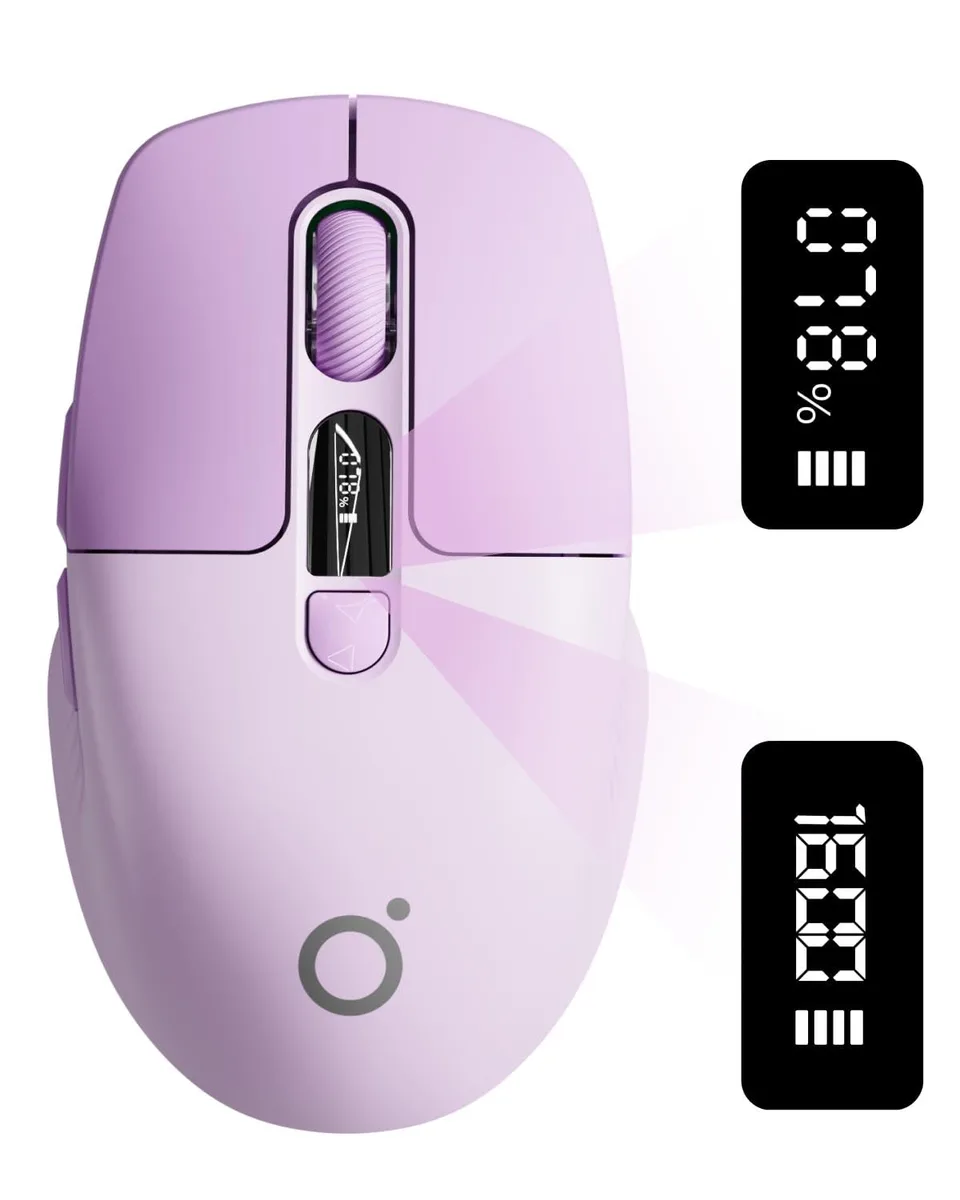


EWEADN Q1 Wireless Mouse with LED Display Purple
A wireless mouse with an LED screen showing battery percentage and DPI, silent clicks, and Bluetooth 5.0 plus 2.4 GHz connectivity
- Real-time battery & DPI view on LED screen
- Type-C rechargeable with auto-sleep after 1 minute
- Bluetooth 5.0 & 2.4G dual-mode up to 33ft
- Silent clicks for quiet work environments
- Ergonomic shape suits small to medium hands
Smart LED Dashboard
The EWEADN Q1 wireless mouse integrates a visible LED screen that shows real-time battery percentage and DPI level. This smart dashboard removes guesswork during meetings or presentations. A 500 mAh rechargeable cell charges via Type-C and enters sleep mode after one minute of inactivity. Double-click to wake prevents accidental activation in a bag.
Multi-Device Professionals
Bluetooth 5.0 and 2.4G dual-mode connectivity let you pair up to three devices and switch instantly between laptop, tablet and desktop. Stable range reaches 10 m (33 ft). Silent clicks suit shared offices and quiet environments. The ergonomic shape fits small to medium hands; users needing extra buttons, higher DPI or a larger grip should look elsewhere.
Rechargeable Convenience
Type-C charging eliminates disposable batteries and the bundled receiver stores inside the mouse when not in use. Auto-sleep and double-click wake extend usable time between charges. The purple finish adds a distinctive colour option. No software suite or driver installation is required for basic operation.
Highlights
- Real-time battery & DPI view on LED screen
- Type-C rechargeable with auto-sleep after 1 minute
- Bluetooth 5.0 & 2.4G dual-mode up to 33ft
- Silent clicks for quiet work environments
- Ergonomic shape suits small to medium hands
Specifications
No published specifications for this item yet.
Questions about this item
Does the Type-C rechargeable mouse need a USB-A port on my laptop for the 2.4G receiver?
The 2.4G link uses a USB-A dongle; Bluetooth 5.0 works without any port, so you only need USB-A if you choose the dongle mode.
Will the 1600 DPI sensor and silent clicks feel the same when I switch between a desktop running an older OS and a modern tablet?
The optical sensor keeps the same 1600 DPI ceiling and the silent switches stay quiet on every device; Bluetooth 5.0 and the 2.4G dongle both deliver that consistency.
How do I confirm the LED screen is showing the true battery percentage and active DPI after I pair the mouse?
The display updates instantly — charge via Type-C until it reads 100 %, then press the DPI button and watch the value cycle through the three preset levels.
Also in this aisle
People compared these
Same shelf, same checkout — eight coins and a 30-minute rate lock.


Lenovo
Lenovo 42T3273 Black Replacement Keyboard for ThinkPad T60 T61
- Thinkpad T60 T61 Ke…
- Black
$29.99
0.00035093BTC
In stock