Kensington
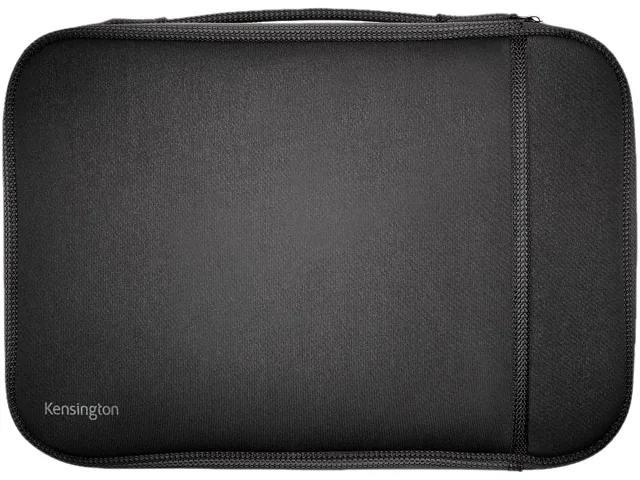
Kensington K62609WW laptop case 11" black .45
- Carrying Case
- Black
$12.99
0.00015186BTC
In stockWe take cryptocurrency — so the coins you hold can buy real hardware.Pay in crypto, spend it on real hardware. Free insured shipping worldwide over $399. Plain, unbranded boxes, sent from Germany.Free insured shipping over $399. Your rate is locked for 30 minutes once checkout opens.Rate locked 30 minutes. Every item sealed, serial-checked and covered by a 24-month warranty.Sealed, 24-month warranty.


EVESKY
A 10 in 1 USB C docking station adds HDMI, VGA, Ethernet, SD and TF card readers, audio, three USB ports and 100 W power delivery for triple-display setups
This EVESKY docking station adds ten connections through a single USB-C cable, providing triple display outputs, wired networking, card readers, audio and three USB ports. It is built for professionals who need a tidy desk hub that powers the laptop while driving multiple monitors.
The unit suits users who want HDMI and VGA video together with gigabit Ethernet, SD and microSD slots and 100 W pass-through charging. It is not for buyers who need more than three external displays, additional USB-C downstream ports, or a different video connector mix than the ones listed.
The defining specification is the ability to drive three external screens simultaneously using the available HDMI and VGA ports, which decides whether this dock matches the user's monitor configuration.
No published specifications for this item yet.
Connect each monitor to its own video port, then open display settings to extend the desktop across all three screens; the step often missed is selecting Extend instead of Duplicate for each output.
The SD and TF card slots and three USB ports are solid-state interfaces with no moving parts, so they do not have a scheduled replacement interval under normal use.
The 100 W power delivery rating is the first sustained-use limit; exceeding it triggers the dock's internal protection and shuts down the charging path.
Also in this aisle
Same shelf, same checkout — eight coins and a 30-minute rate lock.
What you pay in, and what you read prices in.
Sent from your wallet at checkout
Display only — the catalogue is priced in USD
No currency matches that.
Pick the language the site speaks to you in.
No language matches that.
New here?
Already have one?
There is no automatic reset: this shop sends no mail, so there is no one-time link to ask for. Leave the address on the account and it gets picked up by hand.
Request noted
Nothing is on its way to your inbox — this shop sends no mail at all. Someone picks these up by hand.
Remembered it?