ESTONE
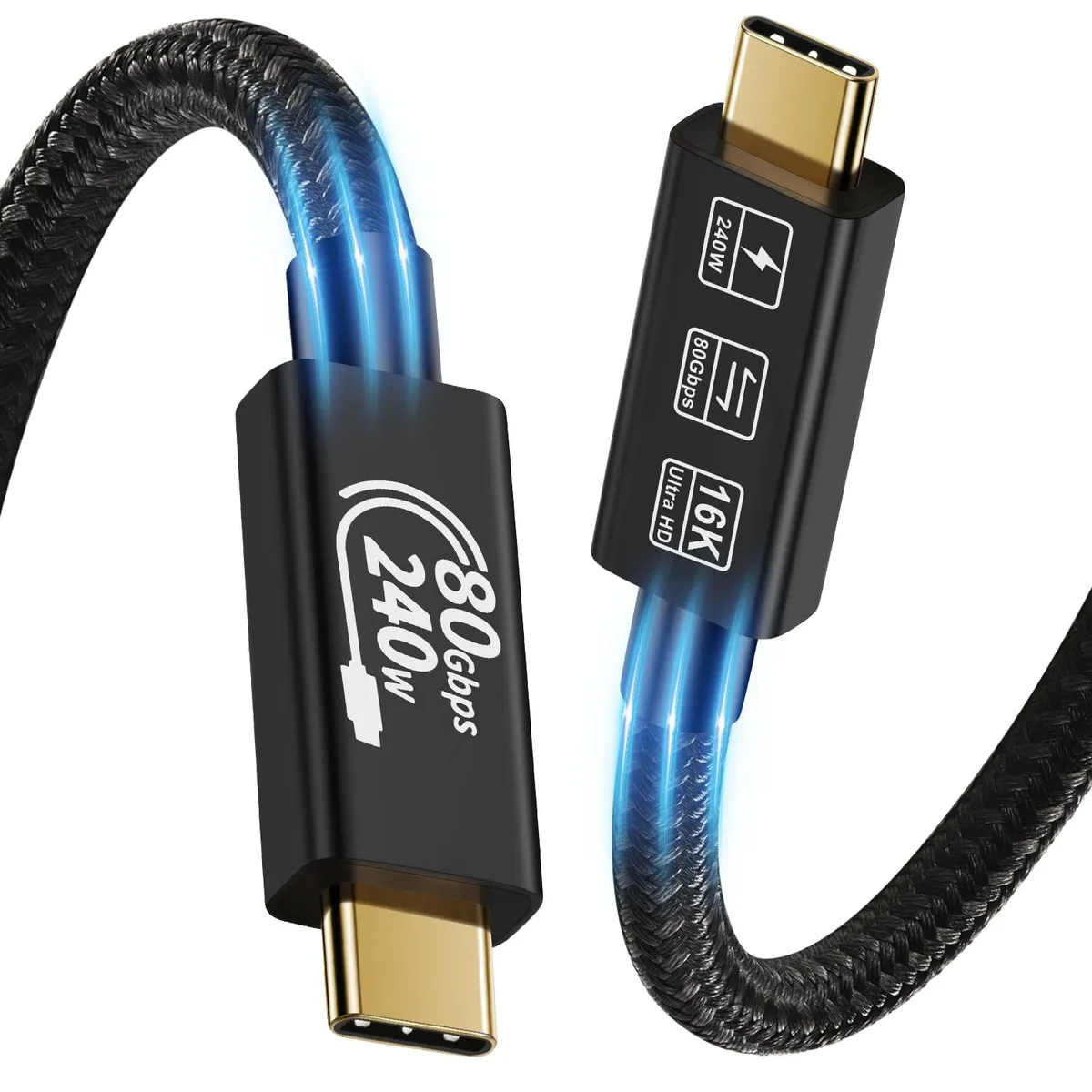
ESTONE TJ-Thunderbolt5 USB4 Cable 3.3ft 240W 80Gbps 16K@60Hz
- USB4
- USB C to USB C
$26.99
0.0003216BTC
In stockWe take cryptocurrency — so the coins you hold can buy real hardware.Pay in crypto, spend it on real hardware. Free insured shipping worldwide over $399. Plain, unbranded boxes, sent from Germany.Free insured shipping over $399. Your rate is locked for 30 minutes once checkout opens.Rate locked 30 minutes. Every item sealed, serial-checked and covered by a 24-month warranty.Sealed, 24-month warranty.


ESTONE
4.9 ft USB-C cable delivers 80 Gbps data, 240 W charging and 16K@60 Hz video
The ESTONE TJ-Thunderbolt5 is a USB C to USB C cable built to the latest USB4 Gen 3x2 standard. It suits owners of Thunderbolt 5, Thunderbolt 4 or Thunderbolt 3 hosts who need full bi-directional bandwidth and extended power range in a single 4.9ft link.
Both ends are USB C male plugs that insert either way up. The cable carries PD 3.1, PD 3.0 PPS, PD 2.0, QC 4.0, QC 3.0, AFC, SCP and FCP profiles, reaching 48V at 5A for 240W maximum load while remaining backward compatible with 180W, 140W, 100W and 60W chargers.
The single specification that decides fit is the 80Gbps bi-directional throughput with USB4 Gen 3x2 devices, plus DisplayPort 2.1 support for dual 8K or 6K at 60Hz and triple 4K at 144Hz. Buyers who need more than 80Gbps sustained throughput or 240W charging should look elsewhere.
| Brand | ESTONE |
|---|---|
| Model | TJ-Thunderbolt5 |
| Type | USB4 |
| Connector Type | USB C to USB C |
| Color | Black |
| Thunderbolt 3 | Yes |
| Terminal Gender | Male to Male |
| Apple Compatible | USB-C port |
| Specifications | Upgraded Thunderbolt 5 Cable USB Standard: The Latest USB4 Gen 4 Connector Gender & Type: USB C Male to USB C Male, Bi-directional & Reversible. Power Delivery: PD 3.1/PD 3.0 PPS/PD2.0, QC4.0/3.0, and AFC, SCP, FCP, etc. Extended Power Range: Fully Supported, Backwards compatible with lower power requirements like 180W/140W/100W/60W and below. Supported Maximum Wattage: 240W, Compatible with Apple 140W USB-C EPR Charger to power MacBook Pro 16'' with a full load of 140W (Requires a 240W EPR PD 3.1 charger and device to load 240W). Supported Maximum Voltage: 48V, Voltage rating accord |
| Refresh Rate | 16K@60Hz |
| Features | 240W Ultra Fast Charging: The USB 4 Cable reaches the maximum power supported by the device and supports up to 240W (48V/5A) power supply, it is capable of quickly charging for MacBook Pro to full capacity in less than an hour. 80Gbps High Data Transferring: The USB C to USB C cable compatible with Thunderbolt 5/4/3 cable, with data transfer speeds of up to 80Gbps. (Note: Data transfer device needs to support 80Gbps.) 16K@60Hz Ultra High Definition: This USB4 cable with Thunderbolt cable supports resolution up to 16K@60Hz, or to two displays in 8K. (Dual monitors require 2 cables.) W |
Other versions of this model
Same family, different memory, cooler or clock — compare before you commit.
The cable delivers up to 80 Gbps bi-directional bandwidth with USB4 Gen 3x2 devices, and Bandwidth Boost can provide up to 120 Gbps for display traffic.
The 4.9 ft cable with reversible USB-C male plugs on both ends needs enough slack to reach between ports without tension on the connectors.
Plug either USB-C male end into the host and the other into the device; the reversible design works both ways, so there is no wrong orientation.
Also in this aisle
Same shelf, same checkout — eight coins and a 30-minute rate lock.
What you pay in, and what you read prices in.
Sent from your wallet at checkout
Display only — the catalogue is priced in USD
No currency matches that.
Pick the language the site speaks to you in.
No language matches that.
New here?
Already have one?
There is no automatic reset: this shop sends no mail, so there is no one-time link to ask for. Leave the address on the account and it gets picked up by hand.
Request noted
Nothing is on its way to your inbox — this shop sends no mail at all. Someone picks these up by hand.
Remembered it?