

Accsoon
Accsoon CineView SE Multi-Spectrum Wireless Video Transmitter 1200ft 1080p HDMI SDI
$181.99
0.00219028BTC
In stockWe take cryptocurrency — so the coins you hold can buy real hardware.Pay in crypto, spend it on real hardware. Free insured shipping worldwide over $399. Plain, unbranded boxes, sent from Germany.Free insured shipping over $399. Your rate is locked for 30 minutes once checkout opens.Rate locked 30 minutes. Every item sealed, serial-checked and covered by a 24-month warranty.Sealed, 24-month warranty.
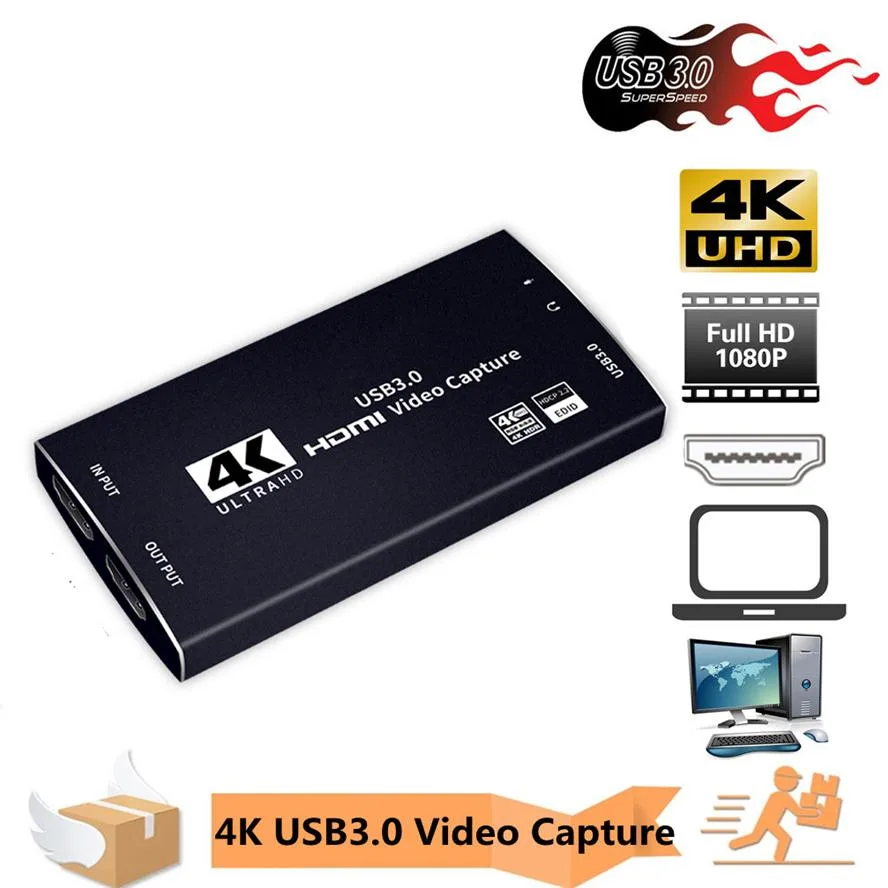


ESTONE
A USB 3.0 HDMI capture dongle records 1080p at 60 FPS or 4K at 30 FPS with zero-latency loop-through for streaming and recording
The ESTONE OZC5 is a USB 3.0 HDMI video capturing device built for streamers and content creators who need a compact way to bring an HDMI signal into a computer. It accepts one HDMI input and provides a zero-latency HDMI loop output so the source display stays in sync while recording. The dongle draws power from the USB connection and requires no external adapter.
This unit suits broadcasters who record or stream at 1080p 60 fps using OBS, Twitch, YouTube, PotPlayer or VLC on Windows, macOS or Linux. It also fits conference rooms and lecture capture where plug-and-play simplicity matters. Buyers who must record 4K at 60 fps should look elsewhere because the USB 3.0 link limits capture to 4K 30 fps or 1080p 60 fps.
The single specification that decides fit is the maximum capture frame rate: 4K at 30 fps or 1080p at 60 fps over USB 3.0, while the HDMI 2.0 loop output passes 4K 60 Hz RGB 8:8:8 untouched. If your workflow demands 4K 60 fps recording, this device cannot deliver it.
| Brand | ESTONE |
|---|---|
| Series | OZC5 |
| Model | OZC5 |
| Interface | USB 3.0 |
| Resolution Support | 4K |
| Camera Resolution | Up to 4K Video |
| Color | Black |
| HDMI | 1 Input/1 Output |
| USB Port | 1 |
| LED Indicator | Yes |
| Compatibility | The Video Caputure Card supports max. Input and output resolution of 3840*2160@60Hz, with USB 3.0 records in 1080p 60FPS, suitable for Windows and Mac OS, widely compatible with HDMI-port devices, for example, Game console, DVD, TV, set-top box, DV, camcorder, PS4, PS3, Xbox One. |
| System Requirements | Plug and Play,No Need to Install Driver: It is compatible with Linux, Mac OS, windows 7/8/8.1/10, very easy to setup, there is no need to install driver. |
| Power Supply | No need Power Supply |
| Feature | Easy to carry and good compatibility: 4K@60Hz HDMI to USB3.0 video capture card, easy to carry, superior performance, good compatibility, simple installation, powerful features, etc., can collect 1 HDMI input signal 4Kx2K With 30FPS,Support HDCP: The HD video capture card can support HDCP 4Kx2K with 30FPS and 1080P with 60FPS, it is very suitable to use it for game live streaming. Faster Data Transmition: USB3.0 high speed transmission port,let your live streaming to Twitch, Youtube, OBS, Potplayer and VLC more easily. ZERO Latency HDMI Loopout: There is no latency when you use the h |
| Dimensions | 5.67 x 5.04 x 1.34 inches |
| Weight | 5 ounces |
| Package Content | 1 x 4k@60Hz HDMI to USB3.0 Video Capture Card 1 x USB3.0 High Speed usb3.0 date cable 1 x Product Manual |
| Option | 4K |
Open OBS or your streaming software, add the capture device as a video source, and verify the resolution shows 1080p at 60 FPS in the properties panel.
The box includes the capture card, a USB 3.0 data cable, and a product manual; you must supply an HDMI source device, an HDMI cable for the input, and a display with an HDMI cable for the loop output if you want pass-through.
Choose 4K at 30 FPS for maximum detail when recording gameplay footage, or 1080p at 60 FPS for smoother motion when streaming fast-paced games.
Also in this aisle
Same shelf, same checkout — eight coins and a 30-minute rate lock.
What you pay in, and what you read prices in.
Sent from your wallet at checkout
Display only — the catalogue is priced in USD
No currency matches that.
Pick the language the site speaks to you in.
No language matches that.
New here?
Already have one?
There is no automatic reset: this shop sends no mail, so there is no one-time link to ask for. Leave the address on the account and it gets picked up by hand.
Request noted
Nothing is on its way to your inbox — this shop sends no mail at all. Someone picks these up by hand.
Remembered it?



