ESTONE
ESTONE DS14IN1 14-in-1 Docking Station Silver
A 14-port USB-C hub adds 4K HDMI, 1080p VGA, Gigabit Ethernet, dual card readers, 3.5 mm audio, five USB-A and two USB-C data ports, plus 87 W pass-through charging for compatible laptops
- ColorSilver
- CompatibilityComplitiblity List: MacBook Pro 16"/15"/13" 2020/2019/2018/2
- Thunderbolt 3Yes
- Ports SpecHDMI / DVI / VGA
- Dimension10.5 x 3 x 0.75 inches
- Weight14 ounces
- Expand connectivity with fourteen ports in one hub
- Drive 4K displays at 3840×2160 30 Hz via HDMI
- Charge laptop at 87 W through USB-C Power Delivery
- Transfer files fast on three USB 3.0 ports at 5 Gbps
- Connect wired network with Gigabit RJ45 at 1000 Mbps
14-in-1 USB-C Docking Station
The ESTONE DS14IN1 expands a single USB-C port into fourteen connections. It provides 4K HDMI, 1080P VGA, Gigabit Ethernet, audio, SD and TF card readers, three USB 3.0 ports, two USB 2.0 ports and two USB-C data ports. An 87 W Power Delivery input keeps the host laptop charged while every peripheral is active.
For USB-C laptops needing legacy video
This hub suits owners of recent MacBook Pro, MacBook Air, Surface, Dell XPS, HP Spectre or Lenovo Yoga models that carry USB-C or Thunderbolt 3. It delivers HDMI, VGA and RJ45 in one compact aluminium block. Buyers whose machines only offer USB-A or proprietary dock connectors cannot use this adapter.
87 W Power Delivery pass-through charging
The USB-C PD port accepts up to 87 W from the original charger and passes power to the host while the hub drives video, data and network traffic. If the laptop requires more than 87 W for full-speed operation under load, the dock will not supply enough power.
Highlights
- Expand connectivity with fourteen ports in one hub
- Drive 4K displays at 3840×2160 30 Hz via HDMI
- Charge laptop at 87 W through USB-C Power Delivery
- Transfer files fast on three USB 3.0 ports at 5 Gbps
- Connect wired network with Gigabit RJ45 at 1000 Mbps
Specifications
| Brand | ESTONE |
|---|---|
| Model | DS14IN1 |
| Color | Silver |
| Compatibility | Complitiblity List: MacBook Pro 16"/15"/13" 2020/2019/2018/2017/2016; MacBook Air 13" 2019/2018; Macbook Retina 12" Laptop 2015/2016 iMac, iMac Pro 2019 2018 2017 Microsoft Surfacebook 2, Surface Go ; Google Chromebook Pixel; Dell XPS 13 15, Dell Precision. etc. HP Spectre X2, HP X360, HP Elite×2 1012, HP Elitebook Folio G1, HP ZBook 15 G3New Acer Switch Alpha 12, Acer Spin 7, Acer Chromebook R13,Acer Aspire V Nitro 15 Lenovo Yoga 900/ 910/920,Lenovo X1 Yoga (2nd Gen),13' Lenovo 720 laptop ,NUC Supported Systems: Windows 10, 8, 7, Vista, XP, Mac OS X 10.6 or later, Linux 2.6.14 or La |
| Thunderbolt 3 | Yes |
| Ports Spec | HDMI / DVI / VGA |
| Dimension | 10.5 x 3 x 0.75 inches |
| Weight | 14 ounces |
| Features | 1.14-IN-1 USB C DOCKING STATION: USB C multiport adapter has everything you need to expand your Type C computer or device. Cast your screen with HD HDMI and VGA ports, import photos with SD/MicroSD card readers, listen to audio, connect to your network with Ethernet, and plug in up to 2 USB 2.0 and 3 USB 3.0 devices. Designed to sit under laptops with USB-C ports on the right or left side by simply flipping the hub over. Cord length is 10 inches including the plug 2.MULTIPLE MONITOR SUPPORT AND WIRED ETHERNET: USB C adapter supports simultaneous HDMI and VGA display with a max resolu |
| Function | Notebook |
| Content | HDMI/DVI/VGA |
Questions about this item
Does my laptop need a USB-C port that supports video output and 87W Power Delivery for this dock to work?
Yes, the host must provide a USB-C port with DisplayPort Alt Mode and PD 87W on technical standard for full video, data and charging function.
Can I keep using my existing USB 2.0 peripherals such as a keyboard and mouse with the two USB 2.0 Type-A ports?
The two USB 2.0 Type-A ports run at 480 Mbps and are backward compatible with USB 1.1 and 2.0 devices.
How can I verify the HDMI output is running at 4K 30 Hz after I connect a monitor?
Open your OS display settings and confirm the external monitor shows 3840×2160 at 30 Hz.
Also in this aisle
People compared these
Same shelf, same checkout — eight coins and a 30-minute rate lock.
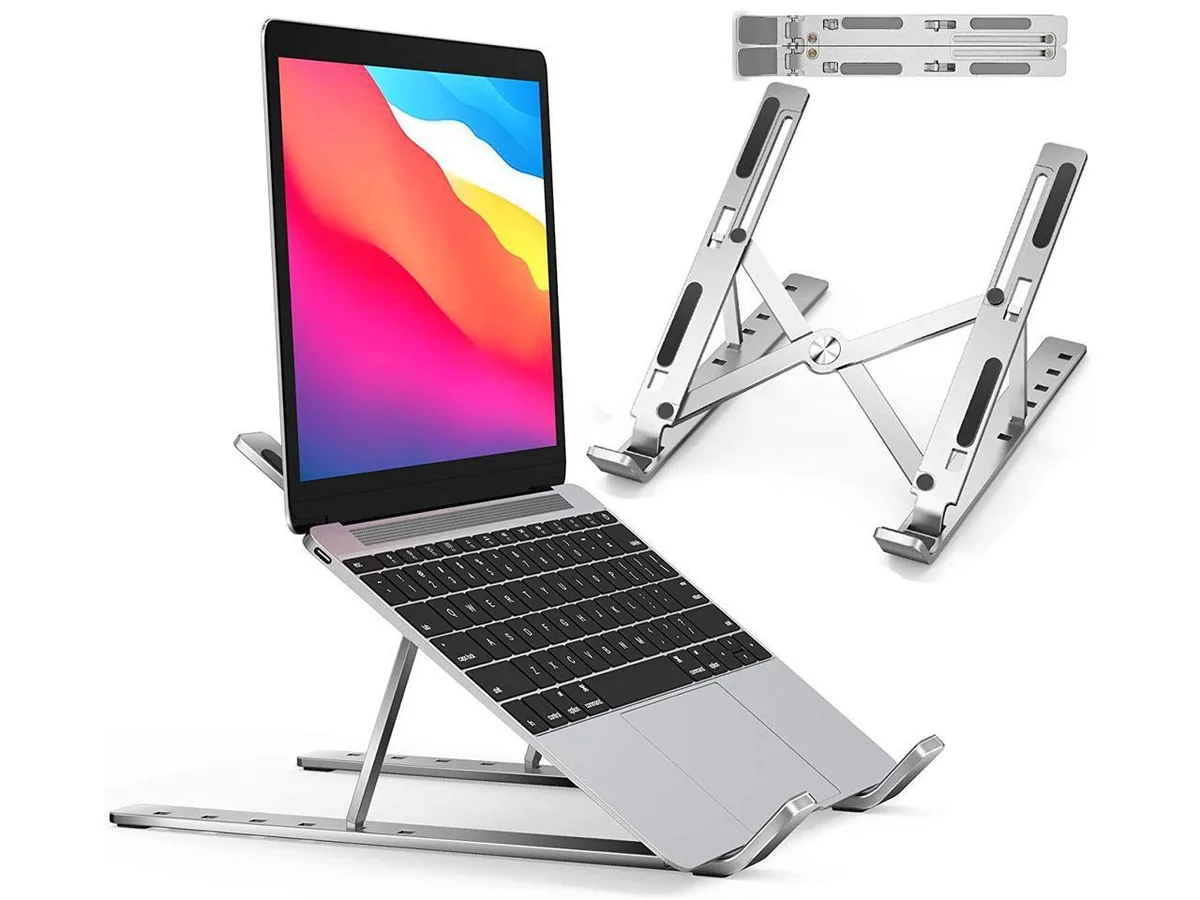


IXJYLCPC
IXJYLCPC C08LS Adjustable Ergonomic Riser Stand Black 10-15.6
- Stand
$31.99
0.00036795BTC
In stock