
EPOS Enterprise
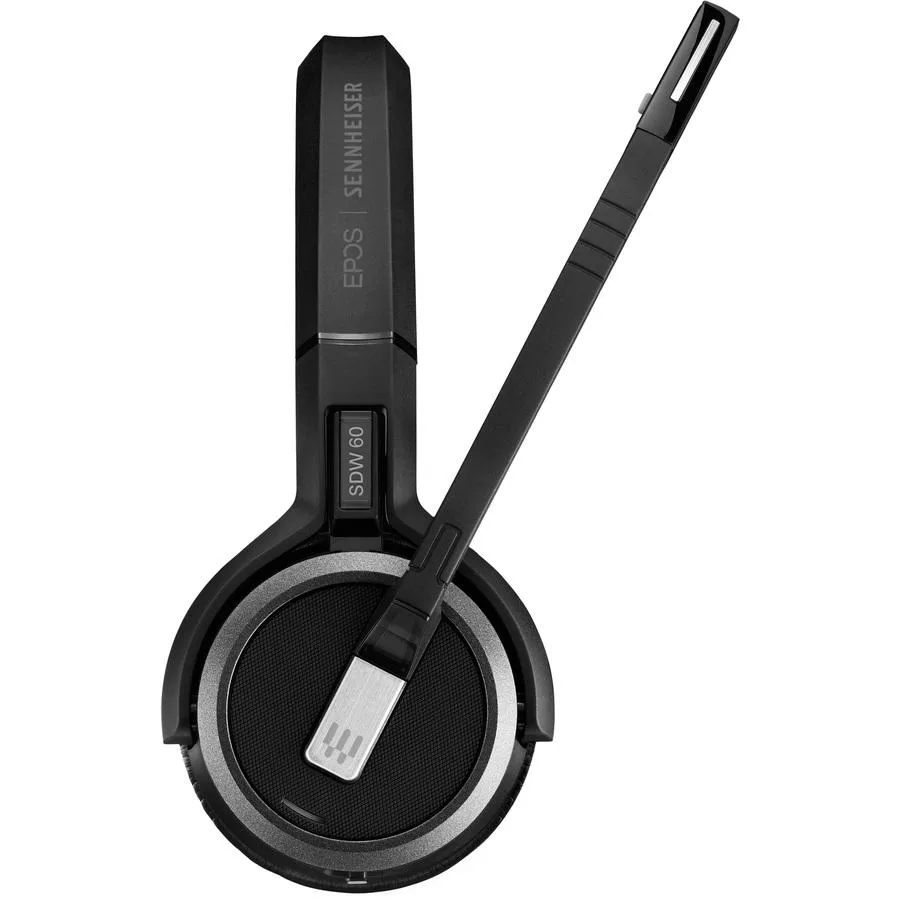
EPOS Enterprise Sennheiser SDW 5061 (1000981) Double-Sided Headset
A double-sided wireless DECT headset with a USB dongle for direct PC softphone connectivity, including charging cable and carry pouch
- Plug-and-play DECT dongle connects directly to PC for cable-free mobility
- No base station required keeps desks clear and flexible in dense offices
- Fast secure pairing enables hot desking and remote working anywhere
- Robust soft carry pouch protects headset during transport and storage
- Broad UC softphone compatibility works with all major platforms
Double-Sided DECT Headset with Dongle
The EPOS Enterprise Sennheiser SDW 5061 is a double-sided wireless headset designed for professionals using softphones on a PC. It connects via an included DECT dongle for single connectivity without a base station. A charging cable and soft carry pouch are supplied for portability.
Plug-and-Play Dongle for Clean Desks
The DECT dongle plugs directly into a PC to deliver a neat, plug-and-play solution that keeps desks clear and workers mobile. It supports high-density office environments with fast, secure pairing between headset and dongle. No base station is required, simplifying hot desking and remote working setups.
Upgrade from Tethered or Base-Station Headsets
This model replaces wired headsets or systems that rely on a separate base station, freeing desk space and enabling movement around the office or home. The jump is worth it for users who need one headset for multiple workstations and broad compatibility with major UC softphones. Buyers who need multi-device connectivity beyond a single PC should consider other solutions.
Highlights
- Plug-and-play DECT dongle connects directly to PC for cable-free mobility
- No base station required keeps desks clear and flexible in dense offices
- Fast secure pairing enables hot desking and remote working anywhere
- Robust soft carry pouch protects headset during transport and storage
- Broad UC softphone compatibility works with all major platforms
Specifications
No published specifications for this item yet.
Questions about this item
How do I install the DECT dongle and headset, and what step do people often miss?
Plug the DECT dongle into a USB port on the PC, then pair the IMPACT 5000 Series headset by holding the headset's pairing button until the LED flashes; the step many miss is confirming the softphone selects the dongle as its default audio device.
What parts will need replacement after extended use?
The included ear cushions on the double-sided headband wear over time and can be swapped; the lithium-ion battery inside the headset is not user-replaceable, so plan for eventual headset replacement when talk time drops.
What limit appears first during long calls in a dense office?
In high-density DECT environments the 5000 Series may hit channel congestion before battery runs out, causing occasional audio drop-outs if too many DECT devices share the same spectrum.
Also in this aisle
People compared these
Same shelf, same checkout — eight coins and a 30-minute rate lock.


BFKK
BFKK Hecate G1000 Black speaker 10W Bluetooth 5.3 12 RGB 2.5in 3.5mm
- Black
$87.99
0.00102022BTC
In stock