


EN-Labs
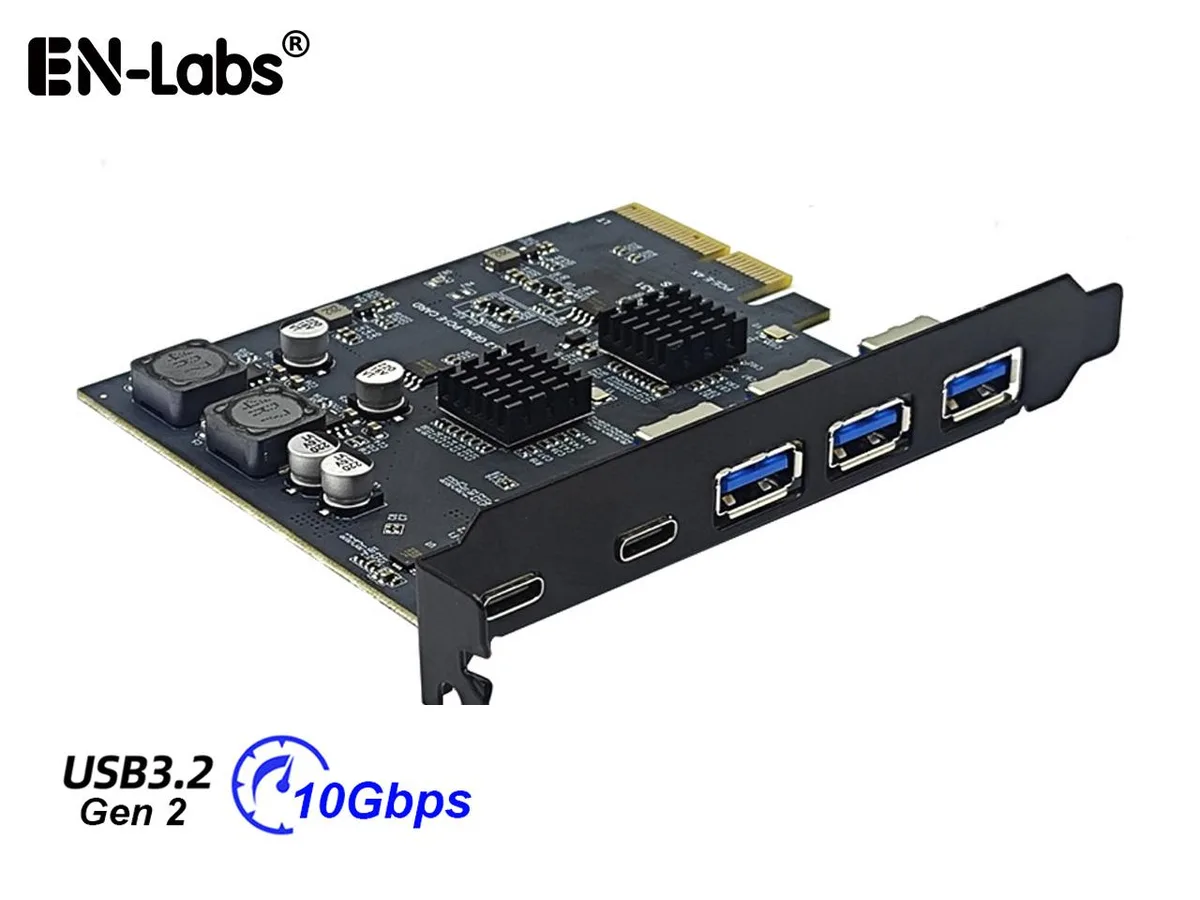
EN-Labs PCIe 3.0/4.0 USB 3.2 Gen2 5-Port Expansion Card
Adds five 10 Gbps USB ports — three Type-A and two Type-C — via a PCIe 3.0/4.0 x4 slot using an ASMedia ASM3142 controller
- Adds five 10 Gbps USB ports to a desktop
- Two USB-C and three USB-A connectors on the bracket
- Each port delivers up to 10 Gbps when used alone
- Fits PCIe x4, x8 or x16 slots, not x1
- ASMedia ASM3142 controller for stable operation
Five-port USB 3.2 Gen2 add-in card
The EN-Labs expansion card adds five USB 3.2 Gen2 ports to a desktop PC through a single PCIe slot. It provides three USB-A and two USB-C connectors, each capable of up to 10 Gbps when used individually. The card fits full-profile brackets and requires a PCIe x4, x8 or x16 slot; it will not work in an x1 slot. It targets builders who need more high-speed ports for external drives or peripherals.
Thermals and power draw
The card draws all required power from the PCIe slot itself, with no extra power connector needed. The ASMedia ASM3142 controller runs without active cooling, so it adds no fan noise to the system. Power consumption scales with the number of active devices, but the supplier gives no specific wattage figures. Buyers who need guaranteed thermal data for a tightly packed chassis will not find it here.
Build quality and daily mounting
A full-profile metal bracket is included, and the card only mounts in standard-height PCIe slots; low-profile cases are not supported. The five rear ports sit in a single row, leaving enough space for typical cables but offering no extra internal headers. The ASM3142 chipset handles USB 3.2 Gen2 signalling on PCIe 3.0 or 4.0 links. Systems limited to PCIe 2.0 will see transfer speeds drop to roughly 700–800 MB/s, while PCIe 3.0 boards can reach 900–1060 MB/s.
Highlights
- Adds five 10 Gbps USB ports to a desktop
- Two USB-C and three USB-A connectors on the bracket
- Each port delivers up to 10 Gbps when used alone
- Fits PCIe x4, x8 or x16 slots, not x1
- ASMedia ASM3142 controller for stable operation
Specifications
No published specifications for this item yet.
Questions about this item
How do I install this card in a PCIe x4 slot and which step is commonly missed?
Insert the card into a PCIe x4, x8 or x16 slot, secure the full-profile bracket, then install the ASMEDIA ASM3142 driver — Windows 7 requires manual driver installation while Windows 10/11 and Linux load it automatically.
What maintenance or replacement will this expansion card need over time?
No scheduled maintenance is required; the on-board ASMEDIA ASM3142 controller and individual port power supply are solid-state, so only a driver update or full card replacement would be needed if a port fails.
What speed limit appears first when all five ports transfer data simultaneously under sustained load?
Total throughput is capped by the PCIe generation: about 900–1060 MB/s on PCIe 3.0 and 700–800 MB/s on PCIe 2.0, regardless of the 10 Gbps per-port rating.
New to this? Buying PC parts with Monero — what to check, what it costs to pay, and what is never asked for.
Also in this aisle
People compared these
Same shelf, same checkout — eight coins and a 30-minute rate lock.



Sunfounder
Sunfounder Raspberry Pi Ultimate Kit with PiCrawler AI Robot 337 components 131 projects
$174.99
0.00210067BTC
In stock
minisforum
minisforum MF-SRP01 SSD Heatsink accessories barebone
- SSD Heatsink
$6.99
0.00008391BTC
In stock