


Emerson
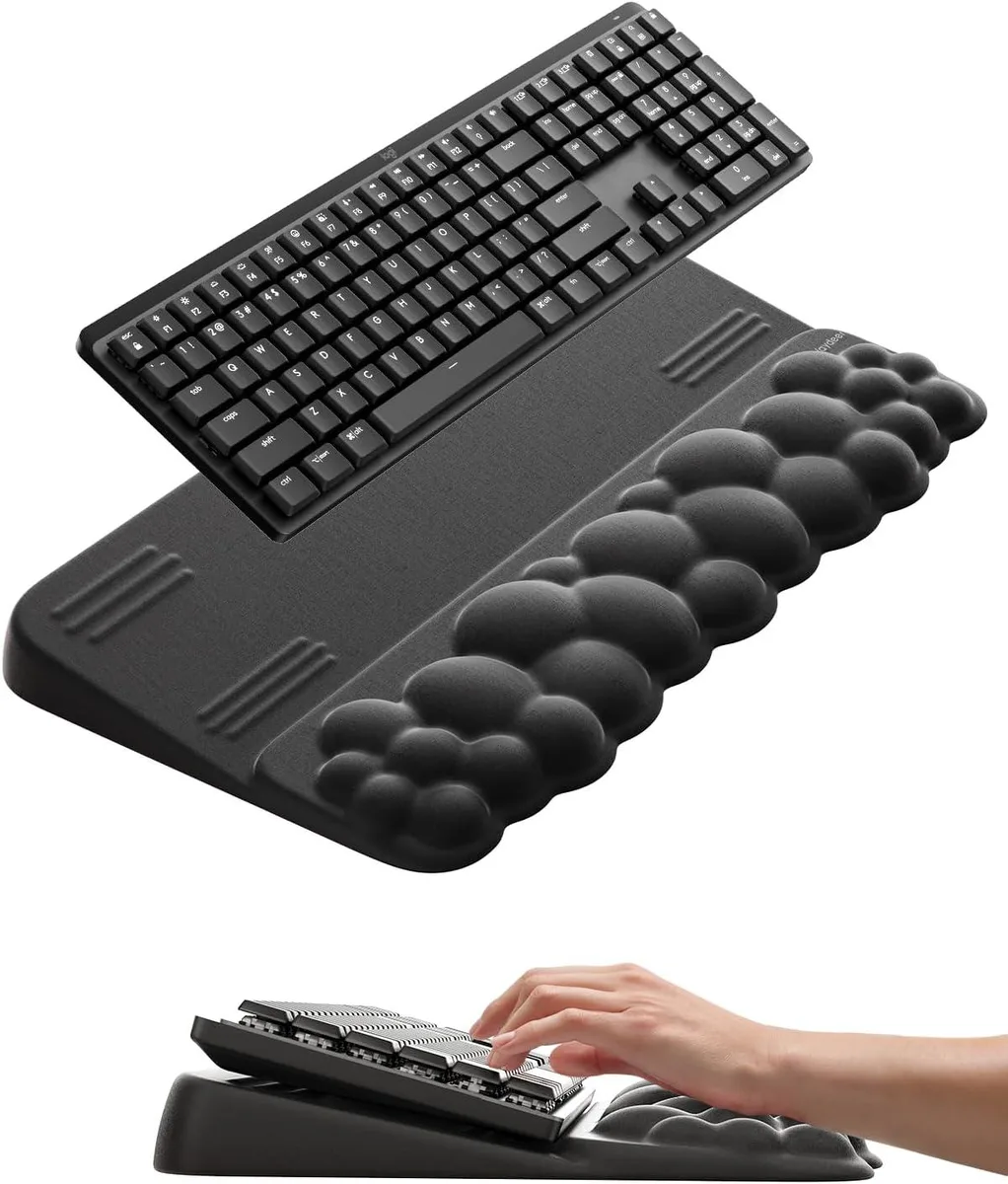
Emerson Cloud Wrist Rest with Keyboard Stand 12.5°
A memory-foam wrist rest with an integrated keyboard stand tilted at 12.5° for ergonomic typing comfort
- TypeWrist Rests
- Dual-angle design offers 3° and 12.5° tilt options
- Memory foam cushion cradles wrists and spreads pressure evenly
- Integrated keyboard stand supports ergonomic forearm alignment
- Cloud-shaped profile helps soothe tension during long sessions
- All-in-one riser and wrist pad for office, home and gaming use
Cloud wrist rest and keyboard stand
The Emerson Cloud Wrist Rest combines a soft memory foam wrist pad with an integrated keyboard stand. It supports the keyboard at an angle while cushioning the palms during long typing or gaming sessions. The all-in-one design suits office workers, writers and gamers who want a single accessory for both elevation and wrist support.
Dual-angle adjustment for typing and gaming
The stand offers two tilted positions: a gentle 3° angle for routine typing and browsing, and a 12.5° angle for extended writing or gaming. Switching between them lets you match the keyboard slope to the task without buying a separate riser. Buyers who need a fixed height or more than two preset angles will not find that flexibility here.
Memory foam comfort under sustained use
Cloud-shaped memory foam spreads pressure evenly across the wrists to reduce tension and promote circulation during hours of continuous use. The foam retains its shape session after session so support stays consistent. Users who prefer a firmer gel or a cooling surface will not get those properties from this pad.
Highlights
- Dual-angle design offers 3° and 12.5° tilt options
- Memory foam cushion cradles wrists and spreads pressure evenly
- Integrated keyboard stand supports ergonomic forearm alignment
- Cloud-shaped profile helps soothe tension during long sessions
- All-in-one riser and wrist pad for office, home and gaming use
Specifications
| Type | Wrist Rests |
|---|
Questions about this item
How much desk depth does the 12.5° tilted keyboard stand require?
The stand tilts the keyboard to 12.5° for gaming or long writing sessions; allow extra desk depth so the raised rear edge clears the surface and the wrist rest sits flat.
Which angle do I set the stand to first, 3° or 12.5°?
Choose 3° for routine typing and browsing, or 12.5° for extended gaming and writing; the dual-angle mechanism locks into the selected position before you place the keyboard.
When should I replace the memory-foam wrist cushion?
Replace the cloud-shaped foam pad once it no longer springs back evenly or the surface fabric shows permanent compression that changes wrist support.
Also in this aisle
People compared these
Same shelf, same checkout — eight coins and a 30-minute rate lock.


Lenovo
Lenovo 42T3273 Black Replacement Keyboard for ThinkPad T60 T61
- Thinkpad T60 T61 Ke…
- Black
$29.99
0.00034835BTC
In stock