


eMeet
eMeet Piko+ (Green) webcam
A compact webcam for video calls and streaming in a distinctive green finish
- New webcam ready to use out of the box
- Green finish adds a distinctive look to your setup
- Compact design fits easily on any monitor
- Plug-and-play convenience for quick video calls
- Brand-new condition ensures full manufacturer quality
Green webcam for everyday calls
The eMeet Piko+ in green is a compact USB webcam built for daily video meetings, online classes and casual streaming. It connects directly to a computer and starts working without extra drivers or software installation.
Replaces a built-in laptop camera
Swapping the integrated sensor for this external unit gives a clearer image and a wider field of view for group chats or presentations. The upgrade makes sense when the internal camera struggles in low light or sits at an awkward angle.
Handles 1080p conferencing with headroom to spare
The sensor captures full HD video at a smooth frame rate, keeping faces sharp during standard calls and recordings. Very bright back-lighting or fast motion can push the auto-exposure beyond its comfortable range.
Highlights
- New webcam ready to use out of the box
- Green finish adds a distinctive look to your setup
- Compact design fits easily on any monitor
- Plug-and-play convenience for quick video calls
- Brand-new condition ensures full manufacturer quality
Specifications
No published specifications for this item yet.
Questions about this item
What physical space does the eMeet Piko+ webcam need for mounting?
The webcam clips onto a monitor or sits on a flat surface with its built-in stand, requiring only a stable ledge or desk area.
How is the eMeet Piko+ installed and what step do users often miss?
Plug the USB cable into the computer, then select the webcam as the video source in your meeting software — the step users miss is changing the default camera setting.
What maintenance will the eMeet Piko+ need over time?
Wipe the lens with a microfibre cloth when dusty; no internal parts require servicing or scheduled replacement.
Also in this aisle
People compared these
Same shelf, same checkout — eight coins and a 30-minute rate lock.


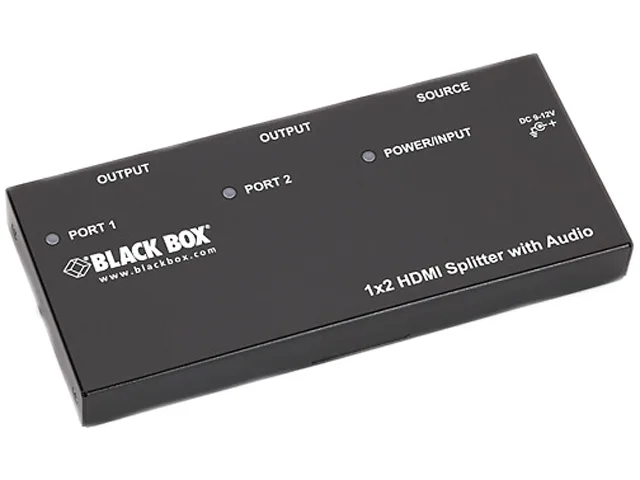
Black Box Corporation
Black Box AVSP-HDMI1X2 HDMI splitter 1×2 with audio
- HDMI
- Approvals: CE, RoHS…
$104.99
0.00121163BTC
In stock