


ebest
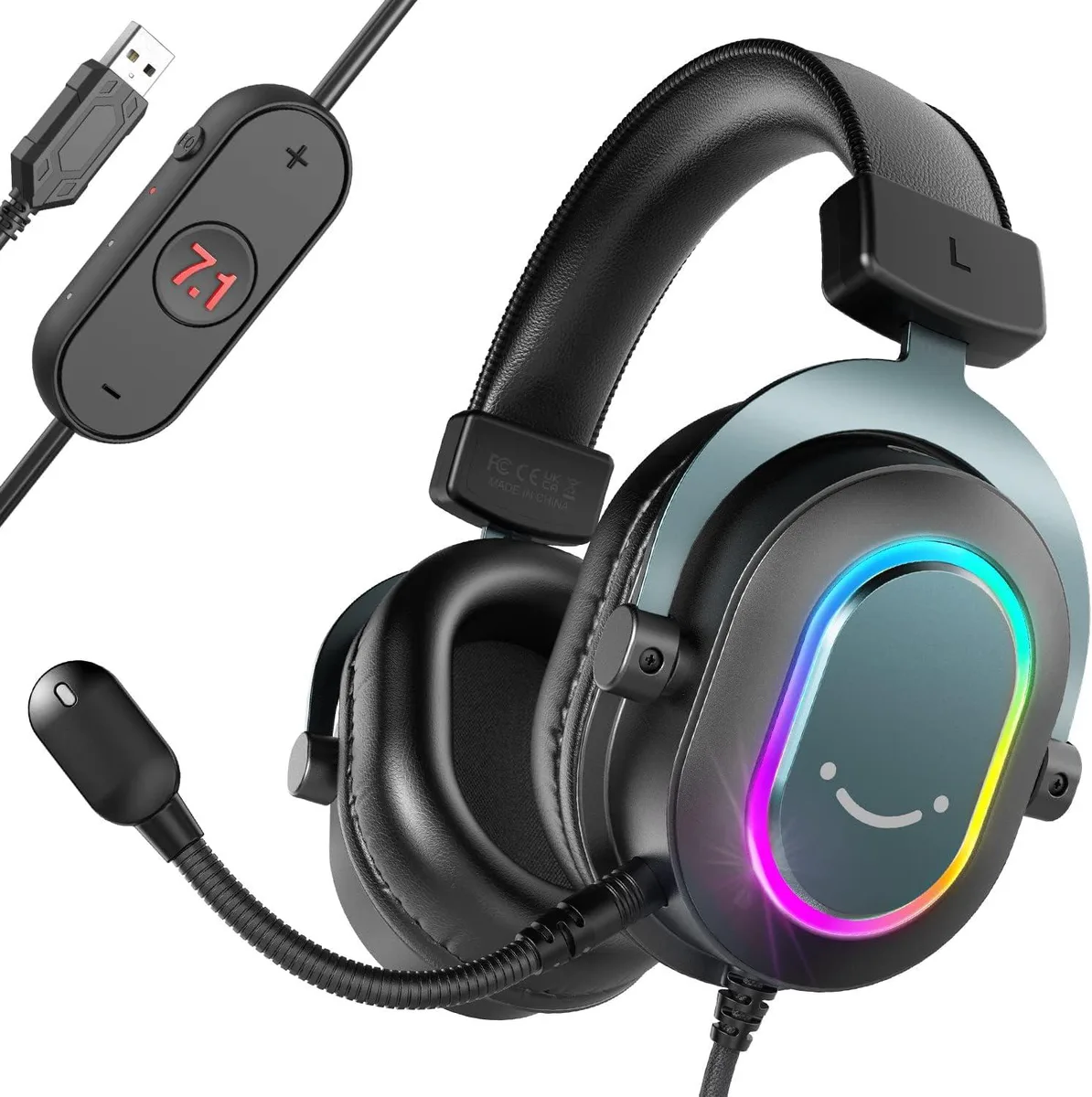
ebest AmpliGame H6 7.1 USB gaming headset
Wired USB headset with virtual 7.1 surround sound, three EQ modes, detachable microphone and RGB lighting for PC and PlayStation
- Wireless TypeLIGHTSPEED
- Virtual 7.1 surround sound reveals footsteps and gunshots early
- Three EQ modes tailor audio for gaming, music or movies
- In-line volume and mic mute keep adjustments instant
- Omni-directional microphone delivers clear voice chat without stutter
- Detachable microphone removes easily for breaks
What It Is
The ebest AmpliGame H6 is a new wired USB gaming headset with virtual 7.1 surround sound, an omnidirectional detachable microphone and three selectable EQ modes. RGB lighting and soft over-ear pads complete the package for PC and PlayStation 4 or 5 players.
Who It Suits
Gamers who want plug-and-play USB audio with spatial cues for competitive titles and a quick-mute inline control will find this headset convenient. It is not for users who require wireless operation or a separate analogue connection for devices lacking USB audio support.
Deciding Specification
The single specification that decides fit is the virtual 7.1 surround sound delivered over a USB interface; if your platform does not support USB audio or you need hardware-based surround processing, this is not the right part.
Highlights
- Virtual 7.1 surround sound reveals footsteps and gunshots early
- Three EQ modes tailor audio for gaming, music or movies
- In-line volume and mic mute keep adjustments instant
- Omni-directional microphone delivers clear voice chat without stutter
- Detachable microphone removes easily for breaks
Specifications
| Wireless Type | LIGHTSPEED |
|---|
Questions about this item
What must the PC have to use the USB 7.1 surround sound?
A free USB port and Windows or macOS with standard audio drivers enable the virtual 7.1 processing built into the headset.
Will the inline EQ modes and mute work when the headset is plugged into a PS4 or PS5 controller?
The inline controls are powered through the USB connection, so they function only when the headset is connected directly to a USB port on the console.
How can I confirm the 7.1 surround is active after setup?
Open the system sound control panel, select the headset as the output device, and choose the 7.1 virtual surround option; a test tone will play through each virtual channel.
Also in this aisle
People compared these
Same shelf, same checkout — eight coins and a 30-minute rate lock.


BFKK
BFKK Hecate G1000 Black speaker 10W Bluetooth 5.3 12 RGB 2.5in 3.5mm
- Black
$87.99
0.00101787BTC
In stock