Audio-Technica
Audio-Technica VM610MONO mono cartridge with aluminium cantilever
$115.99
0.00136043BTC
In stockWe take cryptocurrency — so the coins you hold can buy real hardware.Pay in crypto, spend it on real hardware. Free insured shipping worldwide over $399. Plain, unbranded boxes, sent from Germany.Free insured shipping over $399. Your rate is locked for 30 minutes once checkout opens.Rate locked 30 minutes. Every item sealed, serial-checked and covered by a 24-month warranty.Sealed, 24-month warranty.


Digi International
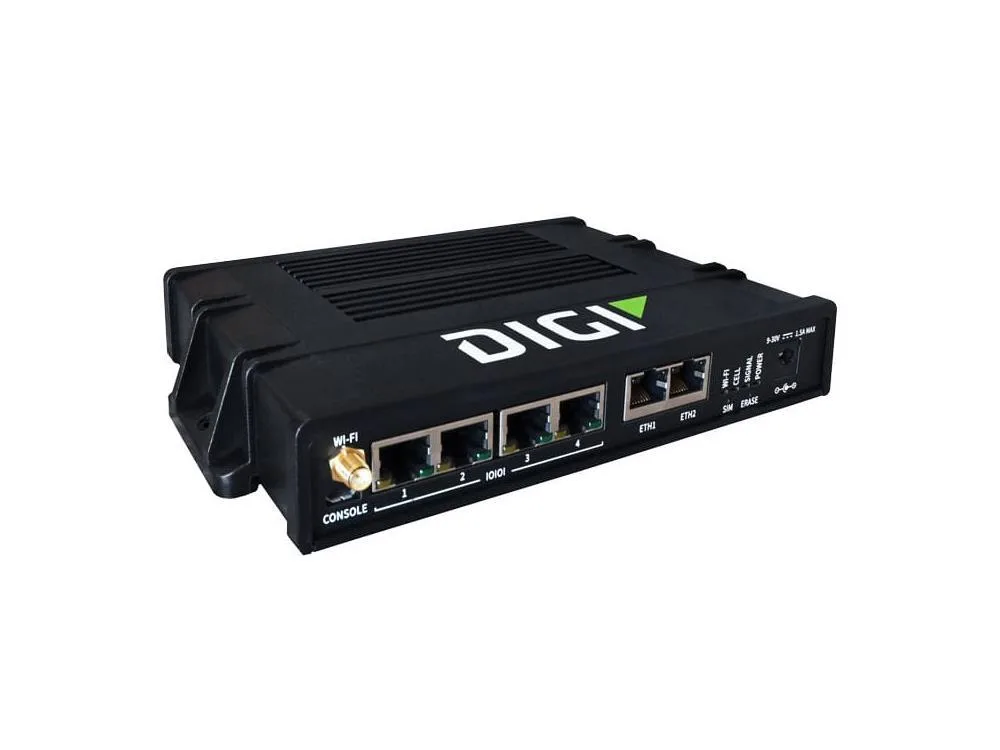
A 4-port serial server kit with dual Ethernet and Wi-Fi connectivity includes DIN rail clip, antenna, Ethernet cable and power supply
The Connect EZ 4 kit provides a four-port serial server with dual Ethernet ports and integrated Wi-Fi connectivity. It is designed for industrial automation and remote equipment management where legacy serial devices need network access. The package includes a DIN rail clip, Wi-Fi antenna, Ethernet cable and power supply for immediate deployment.
The unit operates without active cooling fans, resulting in silent performance suitable for noise-sensitive environments. Power is delivered through the included external supply, keeping internal heat generation low during continuous operation. The compact metal enclosure passively dissipates warmth across its surface area.
| Brand | Digi International |
|---|
Clip the included DIN rail clip onto the unit first, then snap the assembly onto the rail until it clicks; the step often missed is forgetting to attach the clip before mounting.
The Wi-Fi antenna is the only consumable accessory; replace it if the housing cracks, the connector loosens, or wireless range drops noticeably.
Also in this aisle
Same shelf, same checkout — eight coins and a 30-minute rate lock.
What you pay in, and what you read prices in.
Sent from your wallet at checkout
Display only — the catalogue is priced in USD
No currency matches that.
Pick the language the site speaks to you in.
No language matches that.
New here?
Already have one?
There is no automatic reset: this shop sends no mail, so there is no one-time link to ask for. Leave the address on the account and it gets picked up by hand.
Request noted
Nothing is on its way to your inbox — this shop sends no mail at all. Someone picks these up by hand.
Remembered it?