


DELL
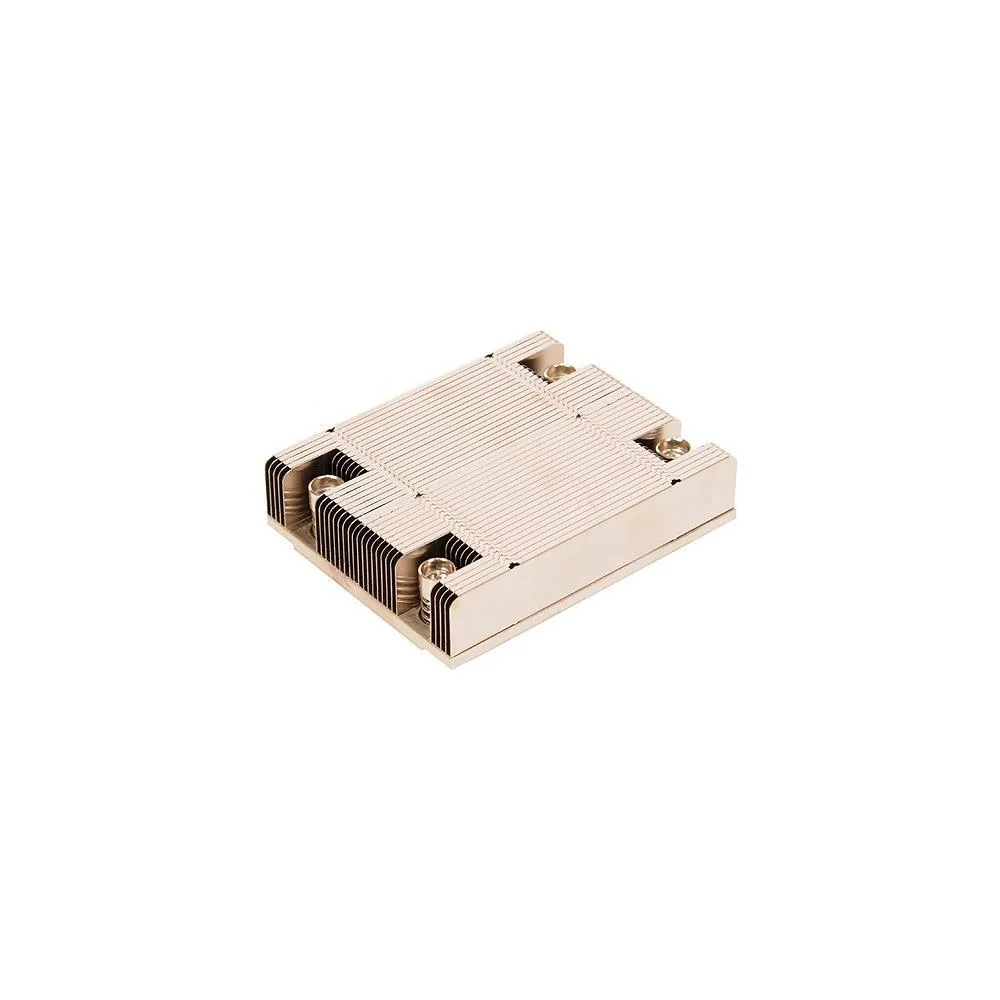
DELL XHMDT DS Heatsink Switch Module
A Dell-IMSourcing heatsink module designed to dissipate heat from switch components and maintain safe operating temperatures
- Dissipates component heat to protect system stability
- Designed for Dell switch modules to ensure compatibility
- New condition guarantees full thermal performance
- Processor speed and chassis type determine correct fit
- Service Tag lookup recommended for accurate part matching
Dell XHMDT Heatsink Overview
The Dell XHMDT is a heatsink module designed for Dell networking switches. It dissipates heat from internal components to maintain safe operating temperatures within the chassis. This genuine Dell-IMSourcing part is intended for hardware maintenance or repair of compatible Dell switch systems. It is supplied new and ready for installation by qualified technicians.
Compatibility and Use Cases
This module suits IT professionals replacing a failed or missing heatsink in a supported Dell switch identified by Service Tag. It is not for users lacking the correct Service Tag to verify fitment, as processor type, speed, and chassis design determine compatibility. Builders assembling custom or non-Dell systems should look elsewhere, as this part is engineered for specific proprietary Dell hardware only.
Critical Compatibility Factor
The single specification that decides fitment is the Dell Service Tag of the target switch. Processor type, operating speed, and chassis housing dimensions vary across models, so only the Service Tag lookup via the Parts For Your Dell tool can confirm this XHMDT heatsink matches the exact thermal and mechanical requirements of the system.
Highlights
- Dissipates component heat to protect system stability
- Designed for Dell switch modules to ensure compatibility
- New condition guarantees full thermal performance
- Processor speed and chassis type determine correct fit
- Service Tag lookup recommended for accurate part matching
Specifications
| Brand | Dell-IMSourcing DS |
|---|
Questions about this item
How do I install the XHMDT heatsink in my Dell chassis and what step is often missed?
Align the heatsink with the processor mounting points, secure the retention clips or screws in a cross pattern, then reconnect the fan cable; the step often missed is reattaching the fan power connector after seating the heatsink.
What maintenance will the XHMDT heatsink need over time?
Clean dust from the fins and fan blades with compressed air every six to twelve months; if temperatures rise, remove the heatsink, clean the old thermal compound with isopropyl alcohol, and apply fresh paste before reinstalling.
What thermal limit appears first when the XHMDT heatsink runs under sustained load?
The processor will hit its maximum junction temperature and throttle clock speeds once the heatsink and fan can no longer dissipate heat faster than the CPU generates it.
Also in this aisle
People compared these
Same shelf, same checkout — eight coins and a 30-minute rate lock.


IBM
IBM 00JX058 Xeon E5-2640 v3 8-core 2.60 GHz 20 MB L3 90 W switch module
$217.99
0.00251718BTC
In stock
