


DELL
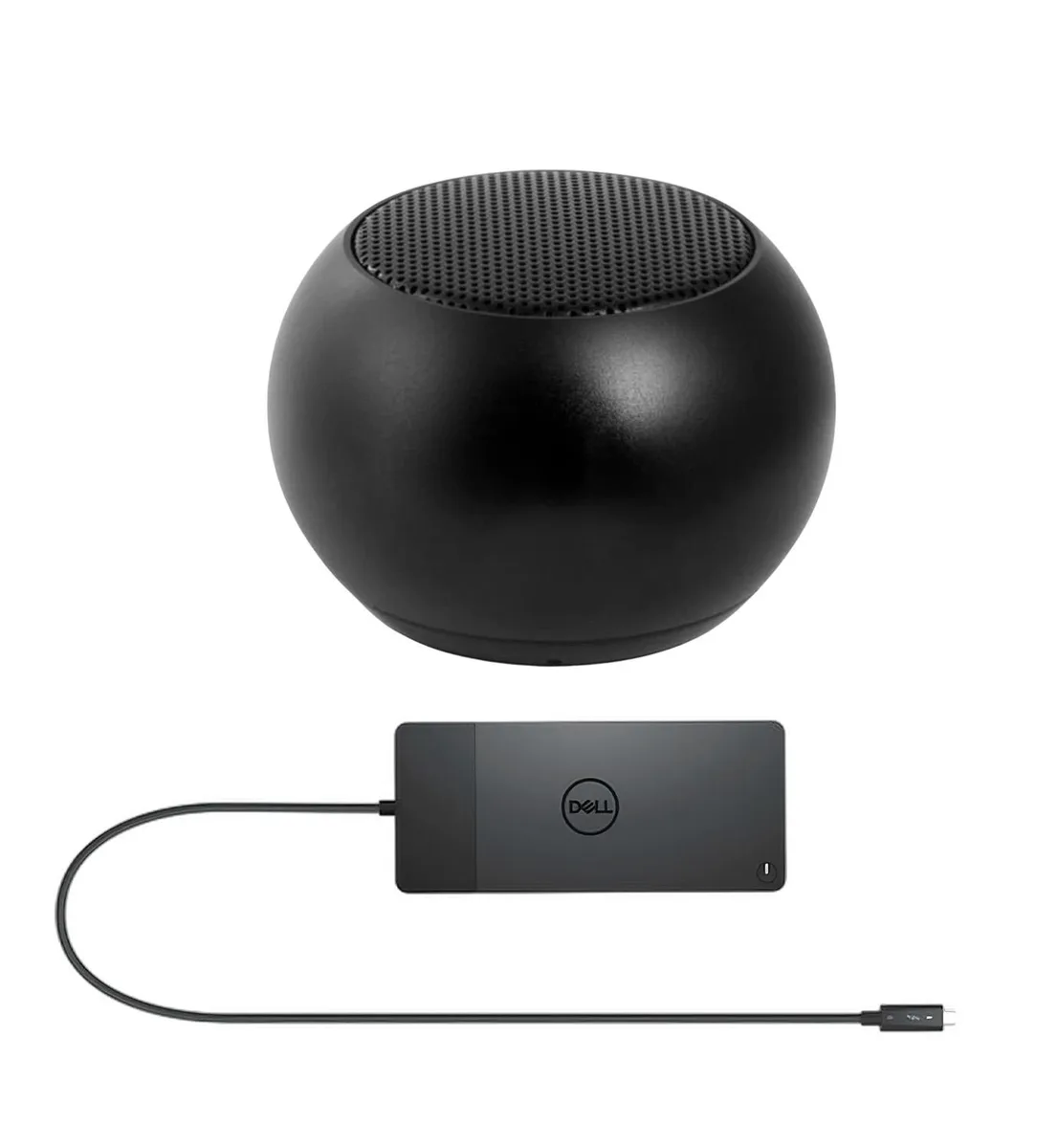
DELL WD22TB4 Thunderbolt Dock 130W with Mini U Speaker
A Thunderbolt dock delivers 130 W power and drives four 4K displays at 60 Hz, bundled with a miniature Bluetooth speaker offering four-hour playback
- Supports up to four 4K displays at 60Hz for expansive multi-monitor productivity
- 130W power delivery charges Dell laptops quickly while driving peripherals
- Two Thunderbolt 4 ports enable high-speed data and video through a single cable
- Gigabit Ethernet provides stable wired network connectivity for demanding workloads
- Bundled Mini U speaker delivers 4-hour Bluetooth audio in a 45.45 mm compact form
Docking Station with 130W Power Delivery
The Dell WD22TB4 Thunderbolt Dock supplies up to 130W of power to compatible Dell laptops and 90W to other devices. It provides two Thunderbolt 4 ports, one HDMI 2.0 port, two DisplayPort 1.4 connections and one USB-C 3.2 Gen 2 port with DisplayPort 1.4 alt mode. Three USB 3.2 Gen 1 Type-A ports and a Gigabit Ethernet jack complete the I/O.
Suited for multi-display workstations.
Professionals who require up to four 4K displays at 60Hz or a single 5K screen will benefit from the video bandwidth. IT teams can use MAC address pass-through and remote port disablement for fleet security. Users who only need a single external monitor and basic USB expansion should consider a simpler adapter.
Mini U Speaker adds wireless audio
The bundled Mini U Speaker measures 45.45 mm by 33 mm and weighs 400 mAh battery capacity for up to four hours of playback. It pairs instantly over Bluetooth for stereo sound and hands-free calls via its built-in microphone. A Micro-USB cable is included for recharging the speaker between sessions.
Highlights
- Supports up to four 4K displays at 60Hz for expansive multi-monitor productivity
- 130W power delivery charges Dell laptops quickly while driving peripherals
- Two Thunderbolt 4 ports enable high-speed data and video through a single cable
- Gigabit Ethernet provides stable wired network connectivity for demanding workloads
- Bundled Mini U speaker delivers 4-hour Bluetooth audio in a 45.45 mm compact form
Specifications
No published specifications for this item yet.
Questions about this item
What host port is required on my laptop to use the Dell WD22TB4 Thunderbolt Dock?
Your laptop needs a Thunderbolt 4 or USB-C port that supports DisplayPort Alternate Mode and Power Delivery to drive the dock’s video outputs and accept up to 130 W of charging power.
Will the dock charge and drive displays from an older laptop that only has USB 3.0 Type-A and HDMI?
No. The WD22TB4 connects via Thunderbolt 4 or USB-C with Alt Mode; it cannot receive video or power from legacy USB-A or HDMI ports.
How can I confirm the dock is delivering 130 W to my Dell laptop after I connect it?
Check the battery icon in Windows — it should show “Plugged in, charging” with a 130 W adapter label, and the dock’s front LED will stay solid white when full power is negotiated.
Also in this aisle
People compared these
Same shelf, same checkout — eight coins and a 30-minute rate lock.


Kensington
Kensington Desk Mount Cable Anchor K64613WW accessory
- Black
- Provides a secure a…
$19.99
0.00023138BTC
In stock
Panasonic
Panasonic CF-VDR291U laptop cooling pad
- Optical Drive
- Buffer Size: 2 MB B…
$213.99
0.00247685BTC
In stock
eReplacements
eReplacements PB992A-ER laptop battery 14.4V
- Battery
- Lithium-Ion
$65.99
0.00076381BTC
In stock