
DELL
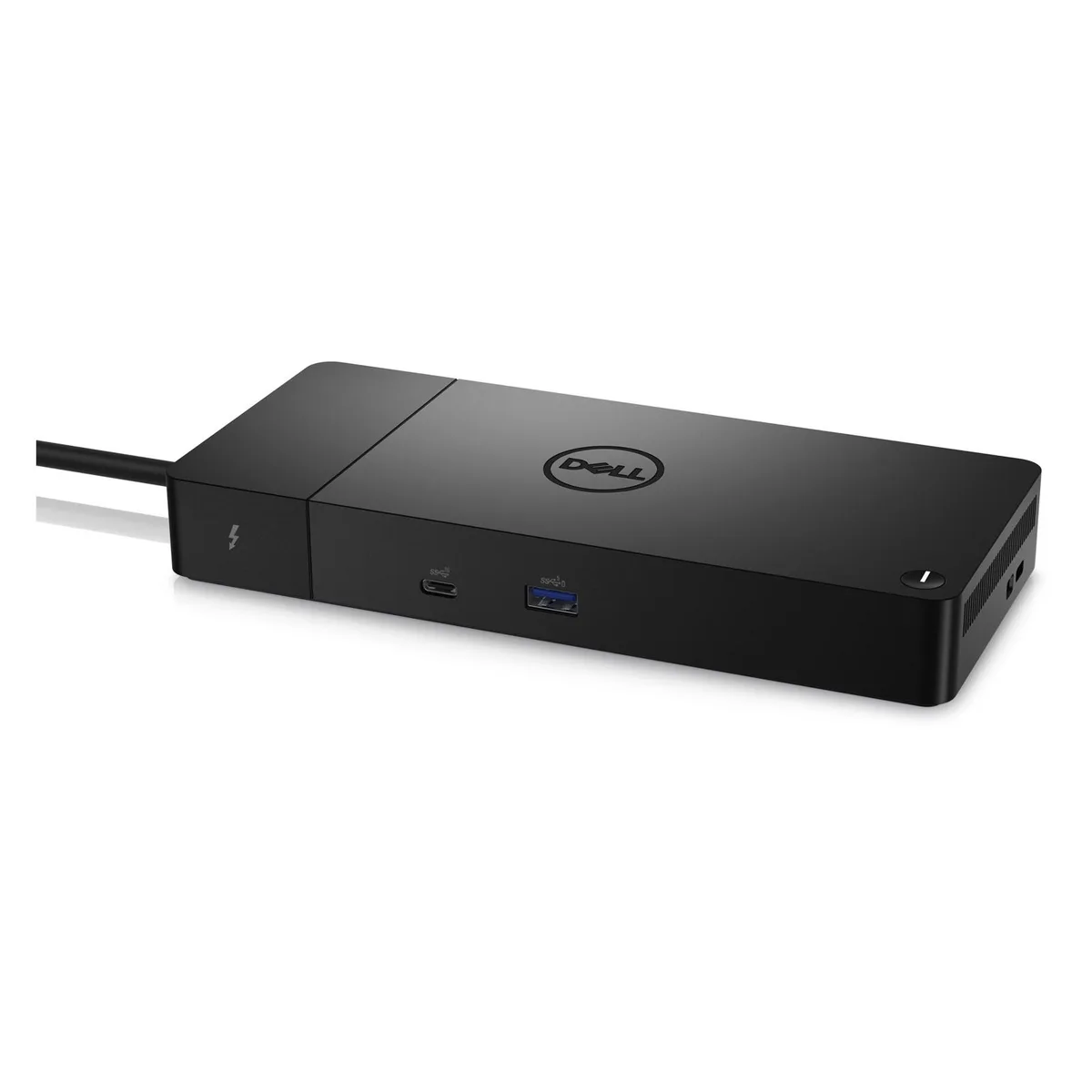
DELL WD22TB4 Thunderbolt 4 Dock 180W 2 Thunderbolt 4 Ports
A Thunderbolt 4 dock delivering 180 W power with two Thunderbolt 4 ports, DisplayPort 1.4, HDMI 2.0 and multiple USB-A and USB-C connections for multi-display productivity
- Up to 130W power delivery with ExpressCharge technology
- 80% charge in one hour and 35% in 20 minutes
- Two Thunderbolt 4 ports for flexible connectivity
- Modular design with swappable module for future upgrades
- Multiple display outputs including DisplayPort 1.4 and HDMI 2.0
Dell WD22TB4 Thunderbolt 4 Dock
The Dell WD22TB4 is a modular Thunderbolt 4 docking station designed for professionals who need to connect multiple displays and peripherals through a single cable. It suits IT environments that value a future-ready design with swappable modules for easy upgrades. Buyers who require a stationary desktop replacement with fixed legacy ports will not find that flexibility here.
180W Power Adapter with ExpressCharge
The included 180W power adapter enables ExpressCharge technology, delivering up to 130W of power to compatible Dell devices. This allows the host laptop to reach an 80% charge in one hour or 35% in just 20 minutes. Users with non-Dell laptops or devices that do not support the proprietary ExpressCharge protocol will not achieve these specific charging speeds.
Two Thunderbolt 4 Ports and Video Outputs
The dock provides two Thunderbolt 4 ports alongside two full-size DisplayPort 1.4 connectors, one HDMI 2.0 port, and one USB-C Multi-function DisplayPort. It comfortably handles multiple 4K displays and high-speed Thunderbolt peripherals simultaneously. Builders who need more than two Thunderbolt 4 downstream ports or support for 8K resolution displays will find the connectivity ceiling here.
Highlights
- Up to 130W power delivery with ExpressCharge technology
- 80% charge in one hour and 35% in 20 minutes
- Two Thunderbolt 4 ports for flexible connectivity
- Modular design with swappable module for future upgrades
- Multiple display outputs including DisplayPort 1.4 and HDMI 2.0
Specifications
No published specifications for this item yet.
Questions about this item
What fan or cooling maintenance does the WD22TB4 dock require over time?
The dock has no user-serviceable fan; keep the vents clear of dust and ensure airflow around the unit for reliable operation.
Which port reaches its bandwidth limit first when driving multiple 4K displays continuously?
The two Thunderbolt 4 ports share total throughput, so heavy multi-display loads will saturate that shared link before individual DisplayPort or HDMI connections.
How hot does the 180 W power adapter get during all-day operation with 130 W laptop charging?
The adapter is rated for 180 W output and 130 W delivery to Dell systems; it warms under full load but stays within normal operating temperature for a desktop-class brick.
Also in this aisle
People compared these
Same shelf, same checkout — eight coins and a 30-minute rate lock.


Kensington
Kensington Desk Mount Cable Anchor K64613WW accessory
- Black
- Provides a secure a…
$19.99
0.00023767BTC
In stock
Panasonic
Panasonic CF-VDR291U laptop cooling pad
- Optical Drive
- Buffer Size: 2 MB B…
$213.99
0.00254426BTC
In stock
eReplacements
eReplacements PB992A-ER laptop battery 14.4V
- Battery
- Lithium-Ion
$65.99
0.0007846BTC
In stock