


DELL
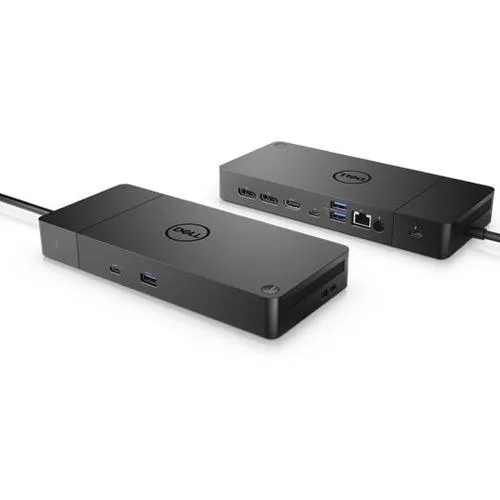
DELL WD19TBS Thunderbolt Dock 130w Power Delivery
Thunderbolt docking station delivers 130 W power and includes 180 W supply
- TypeDocking Station
- ColorMulti-Color
- DisclaimerIn overall Good condition - units will show signs of previou
- Thunderbolt host interface enables single-cable connectivity
- 130 W power delivery charges compatible laptops while docked
- 180 W maximum supply wattage supports multiple peripherals simultaneously
- Wired connectivity ensures stable data and video links
- 90-day hardware warranty covers the docking station
Thunderbolt Dock with 130 W Power Delivery
The Dell WD19TBS is a Thunderbolt docking station that delivers up to 130 W of power to a compatible host. It connects over a single Thunderbolt cable and uses an external 180 W power supply. The unit is new and includes the dock only.
Suited for Thunderbolt hosts needing high-watt
This dock suits users whose laptops accept 130 W charging over Thunderbolt and who want a single-cable desktop connection. Buyers whose devices require more than 130 W of power delivery or that lack Thunderbolt support should look at something else.
130 W Thunderbolt power delivery decides fit
The single specification that determines compatibility is the 130 W Thunderbolt power delivery rating. If the host cannot accept that wattage over Thunderbolt, the dock will not charge it at full speed.
Highlights
- Thunderbolt host interface enables single-cable connectivity
- 130 W power delivery charges compatible laptops while docked
- 180 W maximum supply wattage supports multiple peripherals simultaneously
- Wired connectivity ensures stable data and video links
- 90-day hardware warranty covers the docking station
Specifications
| Brand | Dell |
|---|---|
| Type | Docking Station |
| Color | Multi-Color |
| Disclaimer | In overall Good condition - units will show signs of previous use. 90 day hardware warranty. Box includes Dell WD19TBS Docking Station Only. |
Questions about this item
What clearance does the Dell WD19TBS dock need on a desk?
The dock sits flat and requires only the space for its own footprint; allow room for the 180 W power brick and Thunderbolt cable routing behind it.
Which step do users miss when installing the WD19TBS with a laptop?
Connect the 180 W power adapter to the dock first, then attach the Thunderbolt host cable; the dock will not deliver 130 W to the laptop without external power.
What part of the WD19TBS will need replacement first?
The 180 W power adapter is the only field-replaceable component; the Thunderbolt cable is captive and the dock itself carries a 90 day hardware warranty.
Also in this aisle
People compared these
Same shelf, same checkout — eight coins and a 30-minute rate lock.



CHIEF MANUFACTURING
CHIEF MANUFACTURING CMS018 18" 457 mm Fixed Extension Column projector accessory
- Extension Column
- Projector
$22.99$22.99
0.00026497BTC
In stock