


DELL
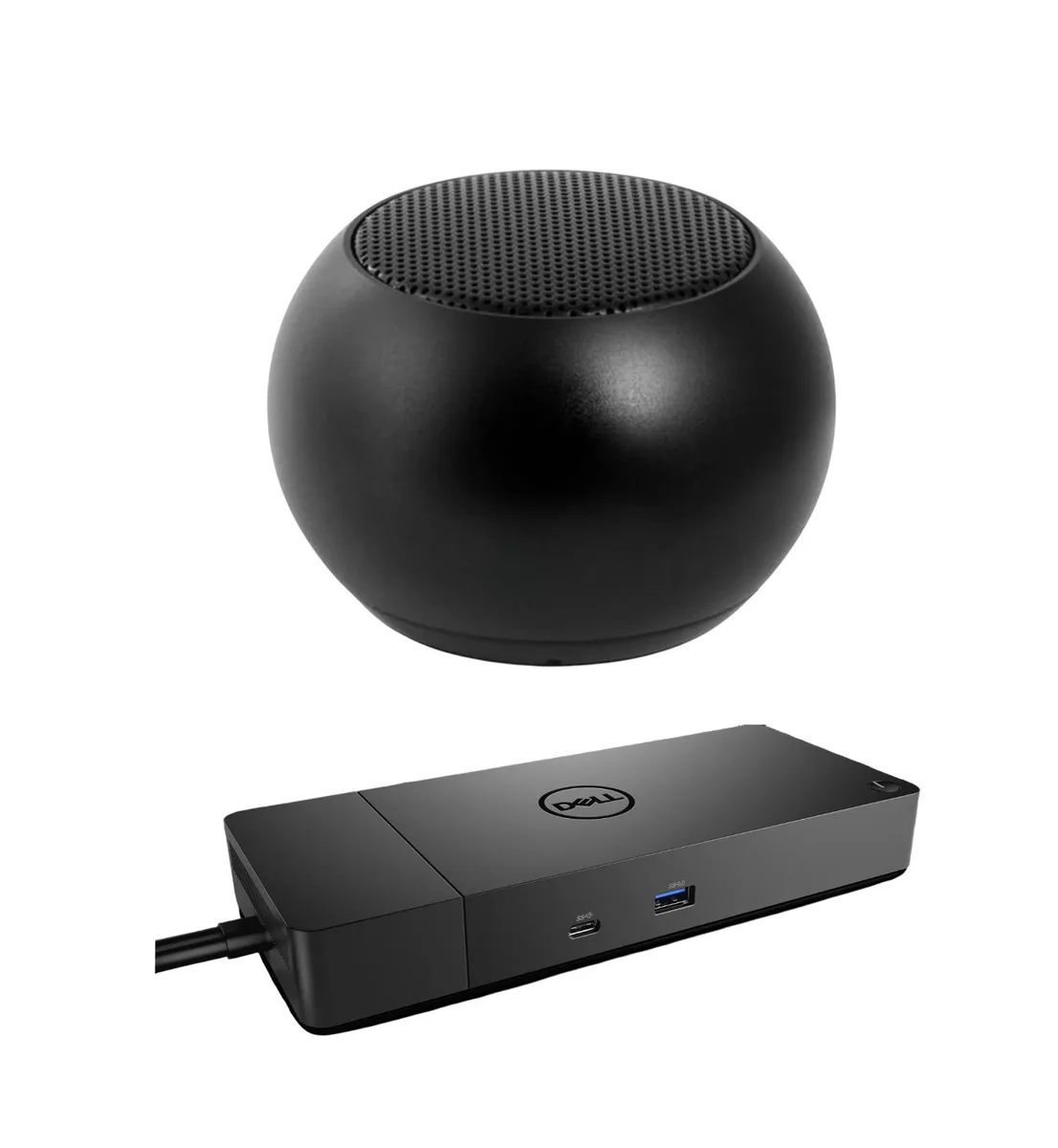
DELL WD19DCS USB-C Dock 210W Triple 4K + Bluetooth Mini Speaker
A USB-C dock with 210 W power delivery that drives up to three 4K displays at 60 Hz, plus a pocket-sized Bluetooth speaker offering four hours of playback
- Connect up to three 4K displays at 60Hz
- 210W Power Delivery keeps laptop charged while working
- Two DisplayPort 1.4 and one HDMI 2.0 for multi-monitor flexibility
- Mini Bluetooth speaker adds stereo sound with built-in mic
- Compact speaker delivers up to 4 hours playback per charge
Docking Station for Multi-Display Workstations
The Dell WD19DCS delivers 210W Power Delivery over USB-C and drives up to three 4K displays at 60 Hz or a single 5K panel. It provides two DisplayPort 1.4 ports, one HDMI 2.0 port, one USB-C 3.2 Gen 2 with DisplayPort, one USB-C 3.2 Gen 2, three USB 3.2 Gen 1 Type-A ports and Gigabit Ethernet. Advanced security features include MAC Address pass-through, remote port disablement, PXE Boot and Wake-on-LAN support.
Thermals Noise and Power Draw
The dock supplies 210W to the host laptop and peripherals, keeping connected devices charged during normal workloads. No active cooling or fan noise is specified for the docking station. The bundled Mini U Speaker runs on a 400 mAh battery rated for up to 4 hours playback and recharges via Micro USB.
Bundled Mini Speaker and Accessories
The included Mini U Speaker measures 45.45 mm by 33 mm (1.75" by 1.3") and pairs instantly over Bluetooth for wireless stereo audio with a built-in microphone. A Micro USB charging cable is supplied for the speaker. The dock itself ships with the cables required for its video, data and Ethernet ports, enabling a complete single-cable workstation setup.
Highlights
- Connect up to three 4K displays at 60Hz
- 210W Power Delivery keeps laptop charged while working
- Two DisplayPort 1.4 and one HDMI 2.0 for multi-monitor flexibility
- Mini Bluetooth speaker adds stereo sound with built-in mic
- Compact speaker delivers up to 4 hours playback per charge
Specifications
No published specifications for this item yet.
Questions about this item
How do I connect three 4K monitors to the WD19DCS dock, and which port do people plug into first by mistake?
Use the two DisplayPort 1.4 ports and the HDMI 2.0 port for triple 4K at 60 Hz; the single USB-C 3.2 Gen 2/DisplayPort alt-mode port is often tried first but only carries one video stream.
What part of the bundled mini speaker will need replacement first, and how is it charged?
The 400 mAh internal battery is the wear item; recharge it via the supplied Micro USB cord when the 4-hour playback drops off.
At what power level does the dock stop charging the laptop during heavy sustained loads?
The dock delivers up to 210 W Power Delivery; if the system draws more than that, the laptop will supplement from its own battery.
Also in this aisle
People compared these
Same shelf, same checkout — eight coins and a 30-minute rate lock.


Kensington
Kensington Desk Mount Cable Anchor K64613WW accessory
- Black
- Provides a secure a…
$19.99
0.00023067BTC
In stock
Panasonic
Panasonic CF-VDR291U laptop cooling pad
- Optical Drive
- Buffer Size: 2 MB B…
$213.99
0.00246931BTC
In stock
eReplacements
eReplacements PB992A-ER laptop battery 14.4V
- Battery
- Lithium-Ion
$65.99
0.00076148BTC
In stock