

DELL
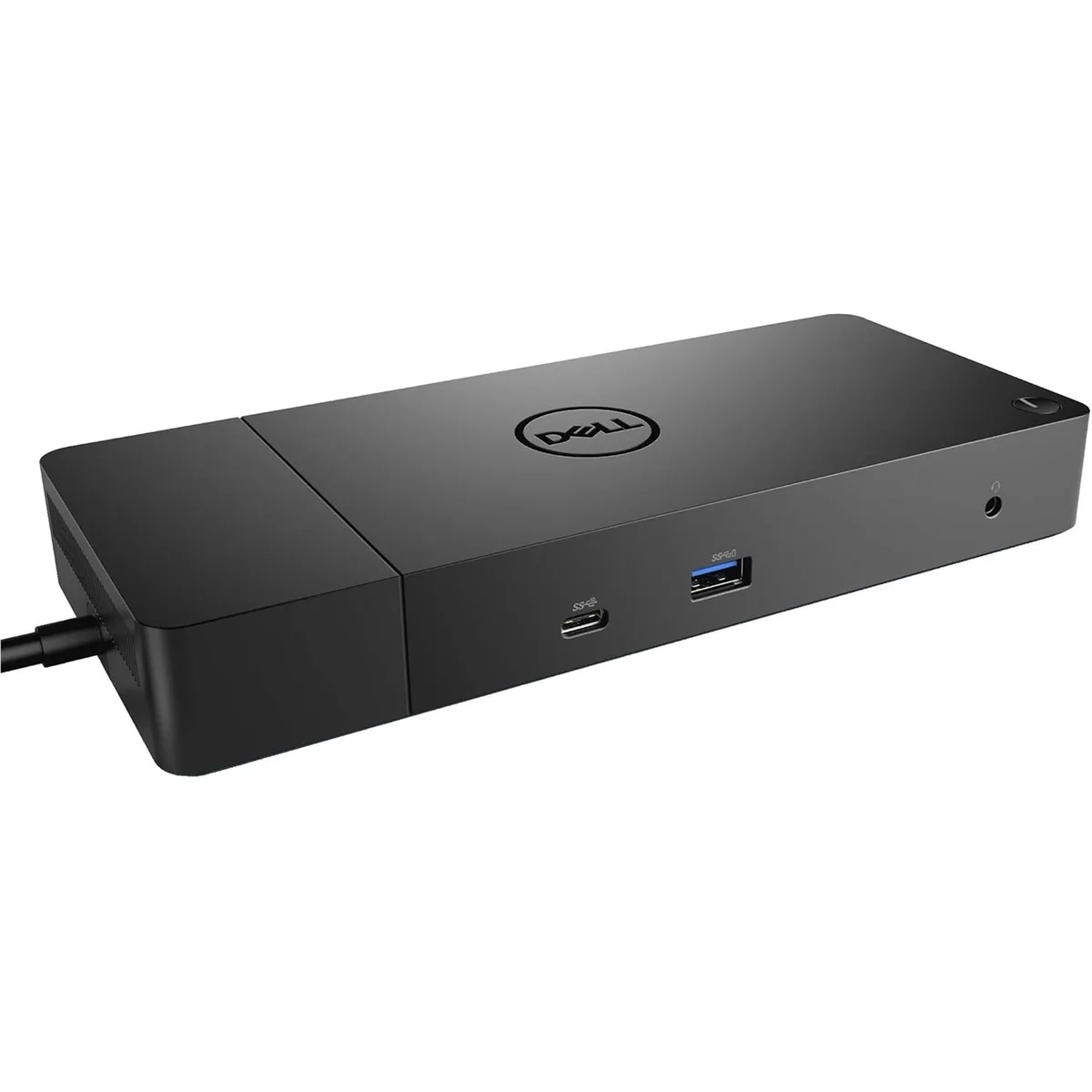
DELL WD19DC 210W Docking Station, Black
Connects a notebook to HDMI, DisplayPort, Ethernet, three USB 3.0 ports and two USB-C ports with 210W pass-through power delivery
- ColorBlack
- Dimension1.14 x 3.54 x 8.07
- Weight1.29 lbs
- Features0 DVI Output /1 HDMI Output /0 S-Video /0 USB 2.0 /3 USB 3.0
- FunctionNotebook
- 210W pass-through power keeps your laptop charged while you work
- Three USB 3.0 ports connect peripherals at up to 5 Gbit/s
- HDMI and DisplayPort outputs drive two external monitors simultaneously
- Gigabit Ethernet port adds a stable wired network link
- Compact 1.14 x 3.54 x 8.07 inch design fits neatly on any desk
Product Identity
The Dell WD19DC is a USB-C docking station that delivers 210W of pass-through power while expanding a single laptop port into multiple video, data and network connections. It is built for professionals who need a compact hub to drive external displays and peripherals from one cable.
Who It Suits
Workers who rely on a USB-C laptop with power-delivery input and want one dock for HDMI, DisplayPort, three USB 3.0 ports and wired Ethernet. Buyers whose notebooks lack USB-C charging or who need legacy DVI, VGA or USB 2.0 ports should look at other solutions.
Deciding Specification
The 210W power-delivery rating determines whether the dock can charge your specific laptop while driving its peripherals; if your device requires more power, this unit will not keep it powered under load.
Highlights
- 210W pass-through power keeps your laptop charged while you work
- Three USB 3.0 ports connect peripherals at up to 5 Gbit/s
- HDMI and DisplayPort outputs drive two external monitors simultaneously
- Gigabit Ethernet port adds a stable wired network link
- Compact 1.14 x 3.54 x 8.07 inch design fits neatly on any desk
Specifications
| Brand | Dell |
|---|---|
| Model | WD19DC |
| Color | Black |
| Dimension | 1.14 x 3.54 x 8.07 |
| Weight | 1.29 lbs |
| Features | 0 DVI Output /1 HDMI Output /0 S-Video /0 USB 2.0 /3 USB 3.0 /0 VGA |
| Function | Notebook |
Questions about this item
What does the 210 W pass-through power delivery cap in practice?
The dock can supply up to 210 W to the host laptop while simultaneously running all connected peripherals.
What physical space does the 1.14 x 3.54 x 8.07 inch unit need on a desk?
It occupies a footprint of 3.54 by 8.07 inches and stands 1.14 inches tall, weighing 1.29 lbs.
How is the single USB-C host cable connected, and what step do people often miss?
Plug the attached USB-C cable into the laptop's USB-C port that supports DisplayPort Alt Mode and power delivery; the dock will not drive video or charge if the wrong port is used.
Also in this aisle
People compared these
Same shelf, same checkout — eight coins and a 30-minute rate lock.


SanDisk Professional
SanDisk Professional G-Drive ArmorATD 4TB IP54 accessory
$248.99
0.0028801BTC
In stock
