
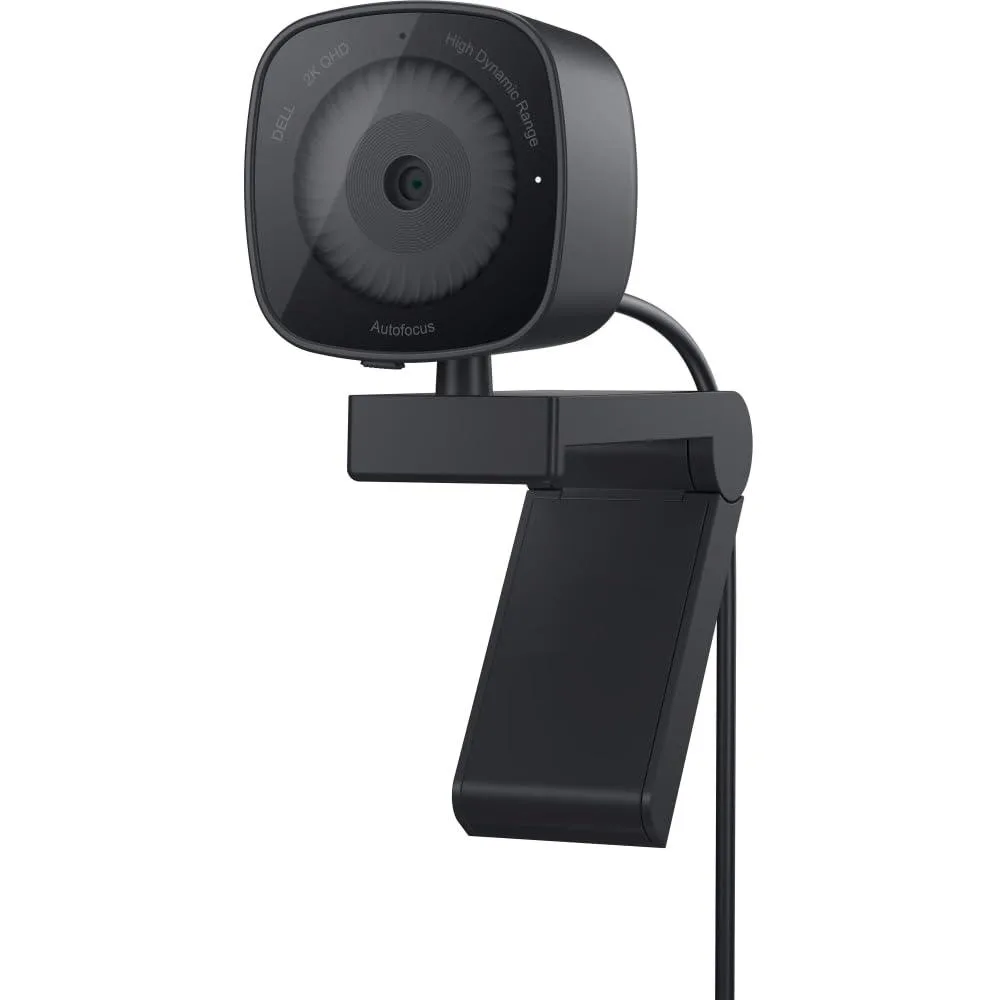


Dell WB3023 2K QHD Video Capturing Device
A 2K QHD webcam with a Sony sensor, built-in noise-reduction microphone, sliding privacy shutter, and adjustable tilt and swivel mounting
- InterfaceUSB-A
- Wireless SupportUSB-A
- CodecsMP4, AAC
- FormatMP4
- Resolution Support2K, 2560 pixels
- Camera Resolution2K
- 2K QHD resolution at 2560 × 1440 pixels delivers crisp, detailed video
- Sony image sensor produces vivid, true-to-life colour with HDR support
- Built-in noise-reduction microphone captures clear audio while suppressing background sound
- Integrated sliding privacy shutter blocks the lens when the webcam is not in use
- Adjustable tilt and swivel mount lets you frame the perfect angle on any monitor or tripod
Dell WB3023 2K QHD webcam
The Dell WB3023 is a 2K QHD video capturing device built around a Sony image sensor for sharp 2560-pixel resolution. It connects through a USB-A interface and records in MP4 format with AAC audio. A micro SD card slot is included for local storage. This webcam suits remote workers, streamers and students who need clear video for calls and content creation.
Upgrade from 1080p built-in cameras
Moving to this 2K QHD webcam replaces lower-resolution integrated laptop cameras that often struggle with detail and low-light noise. The jump is worth it when you need crisper facial detail for professional meetings, lesson recordings or live streams. HDR support and temporal plus spatial noise reduction help maintain image quality in mixed or dim lighting where 1080p sensors produce grainy footage.
Clip-on mounting with software setup
The integrated mounting clip attaches to monitors, notebooks or tripods without tools. Connect the USB-A cable, then install Dell Peripheral Manager on Windows or Dell Display and Peripheral Manager on Mac OS to enable the microphone, adjust HDR, noise reduction and privacy shutter settings. Common issues include forgetting to enable the mic in the software, leaving the sliding shutter closed, or using a USB hub that cannot supply enough power for 2K capture.
Highlights
- 2K QHD resolution at 2560 × 1440 pixels delivers crisp, detailed video
- Sony image sensor produces vivid, true-to-life colour with HDR support
- Built-in noise-reduction microphone captures clear audio while suppressing background sound
- Integrated sliding privacy shutter blocks the lens when the webcam is not in use
- Adjustable tilt and swivel mount lets you frame the perfect angle on any monitor or tripod
Specifications
| Brand | Dell, DELL |
|---|---|
| Series | WB3023 |
| Model | WB3023, WB3023-DDAO |
| Part Number | WB3023-DDAO |
| Interface | USB-A |
| Wireless Support | USB-A |
| Codecs | MP4, AAC |
| Format | MP4 |
| Resolution Support | 2K, 2560 pixels |
| Camera Resolution | 2K |
| SDI Compliance | USB-A |
| Audio Sampling | AAC |
| Scaling | Digital |
| Color | Black |
| Video | 2K, MP4, qhd, 2560 pixels |
| Audio | AAC |
| Serial Interface | USB-A |
| Network Interface | USB-A |
| USB Port | USB-A |
| Memory Card Slot | Micro SD |
| Component | 0 |
| Composite | USB-A |
| Digital Aduio | AAC |
| Other Connector | USB-A |
| LED Indicator | Low Light |
| Display | 2.7 inches, 2K |
| Compatibility | Laptop, Personal Computer |
| System Requirements | Laptop, Personal Computer |
| Specification | Low Light, WB3023, Dell, USB-A, 0 L x 1.89 W x 2.72 H inches, 5.3 ounces |
| Feature | Low Light |
| Dimensions | 72" |
| Weight | 5.3 ounces |
Questions about this item
What clip does the WB3023 use to attach to a monitor or notebook?
The webcam has an integrated mounting clip that slides onto a monitor, notebook or tripod for quick positioning.
Which software step enables the noise-reduction microphone on the WB3023?
Open Dell Peripheral Manager on Windows or Dell Display and Peripheral Manager on macOS and turn the microphone on to activate noise reduction.
Where does the WB3023 store recordings if I save them locally?
Video is saved in MP4 format onto a microSD card inserted into the built-in card slot.
Also in this aisle
People compared these
Same shelf, same checkout — eight coins and a 30-minute rate lock.


WRIARICH
WRIARICH HDMI to USB/Type-C Video Capture Device 4K 1080P 60FPS Black
- HDMI
- 4K
$35.99
0.00041558BTC
In stock

Blackmagic Design Pty. Ltd.
Blackmagic Design ATEM SDI Live Production Switcher
$278.99
0.00322156BTC
In stock