Corn Electronics
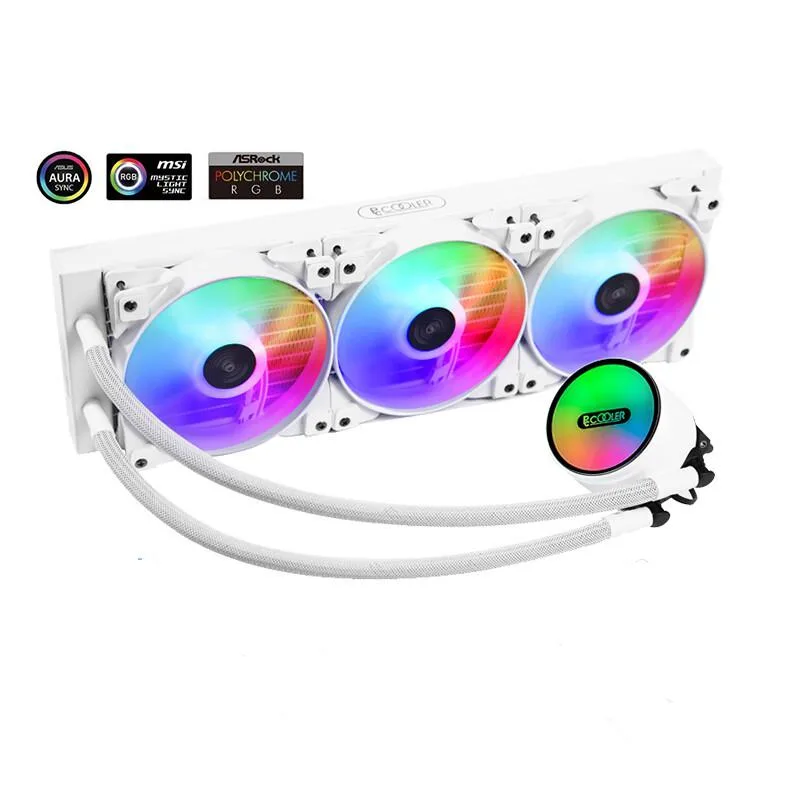
Corn Electronics laptop cooling pad white 360 mm 3 fan 120 mm ARGB
- White
- 3
$162.99
0.00188208BTC
In stockWe take cryptocurrency — so the coins you hold can buy real hardware.Pay in crypto, spend it on real hardware. Free insured shipping worldwide over $399. Plain, unbranded boxes, sent from Germany.Free insured shipping over $399. Your rate is locked for 30 minutes once checkout opens.Rate locked 30 minutes. Every item sealed, serial-checked and covered by a 24-month warranty.Sealed, 24-month warranty.


DELL
Connects Dell Precision 7730 and 7530 laptops via Thunderbolt with 2x Thunderbolt 3, 3x USB-A 3.1, HDMI 2.0, DisplayPort 1.4, VGA, Gigabit Ethernet, audio and Kensington lock slot
This Dell TB18DC Thunderbolt docking station connects to a Dell Precision 7730 or 7530 through a single USB-C cable. It adds video, network, audio and peripheral ports while also supplying power to the notebook. The unit includes a Kensington lock slot for physical security.
The dock is built for Dell Precision 7730 and 7530 owners who want one cable to drive multiple displays, wired Ethernet and USB accessories. Buyers with other Dell lines or non-Dell USB-C laptops should look elsewhere because compatibility is limited to the listed Precision models.
Two Thunderbolt 3 ports let you chain additional Thunderbolt devices or connect a second high-resolution display without using the HDMI, DisplayPort 1.4 or VGA outputs. This port count is the key spec that determines whether the dock can handle your multi-device workflow.
| Color | Black |
|---|
Plug the Thunderbolt 3 cable into the laptop's Thunderbolt port, then connect the included charger to the dock's power input; the step often missed is attaching the power adapter before linking peripherals.
The Thunderbolt 3 cable and the power adapter are the components most likely to wear out first with daily connect and disconnect cycles.
The combined bandwidth of the two Thunderbolt 3 ports becomes the bottleneck when driving dual 4K displays plus high-speed USB devices simultaneously.
Also in this aisle
Same shelf, same checkout — eight coins and a 30-minute rate lock.
What you pay in, and what you read prices in.
Sent from your wallet at checkout
Display only — the catalogue is priced in USD
No currency matches that.
Pick the language the site speaks to you in.
No language matches that.
New here?
Already have one?
There is no automatic reset: this shop sends no mail, so there is no one-time link to ask for. Leave the address on the account and it gets picked up by hand.
Request noted
Nothing is on its way to your inbox — this shop sends no mail at all. Someone picks these up by hand.
Remembered it?