


DELL
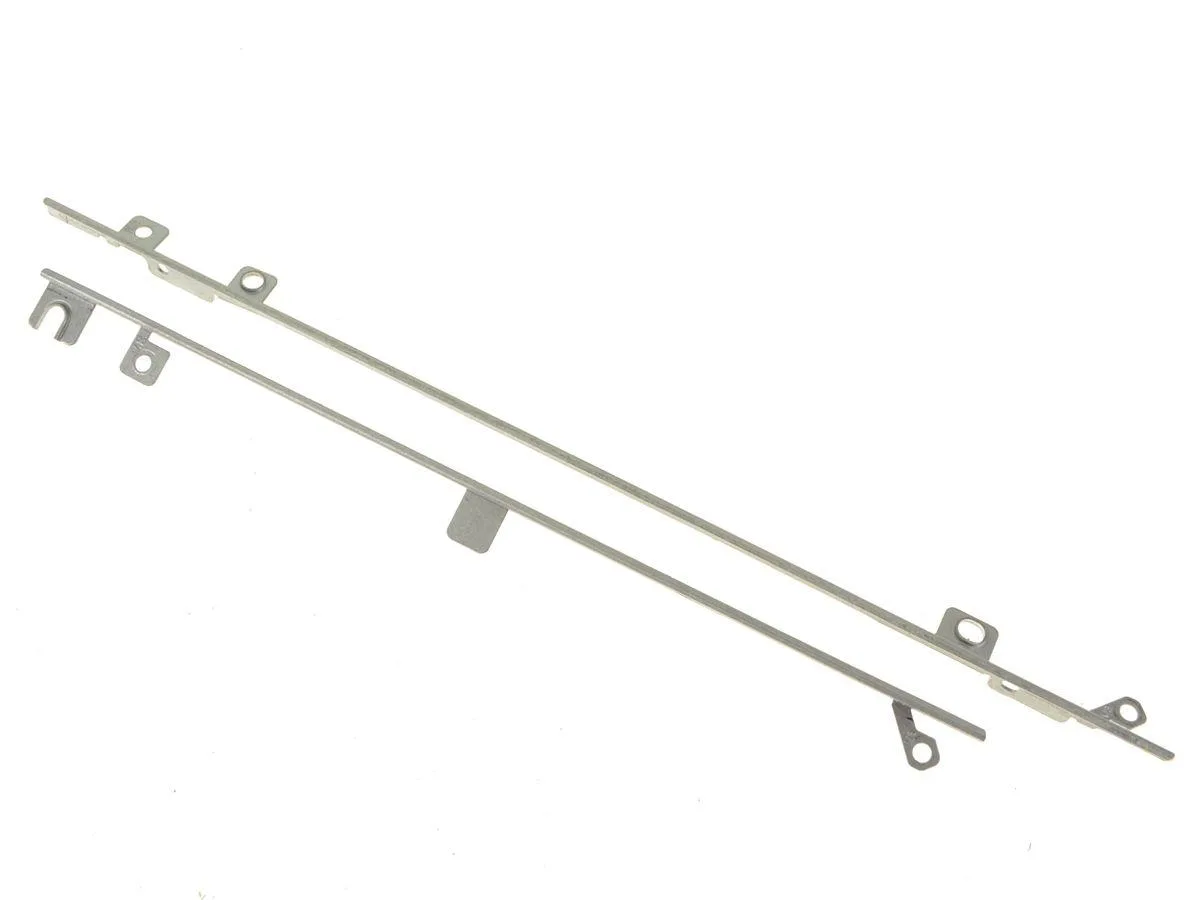
DELL OptiPlex 7440 7450 AIO FHD LCD Mounting Bracket 4HN09
Genuine Dell OEM LCD mounting bracket rails for OptiPlex 7440 and 7450 All-In-One systems with 1920 x 1080 FHD screens
- Genuine Dell OEM part ensures exact fit for OptiPlex 7440/7450 AIO
- Designed specifically for 1920 x 1080 FHD LCD screen compatibility
- Includes left and right mounting rails for complete installation
- Direct replacement using Dell part numbers 13P1-4HN0921 and 13P1-4HN0721
- New condition guarantees reliable performance for AIO display assembly
Genuine Dell OEM LCD Mounting Bracket
This genuine Dell OEM mounting bracket is designed specifically for OptiPlex 7440 and 7450 All-In-One desktops equipped with a 1920 x 1080 FHD display. It replaces part numbers 13P1-4HN0921 and 13P1-4HN0721. The rail secures the LCD assembly inside the chassis. Buyers with UHD or touch-screen models cannot use this bracket.
Passive Metal Rail With No Power Draw
The bracket is a passive metal component that adds no thermal load, fan noise or power consumption to the system. Installation simply aligns the rail with the existing mounting points on the FHD panel. No cables, drivers or firmware updates are involved. Systems running hotter or louder after fitting indicate a separate issue.
Precision Fit For FHD Chassis Only
Build quality matches the original factory rail, ensuring the display sits flush without gaps or flex. The part is keyed to the FHD chassis geometry, so it will not align with UHD or non-touch variants. Daily use means the screen stays firmly seated during transport or desk vibration. Technicians should verify the LCD resolution before ordering.
Highlights
- Genuine Dell OEM part ensures exact fit for OptiPlex 7440/7450 AIO
- Designed specifically for 1920 x 1080 FHD LCD screen compatibility
- Includes left and right mounting rails for complete installation
- Direct replacement using Dell part numbers 13P1-4HN0921 and 13P1-4HN0721
- New condition guarantees reliable performance for AIO display assembly
Specifications
| Brand | Dell |
|---|
Questions about this item
How do I install the 4HN09 bracket on my OptiPlex 7440 AIO without damaging the 1920 x 1080 panel?
Remove the rear cover, detach the original rails, align the 4HN09 bracket screw holes with the chassis posts, and torque screws evenly; the step most people miss is checking the FHD label 13P1-4HN0921 before mounting.
Will the plastic clips on the 4HN09 rail fatigue and need replacement after repeated panel removals?
The clips are moulded into the rail; they do not wear separately, so the entire bracket is replaced only if a clip snaps during service.
At what point does the 4HN09 bracket become the limiting factor when the OptiPlex 7450 AIO runs sustained workloads?
The bracket is a passive mechanical part; it has no thermal or electrical limit, so sustained use never makes it the first bottleneck.
Also in this aisle
People compared these
Same shelf, same checkout — eight coins and a 30-minute rate lock.


Kensington
Kensington Desk Mount Cable Anchor K64613WW accessory
- Black
- Provides a secure a…
$19.99
0.00023792BTC
In stock
Panasonic
Panasonic CF-VDR291U laptop cooling pad
- Optical Drive
- Buffer Size: 2 MB B…
$213.99
0.00254689BTC
In stock
eReplacements
eReplacements PB992A-ER laptop battery 14.4V
- Battery
- Lithium-Ion
$65.99
0.00078541BTC
In stock