

DELL
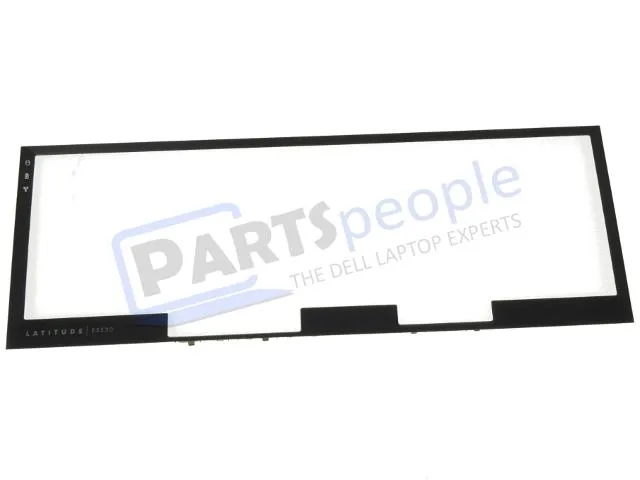
Dell Latitude E5530 Dual Point Keyboard Bezel Trim Plastic YW78X
Genuine Dell replacement keyboard bezel trim for Latitude E5530 with dual pointing setup
- Genuine Dell part ensures exact fit for Latitude E5530
- Designed specifically for dual pointing keyboard layout
- Replaces damaged or worn keyboard bezel trim
- OEM quality plastic matches original look and feel
- Part number YW78X confirms correct component selection
Genuine Dell Latitude E5530 keyboard trim
This genuine Dell replacement trim bezel fits the Latitude E5530 laptop with a dual pointing set up. It surrounds the keyboard and accommodates the two sets of mouse buttons found above and below the touchpad. The part number is YW78X. Buyers with a single pointing configuration cannot use this trim.
Thermals noise and power draw not applicable
This plastic trim piece has no active components, so it produces no heat, noise or power draw. It simply replaces the original bezel that may have cracked or worn over time. Installation requires no tools beyond those used for standard keyboard removal.
Bundled accessories and software
No accessories, cables or software are included with this trim bezel. The package contains only the plastic trim piece itself. No drivers or firmware updates are required for installation.
Highlights
- Genuine Dell part ensures exact fit for Latitude E5530
- Designed specifically for dual pointing keyboard layout
- Replaces damaged or worn keyboard bezel trim
- OEM quality plastic matches original look and feel
- Part number YW78X confirms correct component selection
Specifications
| Brand | Dell |
|---|
Questions about this item
How do I fit the YW78X bezel trim onto the Latitude E5530 without damaging the dual-point mouse buttons?
Align the trim over the keyboard deck, seat the upper button strip first, then press the lower button strip into place; forcing the lower strip before the upper one clips can crack the plastic.
Will the plastic trim yellow or become brittle, and when should I replace it?
The ABS plastic may yellow after several years of UV exposure; replace it if the button cut-outs crack or the retention tabs snap off during removal.
What fails first on the YW78X bezel when the laptop runs hot for long periods?
The retention tabs that lock the trim to the chassis soften first under sustained heat, causing the bezel to lift at the front edge.
Also in this aisle
People compared these
Same shelf, same checkout — eight coins and a 30-minute rate lock.


Kensington
Kensington Desk Mount Cable Anchor K64613WW accessory
- Black
- Provides a secure a…
$19.99
0.00023773BTC
In stock
Panasonic
Panasonic CF-VDR291U laptop cooling pad
- Optical Drive
- Buffer Size: 2 MB B…
$213.99
0.00254483BTC
In stock
eReplacements
eReplacements PB992A-ER laptop battery 14.4V
- Battery
- Lithium-Ion
$65.99
0.00078477BTC
In stock