


DELL
DELL Latitude E5400 Palmrest Touchpad Assembly P094P 2-Button
Replacement palmrest with integrated touchpad, speakers and LED board for Latitude E5400 laptops
- Genuine Dell OEM replacement for Latitude E5400
- Includes touchpad, circuitry, speakers and LED indicator board
- Two-button touchpad design matches original layout
- New condition ensures reliable performance and fit
- Part number P094P for exact compatibility verification
Genuine Dell Latitude E5400 Palmrest Touchpad
This is a genuine Dell OEM replacement palmrest assembly designed specifically for the Latitude E5400 laptop. It includes the touchpad circuitry, left and right speakers, and the LED indicator circuit board with ribbon cable. The unit features a two-button touchpad configuration. Screws are not included with this assembly.
Two-button repair for Latitude E5400 owners
This part suits technicians or owners repairing a Latitude E5400 that requires the exact two-button palmrest assembly matching part number P094P. Buyers needing a four-button touchpad variant should look at a different assembly. Anyone servicing a different laptop model must verify their specific part number before purchasing.
Match existing part number P094P for compatibility
The single specification that decides fitment is confirming your current palmrest carries the Dell part number P094P. Dell produced both two-button and four-button versions for this chassis, so visual inspection alone is insufficient. Always match the printed part number on the original assembly to ensure the correct replacement.
Highlights
- Genuine Dell OEM replacement for Latitude E5400
- Includes touchpad, circuitry, speakers and LED indicator board
- Two-button touchpad design matches original layout
- New condition ensures reliable performance and fit
- Part number P094P for exact compatibility verification
Specifications
| Brand | Dell |
|---|
Questions about this item
How does the two-button layout work once the palmrest is installed in a Latitude E5400?
The assembly provides left and right click buttons directly below the touchpad surface, matching the original E5400 two-button design.
Which connector standard does the ribbon cable use for the LED indicator board?
The ribbon cable plugs into the proprietary Dell motherboard header used on the Latitude E5400 chassis.
What mounting hardware must I supply to fit this palmrest assembly?
You will need to reuse the original screws from the removed palmrest; no screws are included with the P094P assembly.
Also in this aisle
People compared these
Same shelf, same checkout — eight coins and a 30-minute rate lock.


Total Micro Technologies
Total Micro Technologies 65 W AC Adapter 693711001TM for HP ProBook 4540s
- Consumer Electronics
$30.99
0.00036126BTC
In stock
Total Micro Technologies
Total Micro Technologies 24W AC Adapter Microsoft Surface Go
- Consumer Electronics
$32.99
0.00038458BTC
In stock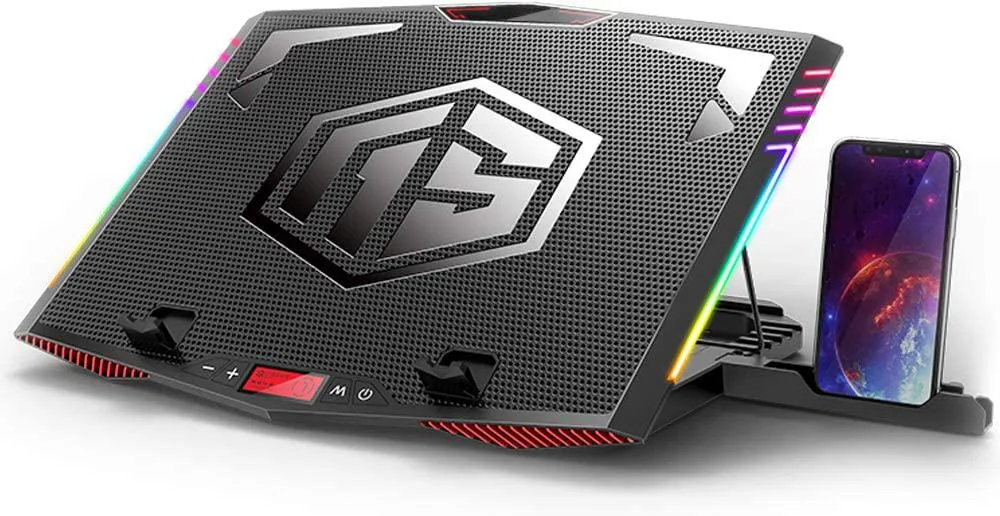
Mickey Technology
Mickey Technology laptop cooling pad 15.6-21 inch 6 fans RGB
- Accessory Case
- Black
$33.99
0.00039624BTC
In stock