


DELL
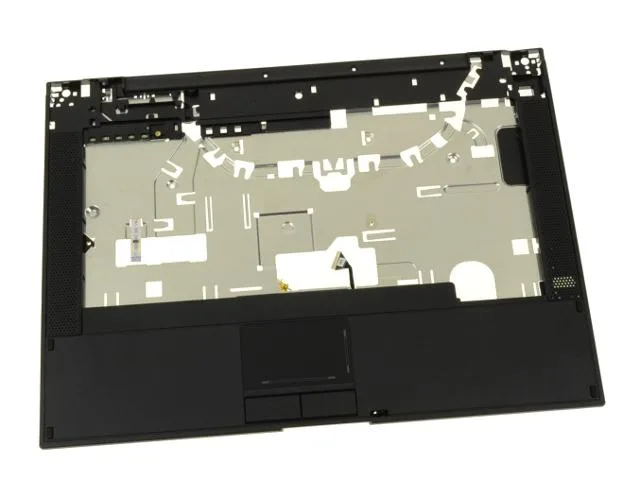
Dell Latitude E5400 Palmrest Touchpad Assembly 2-Button C963C
Genuine Dell palmrest with two-button touchpad, speakers and LED board for Latitude E5400 laptops
- Genuine Dell OEM replacement for Latitude E5400
- Part numbers C963C and C965C ensure exact fit
- Integrated touchpad, speakers and LED board in one unit
- Two-button touchpad layout matches original factory design
- New condition part ready for immediate installation
Genuine Dell E5400 Palmrest Assembly
This genuine Dell OEM palmrest assembly fits the Latitude E5400 notebook and carries part numbers C963C and C965C. It replaces a worn or damaged original palmrest with a factory-matched unit. The two-button touchpad layout matches the specific variant used on this model.
Integrated Touchpad Speakers and Indicators
The assembly includes the touchpad module, its circuitry, left and right speakers, and the LED indicator board with ribbon cable. All components are pre-mounted on the palmrest frame for direct installation. Screws are not supplied, so existing or new fasteners must be sourced separately.
Direct Replacement for Latitude E5400 Owners
This part restores full palmrest function when the original touchpad, speakers or indicator board fail. The jump is worth it when a cracked palmrest or erratic cursor makes the laptop difficult to use. Buyers needing a four-button touchpad variant should verify their current part number before ordering.
Highlights
- Genuine Dell OEM replacement for Latitude E5400
- Part numbers C963C and C965C ensure exact fit
- Integrated touchpad, speakers and LED board in one unit
- Two-button touchpad layout matches original factory design
- New condition part ready for immediate installation
Specifications
| Brand | Dell |
|---|
Questions about this item
Does the C963C palmrest assembly fit the Latitude E5400 chassis without modification?
The C963C assembly is built for the Latitude E5400 and matches the original mounting points exactly.
What parts must be transferred from the old palmrest to the C963C unit during replacement?
The C963C includes the touchpad, touchpad circuitry, left and right speakers, and the LED indicator board with ribbon cable; mounting screws are not supplied and must be reused from the original palmrest.
Which step do installers most often miss when fitting the C963C palmrest on a Latitude E5400?
Connecting the LED indicator board ribbon cable before securing the palmrest is the step most frequently overlooked; the cable routes under the top cover and must be seated fully to avoid a second teardown.
Also in this aisle
People compared these
Same shelf, same checkout — eight coins and a 30-minute rate lock.


Targus
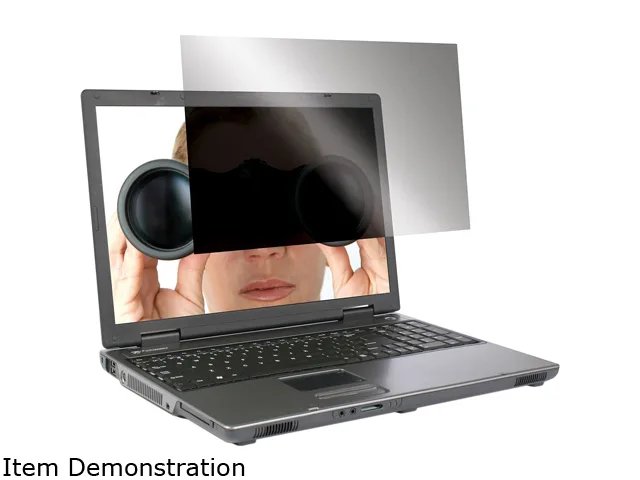
Targus ASF15USZ 15.0" 4:3 privacy filter accessory
- Privacy Filter
- Notebook
$39.99
0.00046637BTC
In stock