


DELL
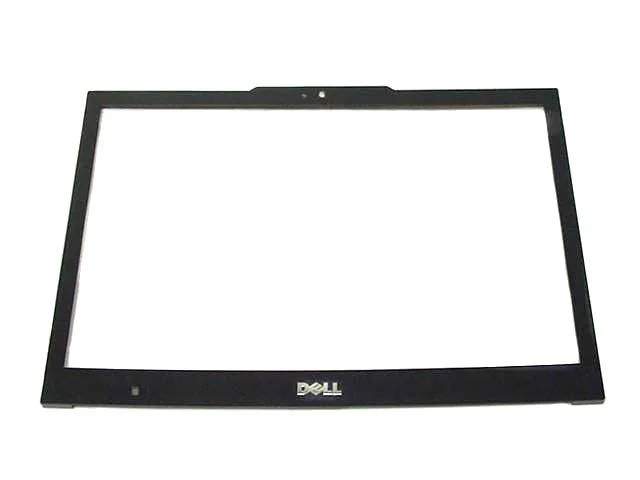
DELL Latitude E4300 13.3" LCD Trim Bezel W299F
Replacement LCD trim bezel with camera port for 13.3-inch Latitude E4300 laptops
- Accessory TypeLCD Trim Bezel
- Genuine Dell replacement ensures exact fit for Latitude E4300
- Built-in camera window keeps webcam functional after installation
- 3-inch bezel matches original screen dimensions precisely
- New OEM part number W299F guarantees correct variant
- Plastic front trim restores lid appearance and protection
Replacement LCD Trim Bezel
The Dell Latitude E4300 13.3" LCD trim bezel W299F is a genuine OEM front cover for the display assembly. It is intended for owners or repair technicians replacing a cracked, loose or missing bezel on this specific model. The part includes the moulded camera window so the integrated webcam remains functional after installation. Verify the part number matches your unit before ordering, as several bezel variants exist for the E4300 series.
Plastic Construction and Fit
The bezel is moulded from plastic and clips onto the existing LCD panel frame without screws or adhesives. Normal handling produces no audible noise and the component draws no power. Its only thermal role is passive; it does not affect system temperatures or fan behaviour.
Camera Window and Mounting Clips
A precise cut-out aligns with the webcam module, preventing image obstruction or light leaks. Internal mounting tabs engage the original latch points on the display cover, so the bezel sits flush once pressed into place. No additional brackets, cables or tools are required beyond a plastic pry tool for removing the old bezel. Buyers needing a complete display assembly or a bezel without the camera port will not be served by this part.
Highlights
- Genuine Dell replacement ensures exact fit for Latitude E4300
- Built-in camera window keeps webcam functional after installation
- 3-inch bezel matches original screen dimensions precisely
- New OEM part number W299F guarantees correct variant
- Plastic front trim restores lid appearance and protection
Specifications
| Brand | Dell |
|---|---|
| Part Number | W299F |
| Accessory Type | LCD Trim Bezel |
Questions about this item
How is the W299F bezel installed and what step is often missed?
Remove the display panel screws, pry off the old bezel, then snap the W299F into place ensuring the 13.3" camera port aligns exactly before securing the screws.
What maintenance or replacement will the W299F need later?
The plastic bezel itself requires no scheduled maintenance; replace it only if the camera window cracks or the mounting tabs break during a future screen repair.
What limit appears first under sustained use of the W299F?
Repeated flexing when opening the 13.3" lid can fatigue the mounting tabs, causing the bezel to loosen or the camera port to misalign over time.
Also in this aisle
People compared these
Same shelf, same checkout — eight coins and a 30-minute rate lock.


Kensington
Kensington Desk Mount Cable Anchor K64613WW accessory
- Black
- Provides a secure a…
$19.99
0.00022996BTC
In stock
Panasonic
Panasonic CF-VDR291U laptop cooling pad
- Optical Drive
- Buffer Size: 2 MB B…
$213.99
0.00246164BTC
In stock
eReplacements
eReplacements PB992A-ER laptop battery 14.4V
- Battery
- Lithium-Ion
$65.99
0.00075912BTC
In stock